
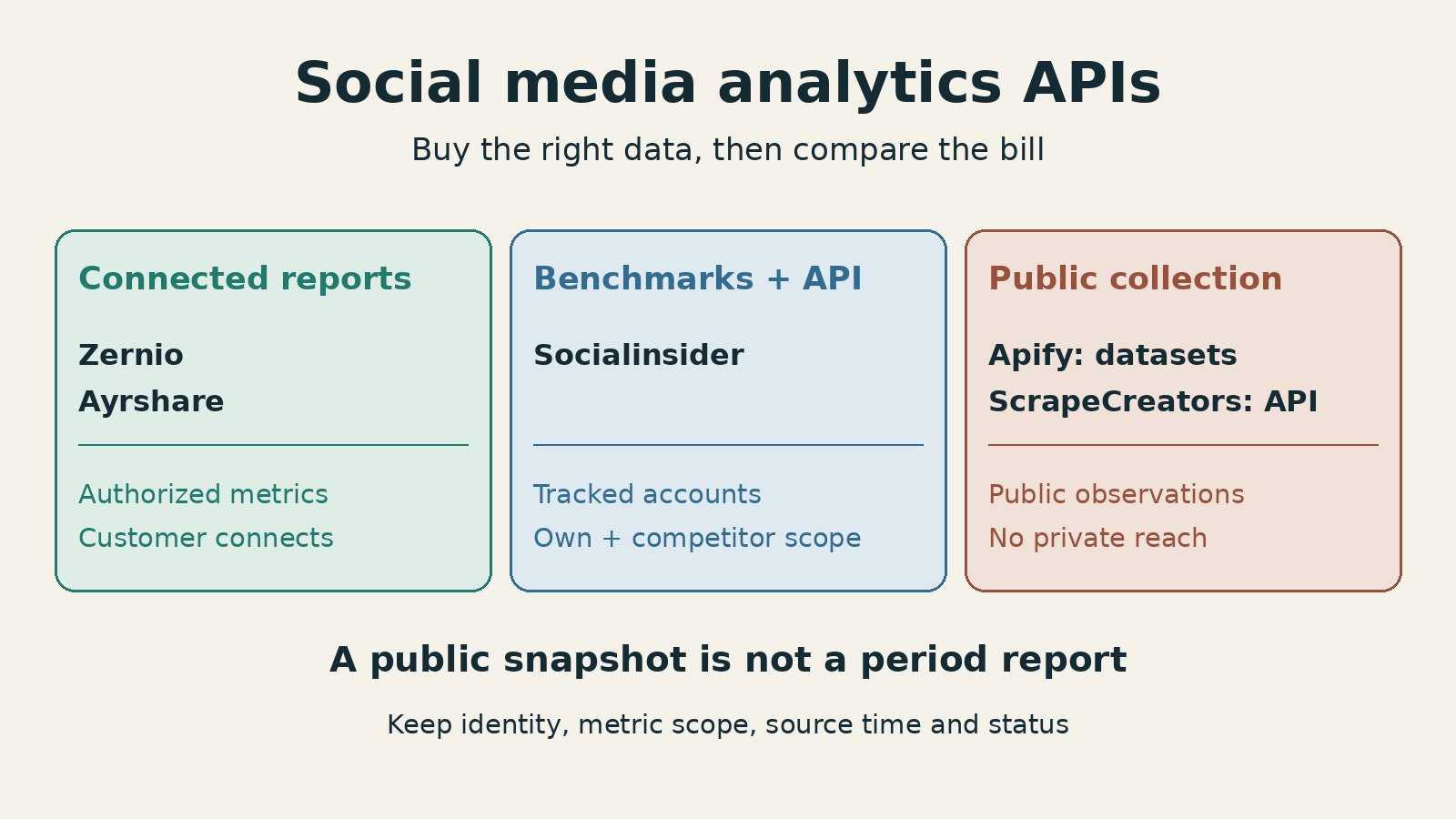
For a social media analytics API, start with Zernio for a small connected-account reporting product, Ayrshare for customer profiles spanning several networks, or Socialinsider for account benchmarking with a reporting workspace. Choose Apify for scheduled public datasets or ScrapeCreators for public account and post observations inside a pipeline you build. Those last two do not replace authorized reach, impressions, or watch-time reports.
The first buying question is whose numbers you need. Your customer’s private performance metrics and a competitor’s public counters require different access. A single endpoint does not make them interchangeable.
Disclosure: I run ScrapeCreators. Prices and documentation below were checked on November 22, 2026. We executed the public-data example, not a paid comparison across vendors or a connected-account benchmark.
Quick comparison
| API or platform | Choose it for | What you receive | Main boundary |
|---|---|---|---|
| Zernio | Analytics for accounts your customers connect | Synced post metrics, account statistics, reporting endpoints | Platform-specific availability, sync status, and read limits still apply |
| Ayrshare | A product serving brands with multiple connected networks | Post, account, and link analytics | Basic versus advanced analytics depends on the plan |
| Socialinsider | Own-account reporting plus competitor benchmarking | Metrics for profiles added to its workspace | API access costs extra; public and authorized metrics differ |
| Apify | Scheduled public collection and dataset delivery | Actor runs and exported records | Your application still owns metric definitions and historical comparisons |
| ScrapeCreators | Public observations without connecting the subject’s account | Endpoint-specific JSON for public profiles and content | Not an authorized analytics or attribution API |
This article is about buying a data layer for reporting software. If you need brand-mention discovery and alerts, use our separate monitoring API comparison. For a ready-made channel dashboard, start with the YouTube reporting tools guide or TikTok analytics tools guide.
Compare the billable object
| Option | Current purchase or usage unit | What to check before budgeting |
|---|---|---|
| Zernio | First two connected accounts free; accounts 3-10 cost $6 each/month, 11-100 cost $3 each/month, 101 onward cost $1 each/month | Graduated bands, not one discounted rate applied to every account; other metered services are separate |
| Ayrshare | Premium $149/month for one profile; Launch $299/month for up to ten profiles; Business starts at $599/month with 30 profiles | One profile can bundle several networks; Launch adds advanced analytics and historical content |
| Socialinsider | Adapt $99/month plus the $100/month API add-on on the monthly USD pricing view | The advertised base plan is not an API-only price; a separately negotiated API arrangement may have different terms |
| Apify Instagram Scraper example | Result events: $2.70/1,000 on Free, $2.30 on Starter, $1.90 on Scale, $1.50 on Business | Each Actor has its own pricing; lower result rates come with the applicable plan commitment |
| ScrapeCreators example | $47 buys 25,000 credits; the two profile endpoints used below each cost one credit per successful retrieval | Credits pay for requests, not a finished dashboard, historical series, or unique audience |
These units are deliberately not reduced to one misleading “cost per account.” A connected account, a multi-network customer profile, a dataset result, and an API request buy different things.
1. Zernio for connected-account reporting
Zernio’s analytics offering is a sensible starting point when customers connect accounts and your software needs their performance data. It is closer to reporting infrastructure than a public profile lookup.
Its current post analytics reference accepts Zernio, external, and native platform post IDs, with account or profile context where needed. That matters when a customer published a post outside your app. Store the provider ID and native ID separately instead of assuming the URL is the API identifier.
The newer post metrics endpoint supports account or profile lists, per-post reads, and a change feed. Its date semantics deserve attention: a list selects posts published in the requested window, while an included sample series is filtered by sync time. Those are different reports. A current lifetime total for posts published in October is not automatically engagement earned during October.
The docs also distinguish a completed result from a single-post request awaiting synchronization: the older analytics endpoint can return 202 for sync pending or 424 when all platforms failed. Show those states in your product rather than turning every empty result into zero performance.
Current social pricing counts connected accounts, not customer profiles. A brand with a Facebook Page and an Instagram account uses two connections. Twelve connections total $54/month at the published graduated bands, before other metered products. Do not reuse a historical “per brand” offer from an old video or lifetime deal.
Choose Zernio if you want account-authorized metrics and can operate a sync worker. Check the current rate-limit reference: included analytics does not mean unlimited request throughput. Read the platform metric catalog before promising any particular field.
2. Ayrshare for multi-network customer profiles
Ayrshare fits a product where one customer connects several social networks. Its billing profile represents a customer, brand, or independently managed location, rather than one connected network.
The useful distinction is between its post analytics, social-account analytics, and shortened-link analytics. These are separate measurement surfaces. A tracked-link click and a social post’s reported click should not silently become the same column.
Its analytics documentation explains freshness with two fields: lastUpdated records when the metrics were fetched from the network, and nextUpdate tells you when a request can fetch fresh metrics again. The interval varies. Polling every minute does not necessarily buy a newer observation.
That is a better integration contract than a blanket real-time claim. Save both timestamps, expose stale or failed reads, and schedule the next refresh using the actual response. Do not substitute your HTTP receipt time for the metric refresh time.
On the monthly pricing view, Premium is $149 for one profile with basic analytics. Launch is $299 for up to ten profiles and adds advanced analytics plus historical content access. Business starts at $599 with 30 profiles and tiered expansion. Check the exact advanced metric you need against your plan instead of assuming all analytics are in Premium.
A viewer on Ayrshare’s API walkthrough asked where to find the post ID; the creator’s reply pointed back to the docs. It is a small question that can stop a real integration. Include ID discovery and manually published posts in your trial, not just the final metrics request.
Choose Ayrshare if the bundled-profile model matches your customers. Another option may cost less for a few individual connections; Ayrshare becomes easier to evaluate when you count customers and their networks separately.
3. Socialinsider for benchmarking plus API access
Socialinsider’s API suits teams that want metrics already organized around tracked accounts, projects, and brands, including competitor benchmarking. This is different from creating your own collection system one public endpoint at a time.
Its current product page says data is fetched for specific handles or accounts, not keyword searches, and advertises updates every six hours. Private metrics belong to owned accounts. Do not read “competitor analytics” as access to another company’s private reach or impressions.
The API documentation uses JSON-RPC and describes retrieving data for profiles already added to a Socialinsider account. You request the API key through an account manager. Its date object uses Unix milliseconds plus an IANA timezone, a practical detail worth settling before your first monthly report.
Historical access also needs a careful distinction. The pricing page’s historical post-metric depth is not a promise of retroactive follower growth. The API limitations specifically warn that followers’ evolution is not generally available for historical periods, with an exception for authorized Facebook Pages.
The settled monthly USD pricing page lists Adapt at $99, with API access as a $100/month add-on available across plans. That is $199/month before other extras, not a $99 API plan. Looker Studio access is listed as a separate add-on. Meanwhile, the dedicated API page describes an optional three-month proof of concept followed by annual billing. Confirm which purchase path and terms your quote uses.
Choose Socialinsider if you want workspace-backed reporting and benchmark organization. Choose a collection API instead if you want raw public records and do not need that reporting layer. Ask for a sample covering the exact owned and competitor profiles before agreeing to a historical-depth promise.
4. Apify for scheduled public datasets
Apify is useful when you want hosted collection jobs, schedules, and dataset delivery. Think of it as a way to obtain reporting inputs, rather than a single universal social analytics schema.
For a concrete example, the Apify-maintained Instagram Scraper accepts Instagram URLs or search inputs and returns records such as profiles and posts. That can feed a public-content report. It does not make private account insights available merely because the Actor runs successfully.
The current Actor pricing tab prices its primary result event at $2.70 per 1,000 on Free, $2.30 on Starter, $1.90 on Scale, and $1.50 on Business. The page lists platform costs as included. Business is $999/month; the lowest advertised event rate is not the rate everyone gets. Other Actors can charge differently, so do not apply this schedule to a TikTok job or a custom analyzer.
A recurring collection needs more than a successful run. Save its run ID, dataset ID, source account, observation time, and the exact input configuration. Decide what happens when a run returns fewer posts, repeats records, or stops partway through pagination. A dataset export is not evidence of complete historical coverage.
Choose Apify if you prefer configurable jobs and exported datasets. If your app needs immediate endpoint responses with less job orchestration, a direct public-data API may be simpler. In either case, you still own deduplication, storage, metric definitions, and charts.
5. ScrapeCreators for public reporting context
ScrapeCreators fits the part of a reporting system that needs public account and content observations without asking each subject to connect an account. Use it for competitor context, account enrichment, and custom public-data collection. Use an authorized provider above for private performance reports.
The YouTube API can return public channel metadata and counters. The TikTok API has public profile and content endpoints. Our current docs describe each response separately; we do not pretend every network has the same fields or measurement definitions.
Pricing starts at $47 for 25,000 credits. The profile requests below each consumed one credit. That works out to $0.00188 per request at that package’s allocated rate, but you still purchase the package. Other endpoints can cost more. Some successful no-data or account-state responses can also be charged; budget for the actual response contract, not only the rows you keep.
Choose ScrapeCreators if public records are the missing input in a pipeline you operate. Do not choose it as a substitute for connected-account reach, private watch time, ad attribution, or a finished reporting workspace. You can create an account to try the documented requests. If you already know you need public collection, the broader social-data API guide covers that buying job.
A real public snapshot, not a monthly report
This standard-library Python example makes two requests for mkbhd, saves the raw responses, verifies returned handles and stable IDs, and writes a small evidence packet. Set SCRAPE_CREATORS_API_KEY in your environment. It does not connect an account, schedule future collection, or calculate growth.
import json
import os
import time
from datetime import datetime, timezone
from pathlib import Path
from urllib.parse import urlencode
from urllib.request import Request, urlopen

key = os.environ['SCRAPE_CREATORS_API_KEY']
output = Path('public-account-snapshot')
output.mkdir(exist_ok=True)

def fetch(name, path):
    params = {'handle': 'mkbhd'}
    url = 'https://api.scrapecreators.com' + path + '?' + urlencode(params)
    started = time.monotonic()
    request = Request(url, headers={'x-api-key': key})
    with urlopen(request, timeout=45) as response:
        status = response.status
        raw = response.read()
    received = datetime.now(timezone.utc).isoformat()
    (output / (name + '.json')).write_bytes(raw)
    body = json.loads(raw)
    if status != 200 or body.get('success') is not True:
        raise RuntimeError(name + ': no usable successful response')
    receipt = {'endpoint': path, 'params': params, 'http_status': status,
               'received_at': received,
               'elapsed_seconds': round(time.monotonic() - started, 3),
               'credits_charged': body.get('credits_charged')}
    return body, receipt

youtube, yt_receipt = fetch('youtube', '/v1/youtube/channel')
tiktok, tt_receipt = fetch('tiktok', '/v1/tiktok/profile')

if youtube.get('handle', '').lower() != '@mkbhd':
    raise ValueError('Unexpected YouTube handle')
if tiktok.get('user', {}).get('uniqueId', '').lower() != 'mkbhd':
    raise ValueError('Unexpected TikTok handle')
if not youtube.get('channelId') or not tiktok.get('user', {}).get('id'):
    raise ValueError('Missing stable account identity')

packet = {
    'scope': 'Two public account observations, not a period report',
    'youtube': {
        'channelId': youtube['channelId'],
        'handle': youtube['handle'],
        'subscriberCount': youtube.get('subscriberCount'),
        'subscriberCountText': youtube.get('subscriberCountText'),
        'videoCount': youtube.get('videoCount'),
        'viewCount': youtube.get('viewCount'),
        'receipt': yt_receipt,
    },
    'tiktok': {
        'user_id': tiktok['user']['id'],
        'uniqueId': tiktok['user']['uniqueId'],
        'stats': tiktok.get('stats'),
        'statsV2': tiktok.get('statsV2'),
        'receipt': tt_receipt,
    },
}
(output / 'packet.json').write_text(json.dumps(packet, indent=2))
print(json.dumps(packet, indent=2))
Executed on November 22, 2026, the example returned two HTTP 200 responses and used two credits. YouTube identified channel UCBJycsmduvYEL83R_U4JriQ; TikTok identified user 6785227254776972294. Both returned the requested handle. We did not infer account identity just from matching display names.
The following is a projection of that execution’s saved body, not an invented normalized API response. Other fields are omitted:
{
  "youtube": {
    "subscriberCount": 21400000,
    "subscriberCountText": "21.4M subscribers"
  },
  "tiktok": {
    "stats": {
      "followerCount": 2300000
    },
    "statsV2": {
      "followerCount": "2342931"
    }
  }
}
Notice that TikTok returned a rounded numeric follower count in stats and a different string count in statsV2. The code preserves both instead of silently choosing one. YouTube’s displayed subscriber label is also rounded. Neither observation supplies a period start, a period end, or a source metric-update timestamp.
A retrieval timestamp proves when your script received a body. It does not prove when the platform last changed the underlying counters. Keep the original fields, and label any later comparison as a change between observations, not as an official period report.
The trial checklist I would use
Before paying, define one report and ask each provider for the same evidence:
| Check | Passing evidence |
|---|---|
| Account and post identity | Native IDs, provider IDs, connected-account scope, and the intended source URL |
| Metric meaning | Whether a number is a public counter, an authorized metric, a period increment, or a cumulative total |
| Date meaning | Publication window, measurement window, timezone, and refresh timestamp kept separate |
| Missing data | Unsupported, null, pending, and failed states stay distinct from a real zero |
| History | An actual oldest record and coverage explanation, not just an advertised maximum |
| Delivery | Pagination or change-feed completion, retry rules, and a retained raw body |
| Cost | The paid plan, billable object, included allowance, and relevant extras |
Developers discussing reporting integrations raise reconnection and inconsistent metric definitions, not just endpoint count. I would test reconnect behavior before making the API part of a customer-facing promise.
Also keep analytics sources separate from website attribution. A connector discussion and its replies even corrected an overbroad claim that GA4 cannot accept advertising data. Google’s campaign data import documentation explicitly supports aggregated cost, clicks, and impressions. That does not make imported campaign data, social post counters, and website conversions the same measurement.
Start with the source that can answer your report’s question. Add public context where it helps. Do not buy a bigger list of networks to solve a missing metric.
Frequently asked questions
What is the best social media analytics API?
Zernio is a useful starting point for a small connected-account reporting product. Ayrshare fits multi-network customer profiles, while Socialinsider combines tracked-account benchmarking with API access. Apify and ScrapeCreators fit public-data collection rather than private account insights.
Can a social media analytics API show competitor reach and impressions?
Do not assume it can. Public counters and competitor benchmarks are different from account-authorized reach or impressions. Require a field-level explanation of access and provenance before adding those metrics to a report.
Is a date-filtered post list a period analytics report?
Not necessarily. A list may select posts by publication date but return their current cumulative counters. A period report needs metrics measured for that period, with its timezone and update rules stated separately.
Does unlimited API access mean the data updates on every request?
No. Billing allowance, request throughput, and source refresh are separate. Ayrshare exposes refresh timestamps, Socialinsider advertises a six-hour update cadence, and Zernio documents analytics rate limits and sync states.