
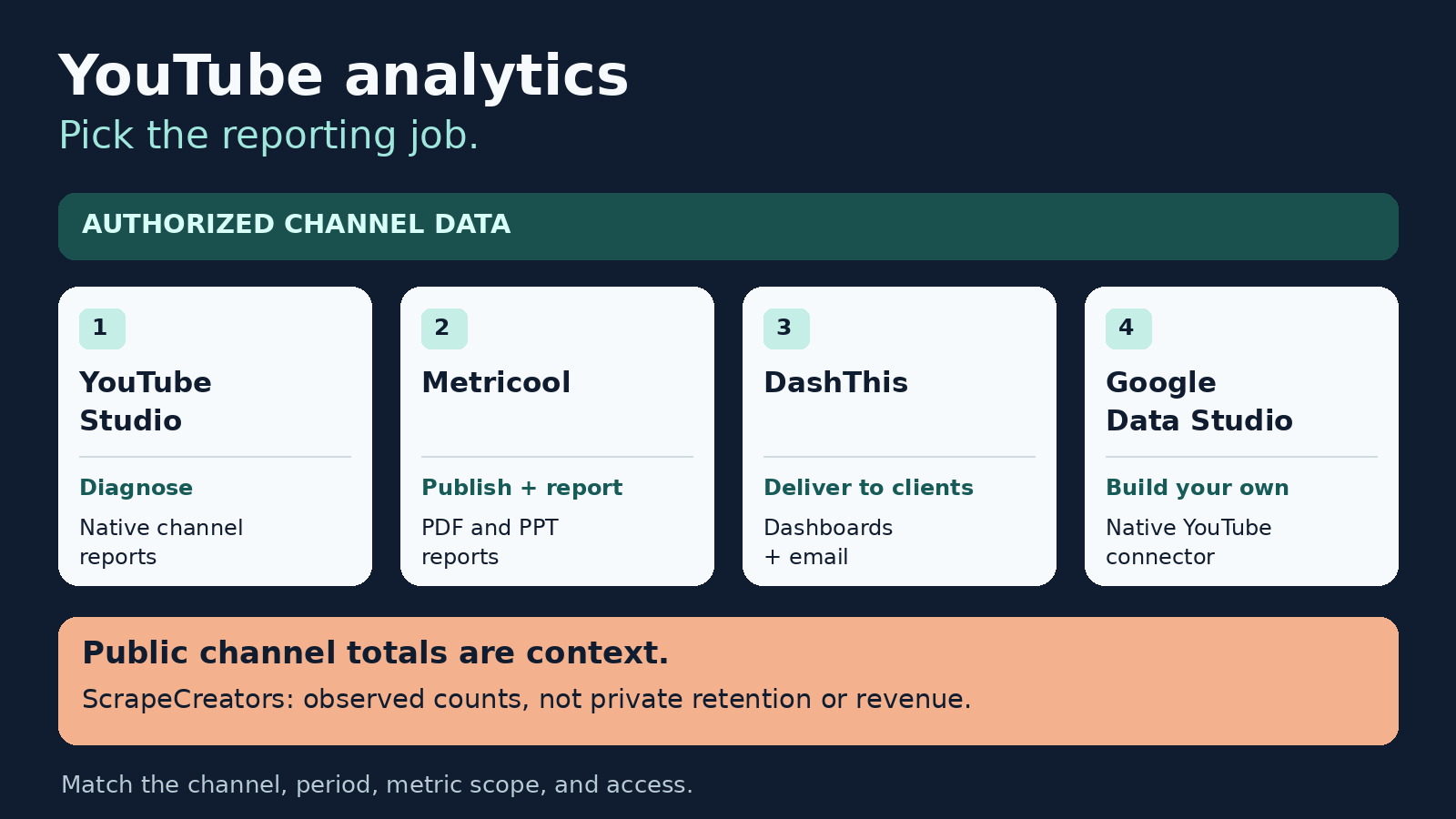
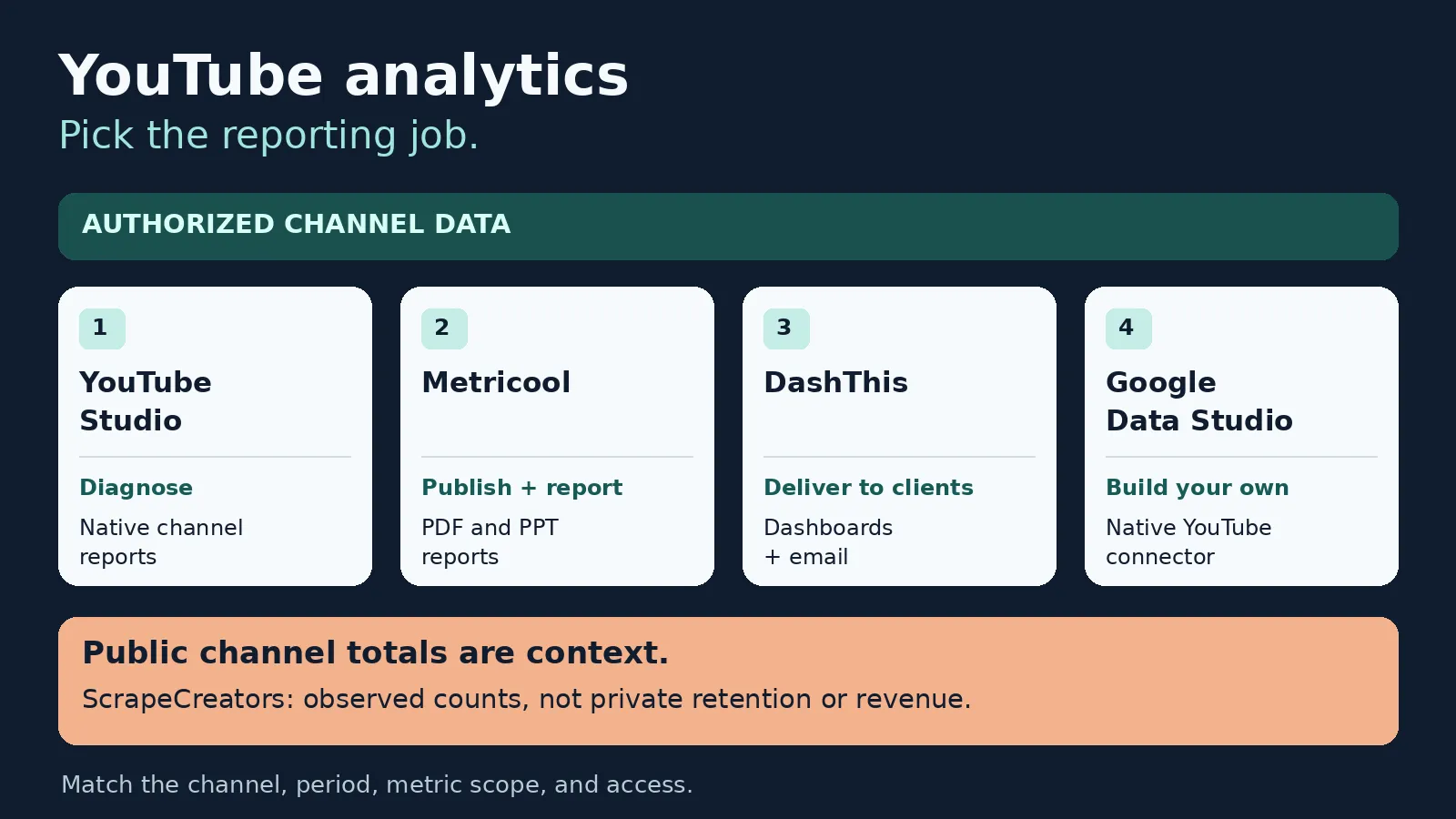
For most creators, YouTube Studio is the best YouTube analytics tool to start with. It answers questions about your own channel’s reach, viewing, and audience without another reporting subscription. Choose Metricool when you want reports alongside social publishing, DashThis when client delivery is the job, or Google Data Studio, formerly Looker Studio, when you want to design the dashboard yourself. These tools require authorized channel data for private performance metrics. A public channel checker cannot replace that access.
I run ScrapeCreators, which collects public social data. It is not one of the four reporting tools ranked here. I would use it as a separate context source, not to manufacture retention or revenue figures.
Prices, documentation, and public API observations were checked on November 10, 2026. I reviewed the reporting products’ primary pages and exercised ScrapeCreators. I did not connect a private channel to every product or run a growth, accuracy, or time-saving benchmark.
Choose the reporting job first
| Tool | Choose it for | Cost checked today | Check before committing |
|---|---|---|---|
| YouTube Studio | Diagnosing your own channel and individual videos | Native channel analytics without a separate reporting subscription | Report compatibility, export size, and which channel you are viewing |
| Metricool | YouTube reports in a broader publishing workspace | Free; Starter from $25/month with monthly billing | Initial YouTube history, update lag, and the report tier |
| DashThis | Repeatable, branded client dashboards and delivery | Individual $54/month, or $44/month paid yearly | Both dashboard and connected-source allowances |
| Google Data Studio | A custom dashboard using the native YouTube Analytics connector | Self-service product at no charge; Pro is separate | Channel authorization, field availability, and report-sharing credentials |
Do not buy a second dashboard because it has more charts. Buy it because a recurring task is missing: comparing a defined cohort, delivering the report, sharing it safely, or combining authorized sources.
Our YouTube SEO tools guide covers keyword and publishing workflows. Our competitor research comparison covers other channels and outlier discovery. This list is about reporting on channels you manage.
1. YouTube Studio for diagnosing your own performance
Start with YouTube Analytics. It is the baseline I would use before trusting a third-party summary.
The useful question is usually narrower than “Is my channel doing well?” Pick a video or a comparable group, choose the period, then inspect the metric that answers the question. A traffic-source problem, a weak opening, and a reporting export problem need different responses.
YouTube’s Advanced mode documentation describes comparisons between videos, groups, and periods, along with filters and exports. Groups can contain up to 500 videos, playlists, or channels. Downloaded reports are limited to 500 rows; YouTube points larger bulk-report needs toward its Reporting API. Do not mistake a downloaded table for a complete archive when your report exceeds that boundary.
There is another reconciliation trap: deleted content can disappear from detailed reports while its performance still contributes to aggregate totals. A sum of the visible video rows therefore does not necessarily reproduce the channel total. Investigate the difference before calling the dashboard broken.
We reviewed YouTube Creators’ Analytics walkthrough as well as creator explanations. The official video is older, and current help warns that an updated Studio experience has been rolling out since July 2026. Use the current report controls, not an old screenshot, as your navigation reference.
Choose Studio if you publish on the channel and need to understand the result. Choose a reporting product when the repeated work is preparing and delivering reports across clients. More polished exports are useful; they are not access to a different private truth about the channel.
2. Metricool for reports alongside social publishing
Metricool makes sense when YouTube sits beside other social accounts in your weekly workflow. Its Free plan includes one brand and 30 days of analytics. Starter adds PDF and PPT reports; Advanced adds customizable report templates, team features, its Data Studio connector, and API access.
The USD cards showed Starter for up to five brands at $25 per month with monthly billing, or $20 per month under annual billing. Advanced for up to 15 brands showed $67 monthly or $53 monthly under annual billing. Those are different commitments, not interchangeable month-to-month prices. Taxes are separate.
The bigger buying issue is history. Metricool’s historical-data help has a specific YouTube exception: synchronization retrieves the last 30 days, and gathering all metrics takes approximately seven days from connection. YouTube subscriber tracking starts when you connect. The paid-plan phrase “unlimited history” should not be read as a promise to recover years of YouTube subscriber history.
Its YouTube metrics reference also separates two views that look deceptively similar:
- Published videos selects videos published in the chosen period, but their displayed performance accumulates from publication through yesterday.
- Viewed videos measures activity during the chosen period, including videos published earlier.
Those answer different questions. “Which videos did we publish in October?” is not “Which videos generated views in October?” Keep the view and date basis in the report title.
The same reference says some organic metrics are unavailable for the last two or three days. Channel metrics update daily, while new-video refreshes differ: paid plans refresh every one to two days, and Free users may wait weeks for a new video to appear in those lists. A fresh upload missing from Free is not automatically a failed YouTube upload.
One sharing detail deserves attention. Metricool’s report instructions say copied report links can be opened without signing in and do not expire. Deleting a manual report from the download list does not disable a previously copied link. Treat the link as access to client information, not as a harmless attachment preview.
Choose Metricool if its publishing workspace and included report format fit your team. Choose another route if you need immediate new-video reporting, a long pre-connection archive, or access-controlled sharing that those report links do not provide.
3. DashThis for recurring client delivery
DashThis’s YouTube integration is aimed at turning connected account data into client-facing reports. Its product page describes daily updates, customizable widgets, and PDF, URL, and automated email sharing. That is a different job from finding the next video topic.
Its current USD pricing counts dashboards and sources. Individual includes three dashboards and 15 sources for $54 monthly, or $44 per month paid yearly. Professional includes ten dashboards and 40 sources for $164 monthly or $139 per month paid yearly.
A dashboard is a report. A source is a connected data account actively used in at least one dashboard. Reusing an account across widgets or dashboards does not multiply that source count. Connecting additional accounts does. Check both allowances when estimating an agency rollout.
We inspected the actual inclusion icons, not just the feature names. PDF export, automated email dispatch, and removal of DashThis branding were marked included across the four displayed paid tiers. AI Insights Pro is an optional add-on, not an automatic consequence of having a paid dashboard. The page lists it at $19/month or $15/month billed yearly.
I would trial this with one real client report. Confirm the channel identity, available metrics, oldest usable date, refresh timestamp, and the recipient’s actual viewing experience. An integration page saying “watch time” does not prove that every Studio breakdown or retention chart is available in the report builder.
Also avoid a loose attribution claim. Putting YouTube views and website revenue on the same page does not establish that those viewers caused those sales. You need a defined attribution method and the relevant tracked events before making that statement.
Choose DashThis if the bottleneck is consistently delivering readable reports. Choose Studio if you mainly need to investigate your own videos, or Data Studio if custom modeling matters more than a prepared reporting workflow.
4. Google Data Studio for a dashboard you control
Google now calls Looker Studio Data Studio in its current documentation. I am naming both because older tutorials and vendor feature lists may use the previous name.
The self-service product is available at no charge. Pro is a separate paid offering with team and administration features. You do not need to buy a third-party connector just to try Google’s native YouTube Analytics connector. Other connectors or infrastructure you add can have their own costs.
The native connection requires authorization. Google’s instructions offer channel and content-owner connection options and let you specify an ID through the Advanced option. Knowing another creator’s channel ID is not a substitute for permission to its private reports.
Data Studio is useful when you want to decide exactly which charts, filters, and notes a viewer sees. It also makes you responsible for the model. Check whether a field is a daily count, a total, a ratio, or an estimate before choosing its aggregation. A label that says “average” is not permission to average already-averaged rows together.
Pay particular attention to credentials. Google’s connector instructions distinguish owner’s credentials, which can let viewers see data without their own underlying account access, from viewer’s credentials, which require their own access. Decide deliberately before sharing a report beyond your team. A dashboard link and a YouTube channel role are not the same permission.
Choose Data Studio if you are comfortable building and maintaining the report. Choose a prepared reporting product if nobody on the team will own the calculations, access settings, broken connections, and metric changes.
Keep public observations out of private performance totals
Public channel data is useful context, but it belongs in a separate section of the report.
ScrapeCreators’ YouTube API can retrieve public channel records. The channel-details endpoint accepts a handle, channel ID, or URL. It is not an authorized YouTube Analytics connection and does not expose private retention, impressions CTR, audience demographics, or actual channel revenue.
On November 10, our NASA and MKBHD fixtures returned the requested channel identities and public subscriber, video, and view totals. Each request charged one credit. Those observations check the two inputs, not completeness across every channel or historical reporting.
This exact Python example makes one additional request and saves only selected public fields. Set SCRAPE_CREATORS_API_KEY in your environment first. The wrapper deliberately labels the observation scope and leaves the report period empty. The wrapper fields are our file format, not extra fields promised by the API.
import json
import os
from datetime import datetime, timezone
from pathlib import Path
from urllib.request import Request, urlopen

request = Request(
    "https://api.scrapecreators.com/v1/youtube/channel?handle=NASA",
    headers={"x-api-key": os.environ["SCRAPE_CREATORS_API_KEY"]},
)
with urlopen(request, timeout=45) as response:
    body = json.load(response)
if body.get("success") is not True or not body.get("channelId"):
    raise RuntimeError("No usable public channel record returned")

packet = {
    "observed_at": datetime.now(timezone.utc).isoformat(),
    "metric_scope": "public_channel_totals_at_observation",
    "channel": {
        key: body.get(key)
        for key in ("channelId", "handle", "name", "subscriberCount",
                    "videoCount", "viewCount")
    },
    "report_period": None,
    "private_analytics_included": False,
    "credits_charged": body.get("credits_charged"),
}
Path("youtube-public-context.json").write_text(json.dumps(packet, indent=2))
print(json.dumps(packet, indent=2))
We ran it successfully. It saved NASA’s channel ID, handle, name, and three public counts, and charged one credit. No private analytics were requested or returned. An observation timestamp tells you when you collected a total; it does not turn that total into views earned during your reporting month.
Pricing starts at $47 for 25,000 prepaid credits, and signup includes 100 free credits. Credits consumed by one request and the minimum cash purchase are different amounts. The documented live channel request normally costs one credit, including a successful empty response; validate that useful data exists before adding it to a report.
Apify’s YouTube Scraper is another public collection option, not a replacement for channel-owner authorization. Its separate channel analytics Actor explicitly describes public records and estimated earnings. Do not relabel those estimates as actual revenue. Our YouTube scraper comparison covers collection choices separately.
Trial the report before buying a year
I would give each shortlisted tool the same small reporting task. This is a proposed acceptance check, not a benchmark we ran on the four products.
- Select the same authorized channel, date range, and content format in Studio and the candidate tool. Save the selected settings with the report.
- Compare a channel total and one identifiable video. Check units and whether the selected period filters publication dates or measurement dates.
- Inspect the latest complete day and the oldest available day. Keep “not available yet” distinct from a real zero.
- Open the actual PDF, spreadsheet, or shared dashboard as the intended recipient. Confirm that access and formatting fit the client.
- Write one next action supported by a specific report, and one question the data cannot answer. Reject an AI explanation that cannot point back to its inputs.
A creator discussion about actionable analytics included pushback about applying the same CTR and retention expectations across niches. That is a useful reason to use your own comparable videos and traffic sources, not adopt a universal success percentage from a comment thread.
We also reviewed a creator’s CSV-to-AI workflow. It reinforced the value of an exportable input, but its revenue and growth claims were not independently verified. Before uploading an owner report to any AI service, check what you are sharing and whether you have permission to share it.
Questions buyers ask
What is the best free YouTube analytics tool?
Start with YouTube Studio for the channel you manage. Use Google’s self-service Data Studio when the missing piece is a custom dashboard. Free public channel checkers answer a different question and cannot supply private retention or revenue.
Can I see another channel’s private YouTube analytics?
Not through the public collection example here. YouTube’s Analytics API requires authorization for channel and content-owner reports. Public totals and third-party estimates should stay labeled as public observations or estimates.
Why do my YouTube reporting tools show different numbers?
First check channel identity, units, date range, timezone, refresh time, deleted content, and whether the report selects published videos or measures activity in the period. A difference needs an explanation; it is not automatically proof that either tool is inaccurate.
Can AI analyze my YouTube analytics?
It can help interpret a report you provide, but require source rows, a defined period, and checkable calculations. Keep unavailable fields empty. A confident recommendation does not establish why a video performed as it did or guarantee that the next one will grow.