
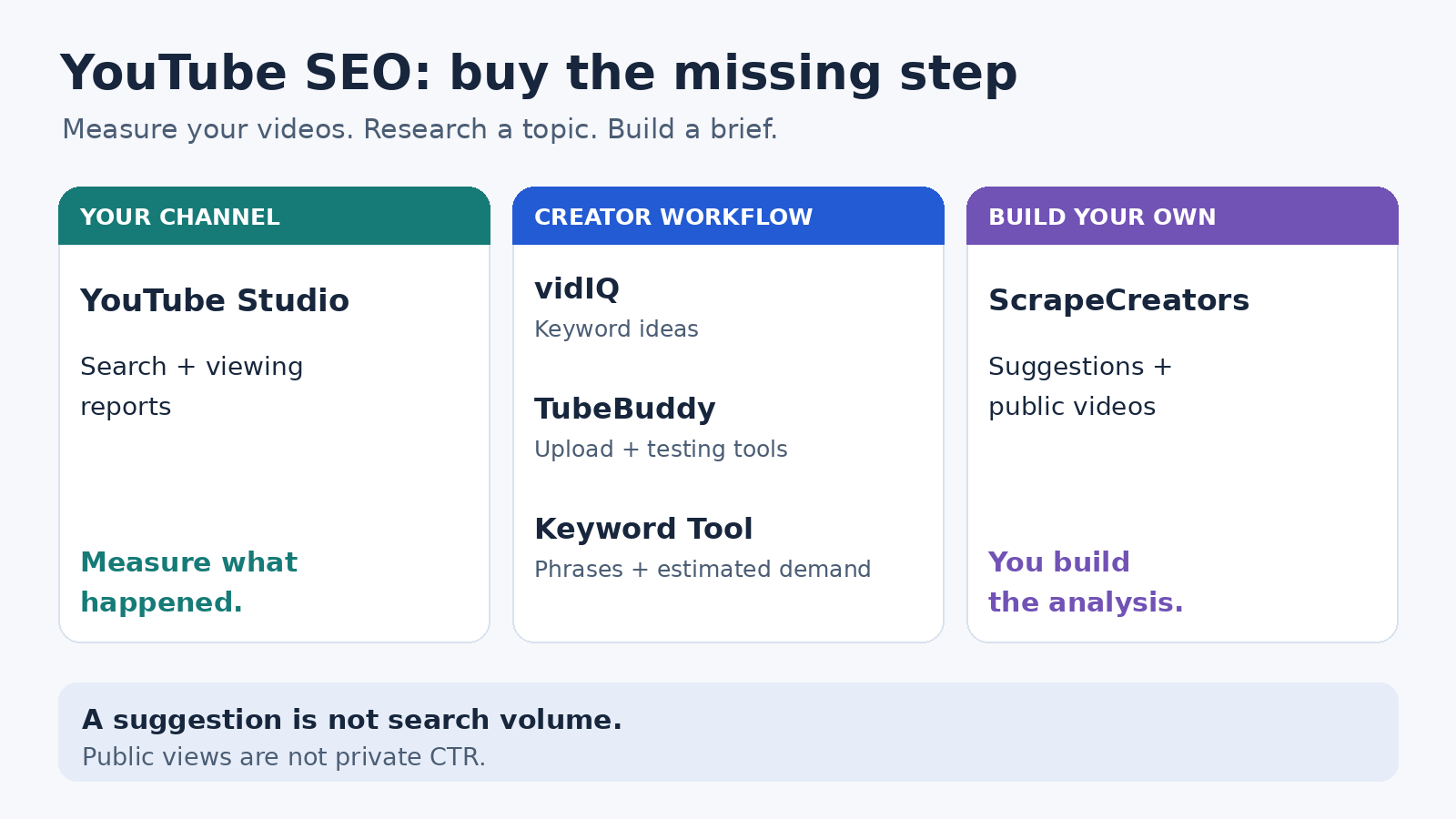
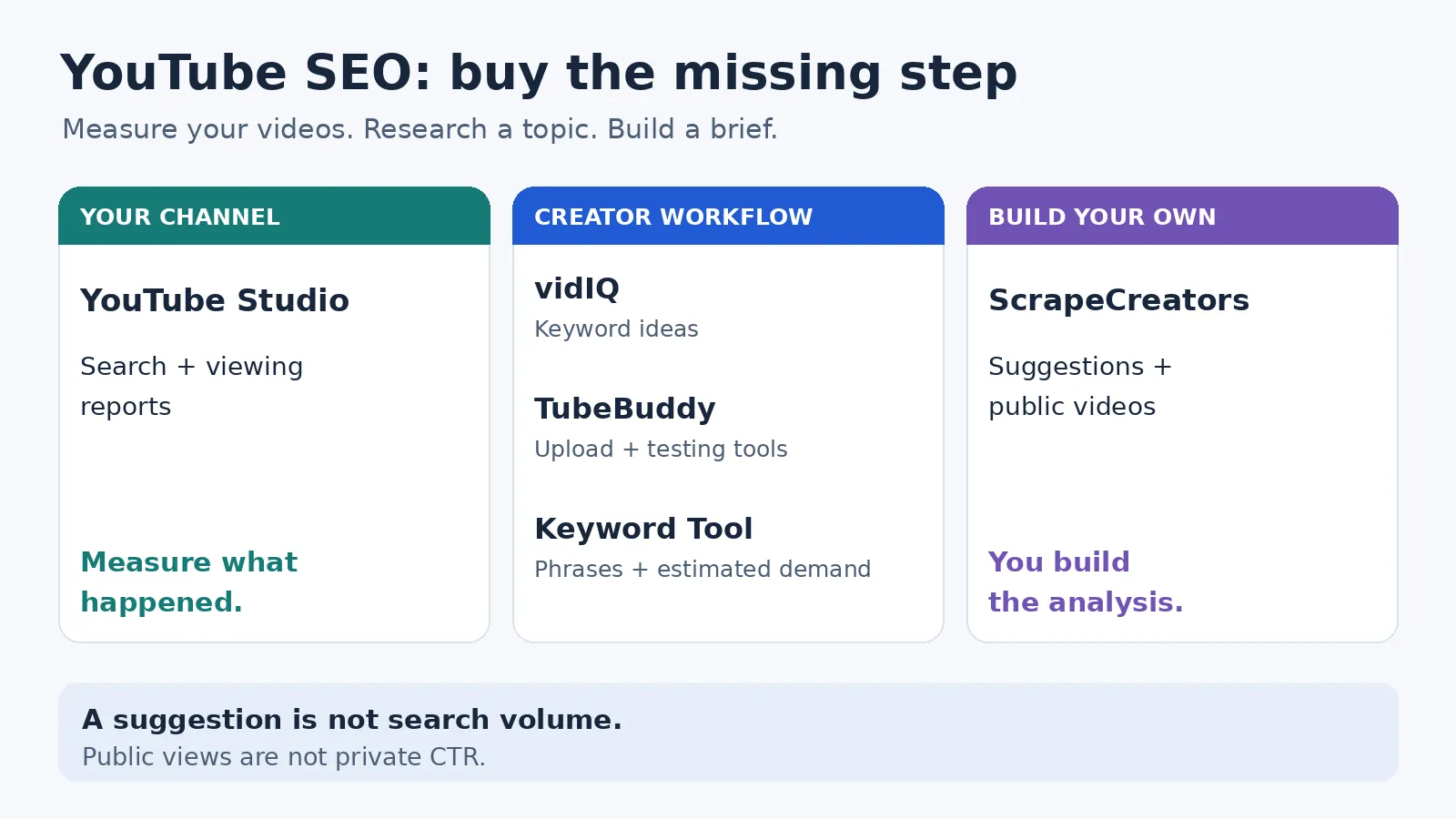
For most creators, the best YouTube SEO setup starts with YouTube Studio, then adds vidIQ for keyword research or TubeBuddy for publishing and testing workflows. Choose Keyword Tool when you need a larger list of autocomplete phrases with modeled search volumes. Choose ScrapeCreators only if you are building your own research workflow from public suggestions and video records. It is not a finished video optimizer.
Do not buy all five. Buy the missing step: deciding what to make, improving the upload, or checking what happened afterward.
I run ScrapeCreators. We exercised its endpoints for this article; we did not run a five-product growth or accuracy benchmark. Prices and capabilities below were checked on November 5, 2026.
Choose the job before the subscription
| Tool | Choose it for | Current cost unit | Important limit |
|---|---|---|---|
| YouTube Studio | Your own channel’s search, reach, and viewing reports | Native creator tool without a separate SEO subscription | Requires access to the channel; some Trends insights depend on country, language, and device |
| vidIQ | Keyword ideas and a creator research interface | Free; one-channel Boost $19/month or $199/year | Free keyword research shows three results per search; AI credits are a separate allowance |
| TubeBuddy | Search tools inside an upload and channel-management workflow | Pro $15/month; Legend $32.99/month with monthly billing | Pro does not include A/B Testing; creator-license restrictions matter for businesses |
| Keyword Tool | Autocomplete expansion and estimated keyword demand | Free suggestions; Pro Starter $88/month with monthly billing | Starter has 50 shared requests/day; YouTube volumes are estimates |
| ScrapeCreators | A custom topic brief or public-data research application | Prepaid credits; the two-call example below used two credits | You build the analysis; no private CTR, retention, or keyword-volume estimate |
These are not interchangeable prices. A subscription buys an interface and feature allowance. An API request buys a collection step. Neither buys a successful video.
1. YouTube Studio for the evidence you already own
Start here before paying for another score.
YouTube Analytics separates reports about reach, engagement, audience, and content. For your channel, that lets you investigate whether a video is being discovered, clicked, and watched instead of treating its public view count as the whole story.
The Trends tab helps explore searches and topics. Its top-search cards use your audience and saved searches over the previous 28 days. It can also show breakout videos and Shorts content gaps. YouTube warns that some insights are limited by country, language, or device and that sections may be absent when relevant data is unavailable. Its Studio experience is also changing during the current rollout.
Use those reports to form a specific next action. A tutorial getting search exposure but losing viewers before the demonstration needs a different fix from a well-watched video with little search discovery. Check the actual report and traffic source before changing the title.
Choose Studio if you manage the channel and need to measure the result. Choose another tool for broader keyword expansion or public records about channels you do not control. A public-data API cannot substitute for the private analytics you are authorized to see here.
2. vidIQ for keyword ideas in a creator workflow
vidIQ’s keyword tools combine related phrases, search-volume indicators, competition scores, and an extension that puts research alongside YouTube. I would trial it when the main problem is turning a broad topic into a manageable shortlist.
The current US list price for one-channel Boost is $19 monthly, or $199 for a year, shown as about $16.58 per month under annual billing. Local checkout prices can differ. That annual display is not a $16.58 month-to-month purchase.
Its feature matrix gives Free users three keyword-research results per search and Boost users unlimited results. The extension’s Keyword Inspector is a different limit: one keyword per search on Free and five on Boost. Do not assume similarly named surfaces have identical allowances.
AI actions use a shared credit balance. One-channel Boost includes 2,000 AI credits monthly; the ordinary plan-based keyword limits do not consume that balance. Buying AI activity and unlocking a research feature are different decisions.
Choose vidIQ if you want research help without building software. Treat its scores as inputs, not permission to skip the actual results page. Our reviewed keyword-tool walkthrough also inspected competing videos and audience questions after using the tool. We are not adopting its promotional accuracy or ranking claims.
3. TubeBuddy for the publishing workflow and testing gates
TubeBuddy fits a creator who wants research, upload checks, and channel-management tools in the same workflow. Its current comparison grid lists Keyword Explorer, Search Explorer, SEO Studio, and Search Positions across the paid creator plans.
The distinction I would check before paying is the feature you actually need, rather than the cheapest headline price.
On the pricing page, monthly billing showed Pro at $15 and Legend at $32.99. The yearly toggle displayed lower monthly-equivalent figures, $12 and $26.39 respectively. Compare the commitment as well as the displayed rate.
The grid marks A/B Testing and Click Magnet as unavailable on Pro, while Legend includes them. Search Rank Tracking is another separate row with plan-dependent access. A plan that includes keyword exploration is not automatically the plan that includes your testing or tracking requirement.
There is a purchasing boundary for teams too. The page restricts creator-license packages to individual creators and lists business criteria including multiple channels, subscriber scale, channel managers, and employee count. Enterprise has custom pricing. An agency should confirm eligibility rather than budgeting around an individual creator’s Pro license.
Choose TubeBuddy if its upload workflow or included testing features solve a recurring task. Choose Studio alone if you cannot yet name that task. We inspected the public plan grid, not a paid account or an A/B experiment.
4. Keyword Tool for long-tail phrases and modeled demand
Keyword Tool’s YouTube tool expands phrases using YouTube autocomplete. This is useful when a broad subject hides several different needs: desktop versus mobile, a beginner tutorial versus a troubleshooting question, or a free workflow versus a paid feature.
The free suggestions can help with wording. The paid product adds volume and trend information. Its methodology says YouTube search volumes are modeled using clickstream data, unlike the Google and Bing planner-source data described elsewhere on the site. Do not read a broad “accurate search volume” banner as proof of an exact YouTube search census.
The current Pro plans are Starter, Growth, Scale, and Agency. Starter showed $88 per month with monthly billing, with 50 requests per day, search-volume capacity for 50,000 keywords per day, and 12 months of history. Suggestions and volume checks each consume a request. The pool is shared across the web interface, API, and MCP.
Those two allowances are not 50,000 independent searches. Bulk volume checks can accept up to 1,000 keywords per request, while returned suggestion counts vary. The pricing FAQ also says MCP tool availability varies by endpoint and rollout. In particular, do not assume a YouTube example on a landing page proves that exact MCP tool is available in your account.
Choose Keyword Tool when you need a larger phrase list and are comfortable evaluating estimates. Choose a lighter tool when a handful of ideas will do. A creator research tutorial we reviewed explicitly used Google volumes alongside YouTube suggestions. That is a useful warning to preserve the source of each number, not evidence that Google and YouTube demand are identical.
5. ScrapeCreators for a research workflow you build
Use ScrapeCreators’ YouTube API when you want suggestions and public video records inside your own application. Do not choose it because you expect an upload optimizer, a keyword difficulty score, or automatic channel growth.
The typeahead endpoint returns suggestion text and its type. The search endpoint returns public result records, with options including content type, relevance or popularity sorting, region, and pagination. Typeahead currently documents only a query input; it does not expose the search endpoint’s region control.
Our November 5 fixture for capcut captions returned 14 query suggestions, including tutorial, desktop, mobile, and troubleshooting variants. A separate capcut captions tutorial search returned 20 video records and a continuation token. Both requests succeeded and charged one credit each. A deliberately blank typeahead query returned an uncharged 400.
That is enough to start a topic brief. It does not establish monthly demand, exact upload dates, or the best next video. The returned publication labels were relative, and a position within the returned video array is not a universal rank across every YouTube module or personalized session.
Pricing currently starts at $47 for 25,000 prepaid credits; signup includes 100 free credits. These two endpoints normally cost one credit per successful live request, including a successful empty result. More search pages and enrichment calls add work and cost. Do not compare two consumed credits with the minimum cash purchase as if they were the same figure.
Choose ScrapeCreators for repeatable collection feeding your own decisions. Choose vidIQ, TubeBuddy, or Studio if you want the finished interface. Our YouTube search-provider comparison covers collection infrastructure separately; this article is about planning and improving your own videos.
Build a small brief without inventing volume
This Python example collects suggestions, verifies that the chosen phrase is present, then saves one public video-result page. Set SCRAPE_CREATORS_API_KEY in your environment before running it.
We ran this exact script separately from the fixtures above. It saved 14 suggestions and 20 video rows, used two credits, and reported more pages available. It deliberately leaves monthly search volume and private CTR null. It is not a full export or an optimizer.
import json
import os
import urllib.parse
import urllib.request
from datetime import datetime, timezone
from pathlib import Path

key = os.environ['SCRAPE_CREATORS_API_KEY']

def get(path, params):
    url = 'https://api.scrapecreators.com' + path
    request = urllib.request.Request(
        url + '?' + urllib.parse.urlencode(params),
        headers={'x-api-key': key},
    )
    with urllib.request.urlopen(request, timeout=45) as response:
        body = json.load(response)
    if body.get('success') is not True:
        raise RuntimeError('The API did not return a successful response')
    return body

seed = 'capcut captions'
query = 'capcut captions tutorial'
suggestions = get('/v1/youtube/search/typeahead', {'query': seed})
terms = [item['text'] for item in suggestions.get('suggestions', [])
         if item.get('type') == 'query']
if query not in terms:
    raise RuntimeError('Recheck the topic: the chosen suggestion is absent')

results = get('/v1/youtube/search', {
    'query': query, 'type': 'videos', 'region': 'US', 'sortBy': 'relevance',
})
rows = []
for position, video in enumerate(results.get('videos', []), start=1):
    if video.get('type') != 'video' or not video.get('id'):
        continue
    rows.append({
        'returned_video_position': position,
        'video_id': video['id'],
        'url': video.get('url'),
        'title': video.get('title'),
        'channel_id': (video.get('channel') or {}).get('id'),
        'public_views': video.get('viewCountInt'),
        'published_label': video.get('publishedTimeText'),
    })
if not rows:
    raise RuntimeError('No usable video records; do not create an empty brief')

brief = {
    'observed_at': datetime.now(timezone.utc).isoformat(),
    'seed': seed,
    'query': query,
    'search_region_requested': 'US',
    'suggestion_region_control': None,
    'suggestions': terms,
    'monthly_youtube_searches': None,
    'private_ctr': None,
    'has_more_video_pages': bool(results.get('continuationToken')),
    'credits_charged': sum(body.get('credits_charged', 0)
                           for body in [suggestions, results]),
    'videos': rows,
}
Path('youtube-topic-brief.json').write_text(json.dumps(brief, indent=2))
print(json.dumps({'suggestions': len(terms), 'videos': len(rows),
                  'credits': brief['credits_charged'],
                  'more_pages': brief['has_more_video_pages']}))
The output keeps a source URL for every video so a person can inspect the actual promise, format, and opening. It preserves the requested region only for search, and it does not turn a relative publication label into a precise date.
If you extend it to fetch another page, repeat query, type, region, and sortBy along with the returned continuationToken. A cursor is not a stored copy of your options. Save each observation’s time and context rather than overwriting yesterday’s results.
For a ready-made watchlist rather than upload planning, our YouTube competitor-research comparison covers that different job.
Give the tool a concrete trial
Before subscribing, use the same small brief in each candidate:
- Pick one real viewer problem and separate its device, skill level, and desired outcome. “CapCut captions” is broader than “fix captions that do not sync on mobile.”
- Save the suggested phrase and the source of every demand number. Keep a YouTube estimate, a Google estimate, and an autocomplete suggestion in different fields.
- Inspect the returned videos. Can you offer a clearer demonstration or answer an unresolved question? A score alone is not a content brief.
- Publish one honest title and thumbnail that match the video. Record what you changed, then inspect your channel’s actual search and viewing reports.
- Decide whether the tool saved enough research or publishing time to justify renewal. This is a proposed trial, not a growth test we ran.
The creator discussion reviewed for this article was skeptical of paid SEO tools, while another retrieved discussion favored some research workflows. Those are small, self-selected samples, not a verdict on product effectiveness. They did reinforce the need to show what a subscription changes in your work.
Questions creators ask
What is the best free YouTube SEO tool?
Start with YouTube Studio and native search. Add a limited free research tool only when you need more ideas. Studio measures your own results; public search and autocomplete help explore a topic. Neither promises a ranking.
Can a YouTube SEO tool guarantee more views?
No. YouTube describes search in terms of relevance, engagement, and quality, with personalization affecting results too. A tool’s optimization score is not YouTube’s ranking system or a forecast for your next upload.
Do tags matter more than the title and thumbnail?
No. YouTube’s tag guidance says titles, thumbnails, and descriptions matter more for discovery. Tags have a small role outside cases such as common misspellings. Do not spend the whole workflow copying tags while leaving the viewer’s actual question unanswered.
Can I get YouTube keyword search volume from a scraper?
Not from the ScrapeCreators suggestions and search calls shown here. They return public suggestions and result records. A volume estimate needs a separate source and methodology; private CTR and retention need authorized channel analytics. Keep unknown values unknown.