
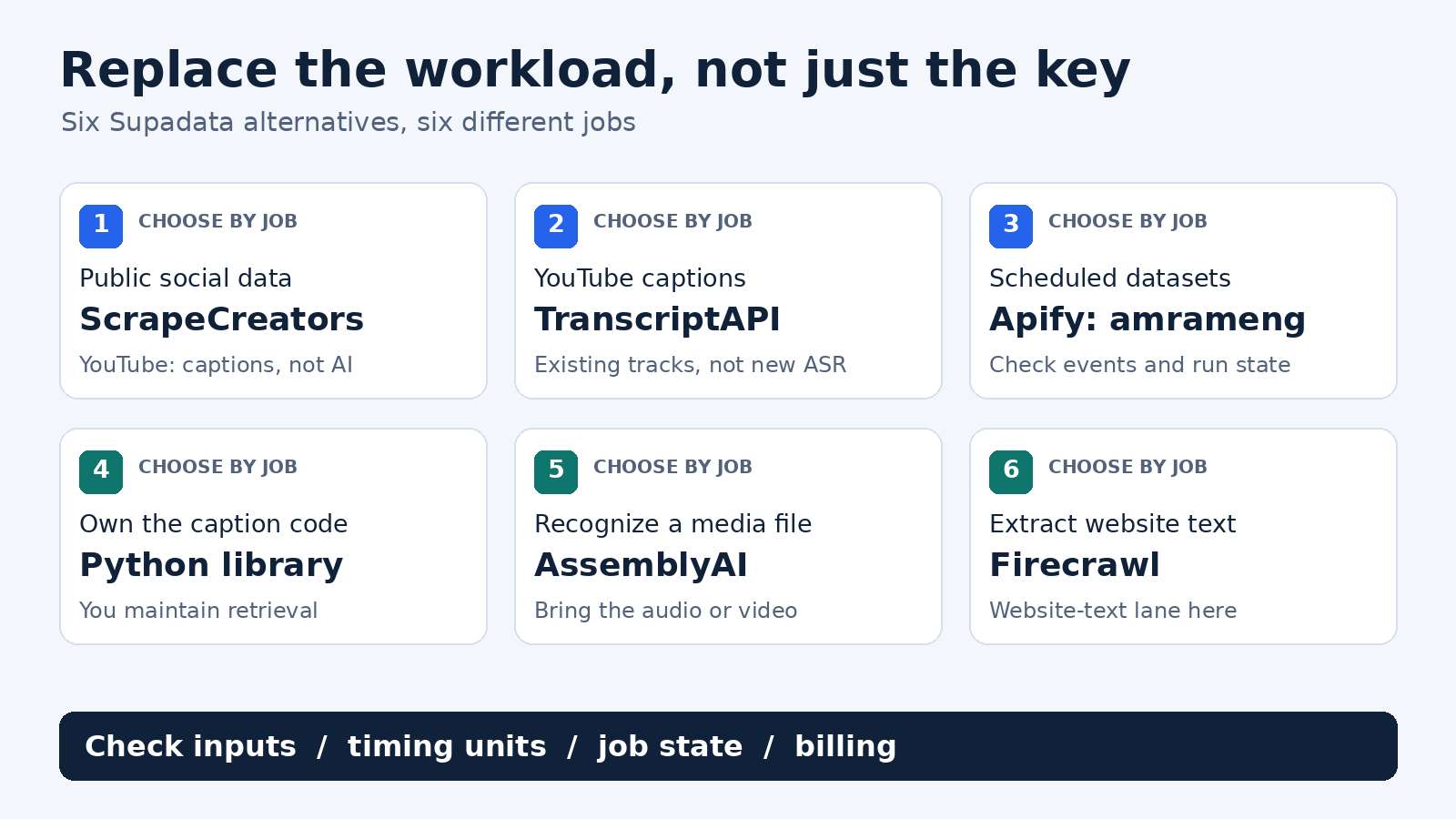
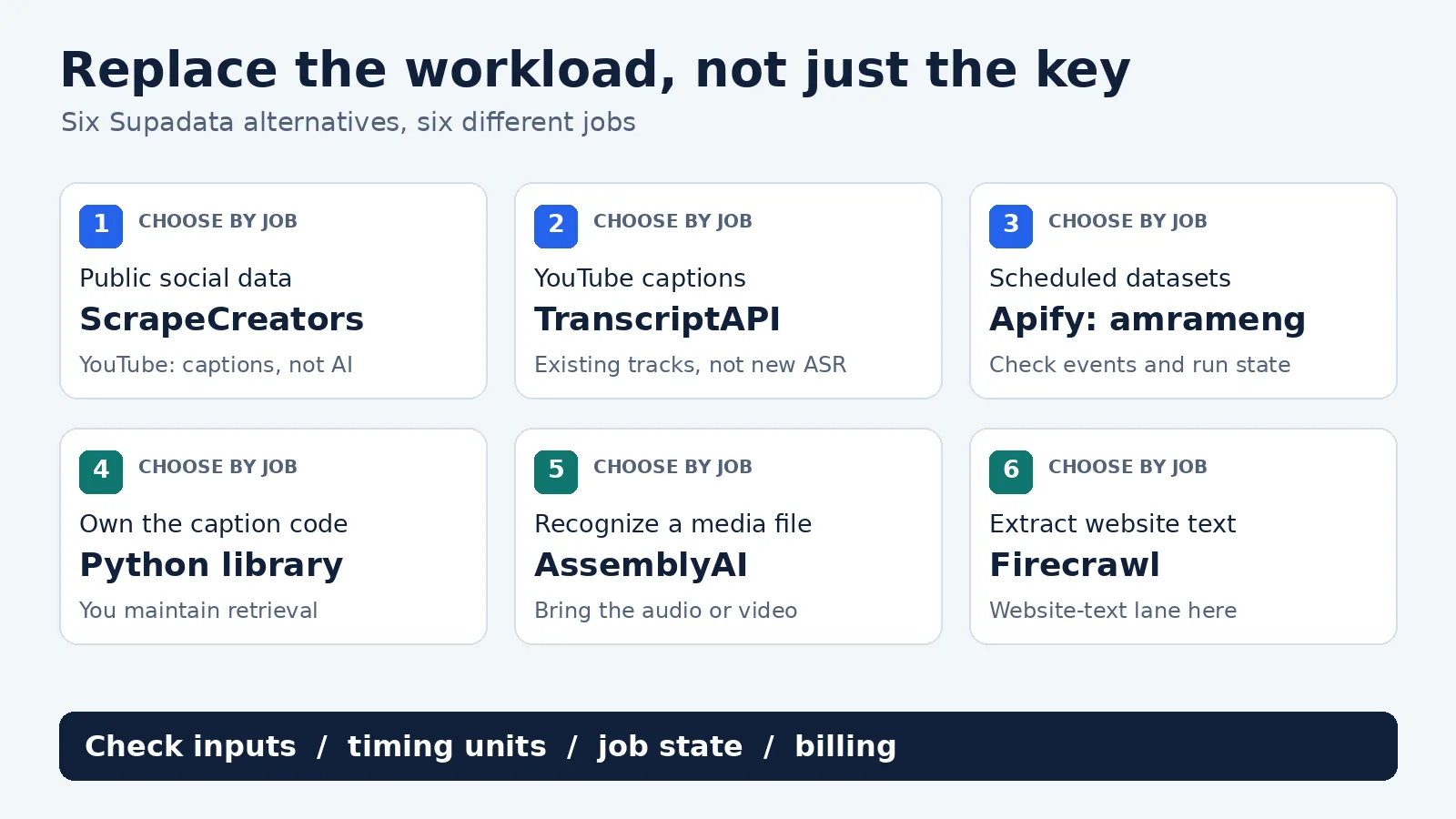
The best Supadata alternative depends on what you need to replace. Choose ScrapeCreators for public social data alongside transcripts, TranscriptAPI for hosted YouTube captions, or an Apify Actor for dataset jobs. Choose youtube-transcript-api if you want to maintain Python yourself, AssemblyAI if you already have the media file, and Firecrawl for website text. Keep Supadata if its combined native-caption and AI-generation workflow already fits.
None of these replaces every Supadata feature by swapping a key. In particular, caption retrieval is not the same job as creating a transcript from audio.
I run ScrapeCreators. That makes this a founder’s comparison, not a neutral ranking. I checked the linked docs and pricing on October 20, 2026 and ran the ScrapeCreators requests described below. I did not run a six-vendor accuracy or reliability benchmark.
Quick comparison
| Alternative | Choose it for | What you still need to handle |
|---|---|---|
| ScrapeCreators | Public social research that needs captions, profiles, posts, comments, or discovery | Separate endpoint contracts; the YouTube caption route has no AI fallback |
| TranscriptAPI | Hosted YouTube captions, search, channel feeds, and playlists | Captionless videos; an active paid subscription for paid usage |
| Apify: amrameng/video-transcript-api | A multi-URL transcript dataset in an Apify workflow | The selected Actor’s inputs, events, run state, and output contract |
| youtube-transcript-api | A Python caption collector you control | Hosting, blocked IPs, retries, updates, and an API wrapper if needed |
| AssemblyAI | Speech recognition from an acquired audio or video file | Obtaining the file; submitting and completing a recognition job |
| Firecrawl | Replacing website-to-Markdown extraction | Web-page scope, output options, and their credit charges |
The list is organized by replacement job, not a claim that the first tool beats the others at everything. If your whole workload is YouTube captions, I would compare the two hosted caption options with the Python library. If you need fresh speech recognition, remove caption-only routes from that shortlist.
When you should keep Supadata
Supadata’s current transcript contract supports native, auto, and generate modes. It can return a result immediately or an HTTP 202 job ID that your application polls. That is useful when your product needs both existing captions and generated transcripts behind one interface.
Its pricing page lists 100 free credits per month. Basic is $5 per month billed annually at $60, not a $5 month-to-month commitment. Existing transcripts cost one credit; generated transcripts cost two credits per minute. Credits do not roll over. Check the plan and mode together before deciding it is too expensive.
Supadata also exposes web extraction and YouTube discovery features. Replacing just its transcript call is a smaller job than replacing the whole service. If its outputs, generation behavior, and subscription work for you, there may be no reason to move. First name the problem: missing coverage, commitment, output format, maintenance, or a feature you actually need.
Six alternatives by the job they replace
1. ScrapeCreators: public social data alongside transcripts
I would choose ScrapeCreators when the transcript is one part of a broader research workflow. You may need to discover a video, read its public comments, inspect the creator, and then collect the spoken text. The social-data API comparison covers that broader buying decision.
Our YouTube transcript endpoint returns timed caption segments and transcript_only_text. It retrieves public captions, including auto-generated tracks when available. It does not run fresh speech recognition on a captionless YouTube video.
That boundary matters when replacing Supadata’s mode=auto. You cannot move that call to our YouTube route and assume the same missing-caption fallback. The endpoint supports videos of any length when public captions exist, but that does not promise access to every video.
Other platforms have different contracts. For example, our TikTok transcript route has an explicit use_ai_as_fallback=true option. Its default successful AI transcription is limited to 120 seconds and costs one credit; the separate paid opt-in changes all successful AI billing to ten credits per started minute, including short videos. Do not enable it as a generic migration default.
Choose another tool if you need one universal transcript schema or YouTube audio recognition behind the same call. Public read access also does not grant account-management or private-data access.
2. TranscriptAPI: hosted YouTube caption workflows
TranscriptAPI is a focused choice for YouTube. Its documented catalog includes transcripts, search, channels, and playlists. You can keep discovery and caption collection with one hosted provider rather than operating the Python library yourself.
The paid monthly plan is $5 for 1,000 credits, with $2.50-per-1,000 top-ups. Its annual plan is $54 per year with different top-up pricing. Top-ups require an active subscription; unused credits pause if the subscription ends. Those conditions are visible in its current pricing section.
Read the API documentation carefully if your old workflow used generation. Here, asr selects YouTube’s existing auto-generated captions. It does not mean the provider will recognize audio when YouTube has no captions. The docs distinguish no_captions, unavailable video, and missing requested language errors.
Choose it for hosted YouTube caption retrieval, not as a verified replacement for Supadata’s cross-platform generation or website extraction.
3. Apify: a transcript dataset inside an Actor workflow
The specific option here is Amram Englander’s Video Transcript API, not every transcript scraper in the Apify Store. Its README advertises YouTube, TikTok, Instagram, X, Facebook, and direct media files, with caption retrieval or speech-to-text fallback.
Its input schema accepts a urls array and a preferred language. maxDurationMinutes defaults to 30 for AI transcription; existing captions are unaffected. This makes it a useful candidate when your application already works with Apify runs and datasets.
The pricing tab lists $25 per 1,000 Transcript Extracted events, $20 per 1,000 Long video surcharge events, and a $0.00005 Actor Start event. The README describes the long-video threshold as approximately 20 minutes. Confirm the exact charge rules in the run configuration instead of treating the headline $0.025 as an all-in price for every URL.
I did not execute this Actor or verify its upstream suppliers. A different provider name is not proof of an independent fallback. Choose it for the Apify operating model and test the actual dataset and charges before migrating.
4. youtube-transcript-api: maintain the caption collector yourself
The open-source youtube-transcript-api library is a Python package, not the hosted TranscriptAPI service above. Its current README shows YouTubeTranscriptApi().fetch(video_id) and language-priority selection. It retrieves existing YouTube transcripts rather than generating new speech recognition.
This is the option I would consider for local research or a team that wants to own the collector. You avoid a hosted transcript subscription, but you take responsibility for keeping it working.
The maintainer explicitly documents RequestBlocked and IpBlocked problems on cloud-provider addresses. Proxy routing can add expense and does not guarantee success. A script working on your laptop is not evidence that it will behave the same way from your production host.
Choose a managed service if maintaining retrieval is distracting from the product you are building. Choose a recognition engine if the required captions do not exist.
5. AssemblyAI: recognize speech after you obtain the media
AssemblyAI’s file-transcription quickstart starts with an accessible media URL or an uploaded file. You submit audio_url, obtain a transcript ID, and wait for a completed or error state.
That solves a different part of the pipeline. A YouTube or Instagram watch page is not the same thing as an audio file URL. You still need a permitted, working way to obtain the media.
Its model-specific pricing lists Universal-2 at $0.15 per audio hour and Universal-3.5 Pro at $0.21 per audio hour, with separate add-on charges. Those are recognition costs, not a price for discovering or retrieving social videos.
Choose it when you need fresh speech recognition and already control the file-retrieval step. It is not a drop-in social scraper or existing-caption API.
6. Firecrawl: replace website text extraction
If you use Supadata to fetch website content rather than video speech, Firecrawl’s scrape endpoint belongs on the shortlist. It returns website content in formats such as Markdown and HTML. That is the relevant replacement lane here.
Its current docs charge one credit for a basic scrape, with extra charges for selected options. Its pricing page lists 1,000 monthly free credits and a 5,000-credit Hobby plan advertised at $16 per month billed yearly. Do not confuse that annual rate with a monthly checkout price.
Firecrawl now documents additional media output options too. Those do not make a scraped page, extracted media file, and completed speech transcript interchangeable. Evaluate the specific output your app consumes.
Choose it for the website-text part of a Supadata migration. For broader website providers, use the web scraping API comparison rather than stretching a transcript recommendation to fit.
Compare the billing object, not the word credit
| Provider or route | Published billing object | Budget boundary |
|---|---|---|
| Supadata | One credit per existing transcript; two per generated minute | Plan commitment, generation mode, monthly allowance |
| ScrapeCreators YouTube | One credit for a returned transcript; missing captions cost zero | $47 buys 25,000 prepaid credits; a credit is not a video minute |
| TranscriptAPI | One credit per successful transcript request | Subscription plus top-ups; discovery calls can also consume credits |
| Selected Apify Actor | Extraction, long-video surcharge, and start events | Read the exact event schedule, not only the per-result headline |
| Python library | Your infrastructure and maintenance | No hosted subscription does not mean zero operating cost |
| AssemblyAI | Audio hours, by model and add-ons | Media acquisition and surrounding workflow costs are separate |
| Firecrawl | Page credits plus selected output extras | Website pages are not transcript minutes |
The ScrapeCreators prepaid pricing is a one-time purchase, and credits do not expire. That does not make every endpoint one credit. Treat a missing transcript, a generated minute, a search page, and an extracted dataset row as different things.
Include the automation tool and storage in the budget. In the replies to an Apify/n8n tutorial, readers clarified that one quoted subscription hurdle concerned Airtable’s scripting step. That is a workflow expense, not evidence of the selected Actor’s current price.
A real migration check with ScrapeCreators
I made two YouTube requests against the same public video on October 20. With language=en, the endpoint returned 338 segments and charged one credit. With an unavailable language=zz, it returned HTTP 200 with null transcript fields, null language, and zero credits. HTTP 200 alone did not mean usable text existed.
A separate TikTok request returned a transcript string, not the YouTube segment array. It cost one credit. These observations show why the adapter needs platform-specific rules; they do not measure success rate or transcription accuracy.
This Python example was executed separately against the YouTube endpoint. It saves the raw response, checks for usable captions, and writes the text to a file instead of stuffing a long transcript into a spreadsheet cell.
import json
import os
from pathlib import Path
from urllib.parse import urlencode
from urllib.request import Request, urlopen

source_url = "https://www.youtube.com/watch?v=bjVIDXPP7Uk"
params = urlencode({"url": source_url, "language": "en"})
request = Request(
    "https://api.scrapecreators.com/v1/youtube/video/transcript?" + params,
    headers={"x-api-key": os.environ["SCRAPE_CREATORS_API_KEY"]},
)
with urlopen(request, timeout=45) as response:
    payload = json.load(response)

Path("transcript-response.json").write_text(json.dumps(payload, indent=2))
if payload.get("success") is not True:
    raise RuntimeError("The transcript request failed; keep the saved response.")

text = payload.get("transcript_only_text")
segments = payload.get("transcript")
if not isinstance(text, str) or not text.strip():
    raise RuntimeError("No usable captions. Do not mark this URL complete.")
if not isinstance(segments, list) or not segments:
    raise RuntimeError("No timed segments. Check the saved response.")

# These fields contain millisecond strings, not seconds.
first = segments[0]
first_start_seconds = int(first["startMs"]) / 1000
Path("transcript.txt").write_text(text)
print(json.dumps({
    "video_id": payload["videoId"],
    "segment_count": len(segments),
    "first_start_seconds": first_start_seconds,
    "credits_charged": payload["credits_charged"],
    "saved_nonempty_text": True,
}, indent=2))
The recorded output was:
{
  "video_id": "bjVIDXPP7Uk",
  "segment_count": 338,
  "first_start_seconds": 0.16,
  "credits_charged": 1,
  "saved_nonempty_text": true
}
The sample uses Python’s standard library and a key from the environment. Do not expose that key in browser code or commit it. If this scope fits, create an account and evaluate the documented YouTube contract against your own public URLs before switching traffic.
The small adapter that prevents big migration errors
Keep the original source URL even when a provider returns its own identifier. Store the raw response separately from the normalized record so you can investigate a mismatch without rerunning the request.
| Source format | Timing fields | Normalize deliberately |
|---|---|---|
| Supadata timed chunks | Numeric offset and duration in milliseconds | Convert both to your chosen unit |
| ScrapeCreators YouTube | startMs and endMs, returned as strings in the recorded response | Parse numbers; an end time is not a duration |
| TranscriptAPI JSON | start and duration in seconds | Do not divide these by 1,000 |
| A transcript string | Text, sometimes containing subtitle markup | Do not assume a timed JSON array exists |
The Supadata/n8n walkthrough and its comments surfaced practical questions about joining segments and processing many URLs. A Reddit automation discussion raised similar issues around replacing a community integration. Those are qualitative questions, not proof that a provider is broken.
For a migration, keep one queue row per URL with a status such as pending, running, complete, no captions, or failed. If the provider returns a job ID, wait for the documented terminal state. Save the text outside the queue, retain segment timing when you need citations, and record the charge separately. Retry transient failures within a budget; do not repeatedly regenerate audio because your client lost the job ID.
Run a small set of your actual inputs before moving the whole queue. Include a captioned video, a missing-language case, unavailable content, and a captionless recording if generation is required. Check text presence, resolved language, timing units, completion state, and actual charges. A successful demo URL is only one observation.
Frequently asked questions
What is the best Supadata alternative?
For public social research beyond transcripts, start with ScrapeCreators. For hosted YouTube captions, compare TranscriptAPI. For dataset jobs, evaluate the specific Apify Actor. For self-maintained captions, consider youtube-transcript-api. For media-file recognition, consider AssemblyAI. For website text, consider Firecrawl. The right answer depends on which Supadata feature your app uses.
Is there a free Supadata alternative?
The Python library has no hosted API subscription, but hosting, proxies, and maintenance can cost money. Supadata itself includes a free allowance. Compare the cost of the complete workflow, not a free badge.
Can ScrapeCreators replace Supadata’s YouTube AI fallback?
No. The YouTube transcript endpoint retrieves existing public captions. It does not create a transcript from the audio. Do not transfer AI behavior from another platform’s route to YouTube.
Does TranscriptAPI’s asr option mean new AI generation?
No. Its current documentation uses asr for YouTube’s existing auto-generated captions. A video with no captions still needs a different recognition path.
Can I switch by changing the API key?
Usually not. Inputs, authentication, fields, billing, timing units, and job states differ. Write the small adapter and run the edge cases first.


