
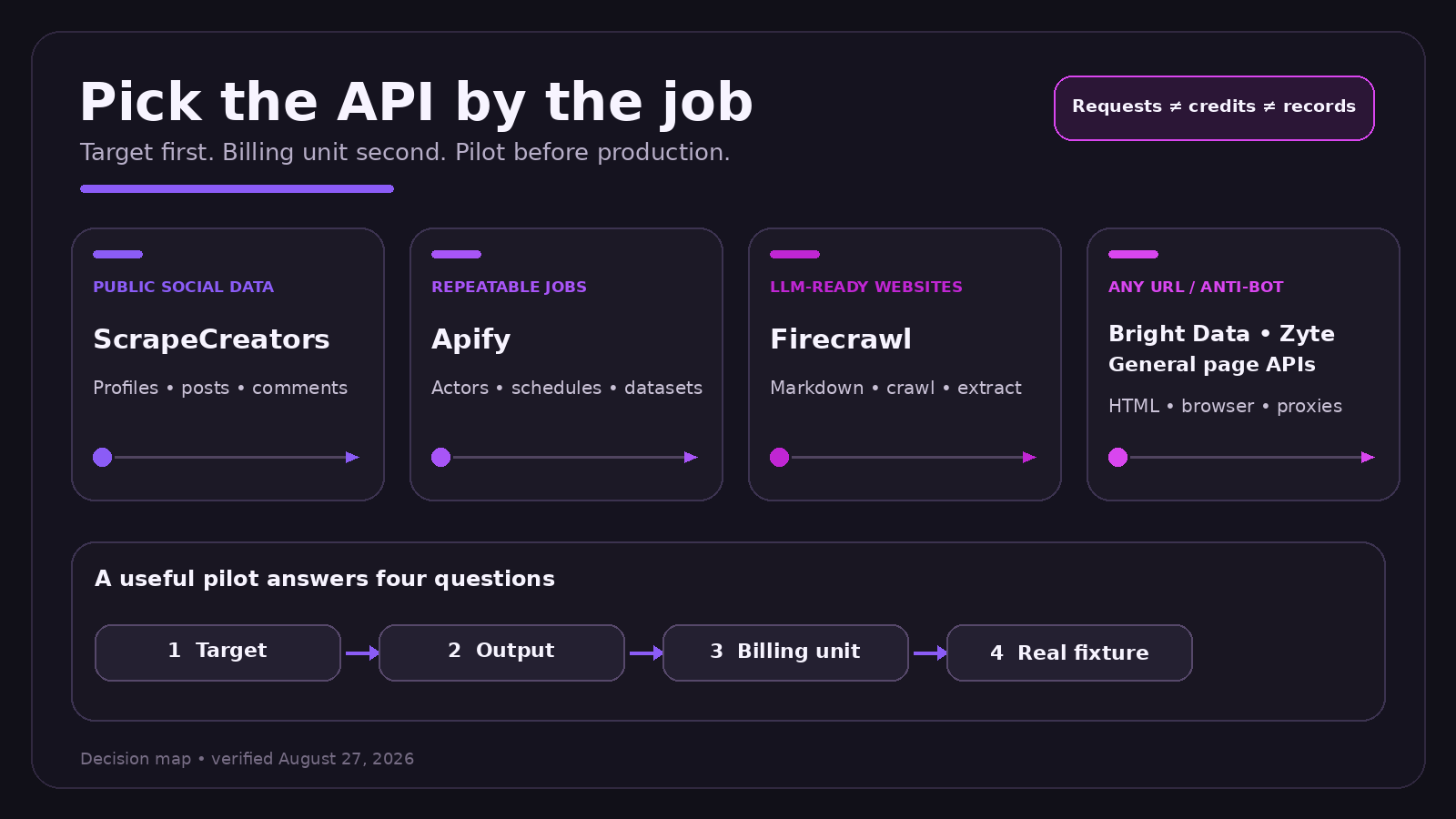
The best web scraping API is the one built for your target. Use ScrapeCreators for public social profiles, posts, videos, comments, transcripts, and ad libraries. Use Firecrawl when you want clean website content for an LLM. Use Apify when you want actors, scheduled jobs, and datasets. Use a general page API such as Bright Data, Zyte, ScrapingBee, ScraperAPI, Oxylabs, Scrape.do, or Decodo when arbitrary URLs, browser rendering, and anti-bot handling are the main job.
There is no honest overall winner. This guide compares the tools by output, billing unit, and operating model so you can pick a short list without pretending records, credits, requests, and compute units are the same thing.
Disclosure: I run ScrapeCreators, so I am not neutral about it. I also will not recommend it for jobs it does not do. Competitor facts below come from official product, docs, and pricing pages reviewed on August 27, 2026. I did not run a hands-on benchmark of every vendor.
Quick answer
| API | Best fit | What you get | Public starting point, checked August 27, 2026 | Main limitation |
|---|---|---|---|---|
| ScrapeCreators | Public social media data | Structured JSON for profiles, posts, search, comments, transcripts, ads, and metrics | 100 free credits; $47 for 25,000 credits; no subscription | Not an arbitrary-URL page browser |
| Bright Data | Broad ready-made scrapers and enterprise web data | Structured records from 1,000+ scraper templates | 5,000 records free each month; pay as you go shown at $1.50 per 1,000 records | Product surface and billing take time to map |
| Zyte API | Adaptive unblocking, rendering, and extraction | HTTP bodies, browser-rendered pages, sessions, and structured data | $5 trial credit; pay as you go HTTP from $0.13 to $1.27 per 1,000 responses | Target tier changes the price |
| ScrapingBee | Simple browser rendering and page fetches | HTML, screenshots, extraction rules, and JavaScript scenarios | $49 per month for 250,000 credits | One request can cost 1 to 75 credits |
| ScraperAPI | Straightforward URL-in scraping | HTML, JSON parsing, rendering, proxies, and async jobs | 5,000-credit trial; $49 per month for 100,000 credits | Domain and feature multipliers change consumption |
| Oxylabs | Large web data programs and ready targets | Structured results, custom parsers, rendering, and delivery options | Advertised from $0.25 per 1,000 results; free trial available | Exact target and workflow still need a quote or calculator |
| Scrape.do | A simple successful-request API with all features on each plan | HTML with rendering, proxy rotation, geo-targeting, and sessions | 1,000 free credits; $29 per month for 250,000 successful API credits | It is a general page API, not a social data model |
| Decodo | Configurable general scraping with clear proxy and JS lanes | HTML or structured data through templates and a universal target | Free tier; paid plan from $19 per month; standard proxy requests shown at $0.50 per 1,000 | Price varies by proxy class and JavaScript use |
| Apify | Marketplace actors and scheduled extraction jobs | Actor runs, datasets, queues, schedules, and webhooks | $5 monthly free usage; Starter is $29 per month plus usage | Actor quality, input, and cost vary by author |
| Firecrawl | LLM-ready website content | Markdown, HTML, JSON extraction, maps, crawls, and screenshots | 1,000 free credits; Hobby is $16 per month billed yearly for 5,000 credits | It is website-content infrastructure, not a social platform API |
Start with the target, not the vendor
Most “best API” lists make a category mistake. They compare tools that return different things.
A request for a public TikTok profile is not the same job as loading a JavaScript-heavy product page. Crawling a documentation site into markdown is not the same as running a marketplace actor that writes 50,000 records to a dataset. All of them involve scraping, but the API contract and maintenance burden are different.
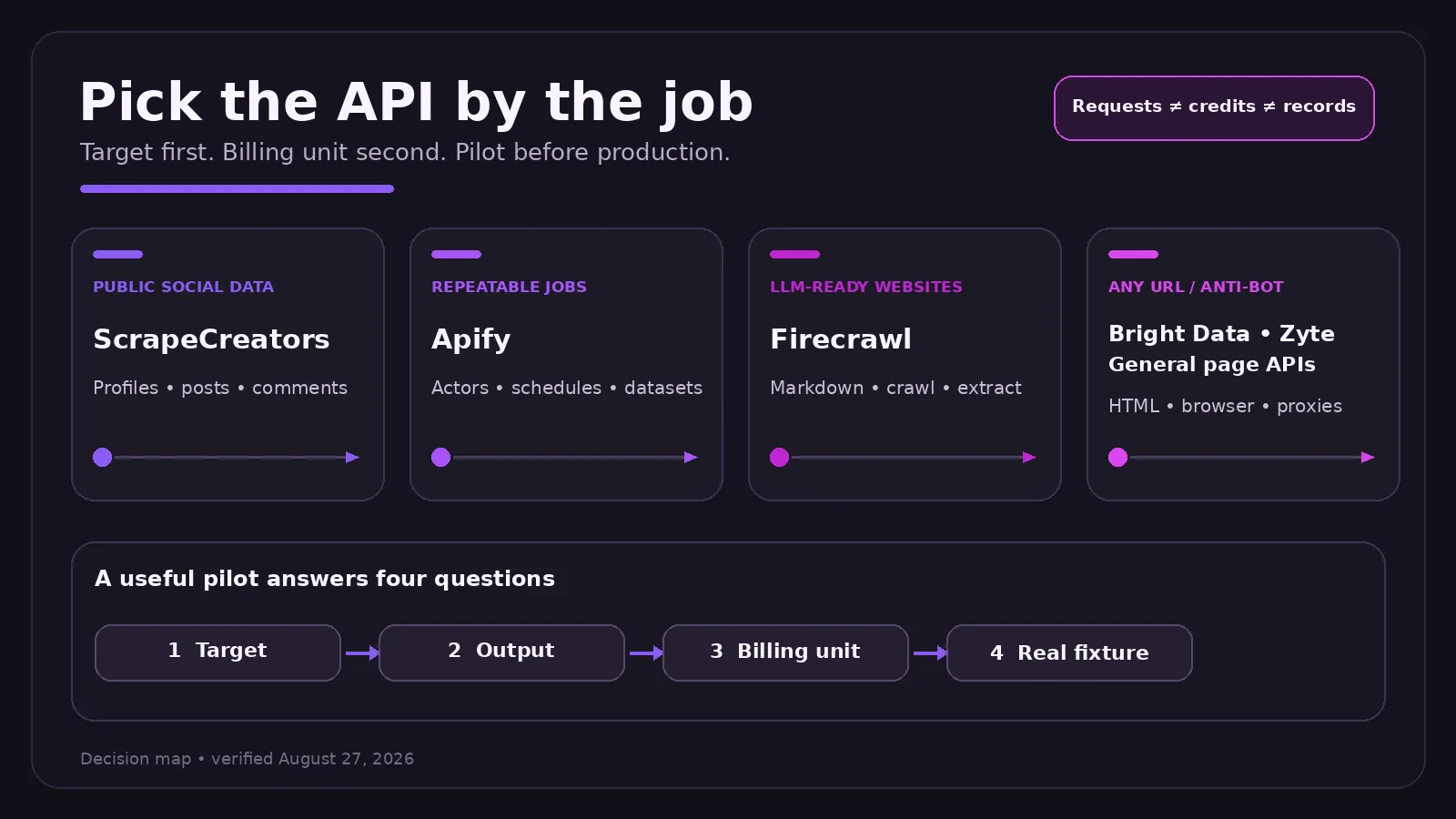
Use this decision order:
- Name the target. Is it a public social platform, arbitrary website, search engine, ecommerce catalog, or a known site with a ready scraper?
- Name the output. Do you need raw HTML, a browser session, clean markdown, or stable structured fields?
- Name the workflow. Is this one URL, a paginated collection, a schedule, a webhook job, or a streaming pipeline?
- Name the failure you can tolerate. A missing optional field and a missing record should not have the same severity.
- Then compare price. Use the real target, rendering options, region, and expected success rate.
That order also tells you when to use two products. A research agent might use ScrapeCreators for YouTube comments and transcripts, then Firecrawl for the linked websites. A retail system might use an ecommerce scraper for product records and a general browser API for the long tail of merchant pages.
Compare cost per usable record
The pricing table above is useful for shortlisting, not forecasting. Vendors use different billing units:
| Billing unit | Vendors in this guide | What can make one logical job cost more |
|---|---|---|
| Credits | ScrapeCreators, ScrapingBee, ScraperAPI, Firecrawl | Endpoint, rendering, premium proxies, target domain, extraction mode, or crawl size |
| Records or results | Bright Data, Oxylabs | Number of delivered items, target template, enrichment, or delivery mode |
| Successful responses | Zyte, Scrape.do | Target difficulty, browser rendering, or website tier |
| Requests by proxy and JS lane | Decodo | Standard versus premium proxy and JavaScript use |
| Compute and actor usage | Apify | Actor pricing, compute units, storage, proxy traffic, and add-ons |
A plan with 1,000,000 credits is not automatically cheaper than one with 25,000 credits. If the first tool charges 25 credits for your target and the second charges one, the headline numbers tell the wrong story.
For a real estimate, calculate:
cost per usable record = total vendor cost / complete records you can actually use
Track retries, empty success responses, required enrichment calls, and parser gaps. If your team spends ten hours each month fixing selectors, that maintenance belongs in the comparison too.
1. ScrapeCreators for public social data
Choose ScrapeCreators if: the data already lives on a supported social platform and you want a stable JSON contract for profiles, posts, videos, search, comments, transcripts, ads, or metrics.
Choose another tool if: you need to fetch arbitrary websites, control a browser, submit forms, or write custom selectors against any URL.
ScrapeCreators covers more than 20 public social platforms through one API key and one set of docs. The point is not just proxy rotation. The endpoints model platform objects, pagination, and the weird identifiers each network uses. You ask for YouTube search results or Reddit comments rather than sending a raw page URL and rebuilding the parser yourself.
Pricing is pay as you go. The public plans checked on August 27, 2026 were 100 free credits, $47 for 25,000 credits, and $497 for 500,000 credits. Credits do not expire. Most endpoints cost one credit, while the docs show endpoints that cost more. A cached response costs zero credits.
This request was run during the research for this guide:
curl --get "https://api.scrapecreators.com/v1/youtube/search" \
  -H "x-api-key: $SCRAPE_CREATORS_API_KEY" \
  --data-urlencode "query=best web scraping api" \
  --data "region=US" \
  --data "sortBy=relevance" \
  --data "type=videos"
Representative fields from the August 27 response:
{
  "success": true,
  "videos": [
    {
      "id": "XciF6Jk-Q5g",
      "title": "The Harsh Truth of Web Scraping in 2025",
      "channel": { "title": "John Watson Rooney" },
      "viewCountInt": 81152,
      "publishedTime": "2025-08-27T10:06:40.577Z"
    }
  ]
}
The response also included shorts, channels, playlists, lives, shelves, and a continuation token. See the YouTube Search docs and the broader YouTube API overview.
I would not use ScrapeCreators to scrape a random pricing page. That is what the general page tools below are for. If social data is the actual job, the specialized response shape saves a lot of parsing and maintenance.
2. Bright Data for a broad scraper catalog
Choose Bright Data if: you want a large catalog of ready-made scrapers, structured record delivery, and an enterprise product surface that also includes proxies, browsers, datasets, and managed acquisition.
Choose another tool if: you want a small, simple integration and do not need the broader platform.
Bright Data’s Web Scraper API page listed more than 1,000 scraper templates on August 27, with bulk request handling for up to 5,000 URLs and outputs such as JSON or CSV. Its catalog includes ecommerce, social, business, real estate, and search targets.
The pricing page showed a free tier of 5,000 records per month. Pay as you go was $1.50 per 1,000 records, while the $499 Scale plan included 384,000 records and listed $1.30 per 1,000 additional records. Bright Data bills these scraper products by delivered records, which is not the same as a raw HTTP request.
The breadth is the advantage. It is also why you should map the exact product before comparing costs. A Web Scraper API template, Unlocker API request, browser session, dataset purchase, and managed feed are separate buying decisions.
3. Zyte API for adaptive page access
Choose Zyte API if: you want one page API that can decide between ordinary HTTP access, stronger anti-ban handling, browser rendering, sessions, and structured extraction.
Choose another tool if: you need a simple flat price that stays the same across targets.
Zyte API combines automatic ban handling, IP rotation, headless browser access, actions, sessions, location controls, and extraction. Its pricing reflects target difficulty instead of pretending every page costs the same.
On August 27, the public pay-as-you-go table showed HTTP response bodies from $0.13 to $1.27 per 1,000 responses across five website tiers. Browser-rendered responses ranged from $1.01 to $16.08 per 1,000. The trial included $5 of credit for 30 days.
That target-aware model can be sensible if the API uses cheap access for easy pages and more expensive tools only when needed. It also means a single “from” price is not enough. Put your actual domains into the calculator before committing.
4. ScrapingBee for simple browser requests
Choose ScrapingBee if: you want a straightforward page request with rotating proxies, browser rendering, screenshots, extraction rules, or a JavaScript scenario.
Choose another tool if: variable credit multipliers make budgeting awkward for your workload.
ScrapingBee is easy to understand at the request level. Send a URL, turn JavaScript or premium proxy options on when needed, and receive the page or extracted data.
The public pricing page listed 1,000 free credits and a $49 monthly Freelance plan with 250,000 credits. The important detail is consumption. ScrapingBee’s docs said the default JavaScript-rendered request costs 5 credits. Its automatic mode can cost 1, 5, 10, 25, or 75 credits depending on the configuration that succeeds, and failed automatic attempts cost zero.
That makes the default $49 plan equivalent to 50,000 default JavaScript requests, not 250,000. For plain non-rendered pages it can go much further. Price the feature combination you will really send.
5. ScraperAPI for familiar URL-in scraping
Choose ScraperAPI if: you want a familiar endpoint for rotating proxies, rendering, custom headers, JSON parsing, and large asynchronous jobs.
Choose another tool if: your target-specific credit multiplier makes the apparent plan size misleading.
ScraperAPI offered a seven-day trial with 5,000 credits and a $49 monthly Hobby plan with 100,000 credits on August 27. That plan listed 20 concurrent threads and US and EU geotargeting.
Its official pricing FAQ is unusually clear about target cost. A standard page costs one credit. Amazon costs five, Google and Bing cost 25, and LinkedIn costs 30. Bypassing bot protection such as Cloudflare, DataDome, or PerimeterX adds ten credits. The dashboard has a domain cost estimator and a max_cost parameter to cap a request.
That is a good reminder to stop dividing monthly price by the headline credit allowance. Divide by the credits your domain and options consume.
6. Oxylabs for larger web data programs
Choose Oxylabs if: you want a broad web data vendor with ready targets, custom parsers, scheduled delivery, proxy products, and support for larger programs.
Choose another tool if: you are building a small project and want self-serve pricing that is easy to reproduce from one page.
Oxylabs Web Scraper API covers general websites plus ready targets in ecommerce, search, real estate, and other categories. It advertises JavaScript rendering, CAPTCHA handling, proxy management, custom parsers, scheduling, and structured delivery.
The public pricing page showed Web Scraper API pricing from $0.25 per 1,000 results with a free trial available. That is a starting claim, not a quote for every website. Use the playground or sales calculator for your target, output, and scale.
Oxylabs belongs on an enterprise shortlist. I would still require a fixture-based quote before comparing it to tools that publish self-serve request or credit tables.
7. Scrape.do for successful-request billing
Choose Scrape.do if: you want rendering, proxy rotation, geo-targeting, sessions, and CAPTCHA handling without feature gates between self-serve plans.
Choose another tool if: you need a platform-specific schema for social or ecommerce objects rather than returned page content.
Scrape.do says every plan includes residential and mobile proxies, JavaScript rendering, geo-targeting, sticky sessions, and the rest of its page-fetching features. Its pricing page listed 1,000 free successful API credits, then $29 per month for 250,000 credits, $99 for 1.25 million, and $249 for 3.5 million.
The vendor says failed responses are not charged and even an invalid 200 can be disputed. The self-serve page also lists concurrency separately, starting at 10 on the $29 plan.
This is one of the clearer general page offers in the group. The remaining question is whether its returned content and success definition match your own usable-record definition.
8. Decodo for configurable general scraping
Choose Decodo if: you want to choose standard or premium proxies and JavaScript per request while keeping the universal page API and ready templates in one product.
Choose another tool if: you want one fixed request price regardless of proxy class or rendering.
Decodo Web Scraping API offers a universal target plus more than 100 templates. The current public page shows per-request controls for proxy pool, headless output, locale, and other options.
Its pricing table was unusually concrete on August 27. The free plan included 2,000 standard proxy requests. The $19 plan included 38,000 standard requests. Standard proxy traffic was listed at $0.50 per 1,000, standard plus JavaScript at $0.75, premium at $1.00, and premium plus JavaScript at $1.50. Higher plans reduce some of those unit prices and raise the rate limit.
The pricing lanes make a useful pilot easy to design. Test the same fixtures with standard, JavaScript, and premium modes instead of paying for the strongest mode on every page.
9. Apify for actors and scheduled jobs
Choose Apify if: you want a marketplace of ready actors, hosted crawler runs, schedules, datasets, request queues, proxy integration, and webhooks.
Choose another tool if: you want one stable product contract rather than selecting and evaluating actors from different authors.
Apify is closer to a job platform than a single scraping endpoint. An Actor has its own input schema, output, maintenance history, and pricing. That flexibility is useful when an existing actor already matches the site and workflow.
The Apify pricing page showed $5 of monthly free platform usage and a Starter plan at $29 per month plus pay as you go. Compute was listed at $0.20 per compute unit on Free and Starter. Store actors can add per-result, per-event, or rental charges, so the platform subscription is not the full job cost.
Inspect the actor author, recent runs, schema, change history, and billing model. If you are comparing Apify specifically for social scraping, our separate Apify vs ScrapeCreators guide covers that narrower decision.
10. Firecrawl for LLM-ready website content
Choose Firecrawl if: you want web pages converted into markdown, HTML, structured JSON, screenshots, maps, or crawls for search, RAG, and agent workflows.
Choose another tool if: the required data is a public social object such as a profile, post, comments thread, transcript, or ad record.
Firecrawl starts from website content. Its /scrape endpoint can return markdown, HTML, JSON extraction, screenshots, and other formats. The product also has map, crawl, batch, search, and agent endpoints. That is a strong fit when the downstream consumer is an LLM and you would otherwise write boilerplate to clean navigation and page chrome.
The pricing page listed 1,000 free credits and a Hobby plan at $16 per month when billed yearly for 5,000 credits. Basic scrape, crawl, map, and batch operations generally use one credit per page, while advanced formats and extraction can consume more. Self-serve credits do not roll over.
Firecrawl and ScrapeCreators overlap at the word “scraping,” not at the data contract. Use Firecrawl for websites. Use a social-specific API for platform data. The longer Firecrawl vs ScrapeCreators comparison has more examples of that boundary.
What buyers ask before choosing
I used ScrapeCreators itself as a research engine before rewriting this guide. On August 27, I searched YouTube for four close variants of the topic with both relevance and popularity sorts in a US context. I read five available transcripts, then deduplicated 73 top or newest YouTube comments and read 22 fetched replies. I also reviewed five Reddit posts with 52 returned comments and nested replies, plus four TikTok videos with 60 comments and 27 fetched replies.
Those sources were qualitative evidence, not a poll. Old results appeared in some “popular” and “new” pulls, so I inspected returned dates rather than assuming the requested sort proved recency.
The same practical questions kept showing up:
- “Why not use BeautifulSoup or Playwright myself?” The honest answer is maintenance. If the page is easy and stable, build it. Pay for an API when proxy, browser, block, and parser work becomes the actual project.
- “Does an API make scraping libraries obsolete?” No. Libraries remain useful for custom parsing and easy sites. An API moves hostile network access and some extraction maintenance outside your codebase.
- “How do I paginate and collect comments in bulk?” Check that the API exposes cursors and replies as first-class fields. A pretty first-page demo is not enough.
- “What will 100,000 URLs really cost?” Use target-specific credits, records, browser modes, and successful usable output. Headline plan allowances are not comparable.
- “Can one tool cover social data and arbitrary websites?” Sometimes, but the contract gets blurry. A specialized social API plus a general page API is often simpler than forcing one product to do both jobs.
The transcripts also reinforced a point the ranking pages often bury: convenience is not the same as zero work. You still need fixtures, retries, monitoring, legal review, and a plan for upstream field changes. Managed scraping removes infrastructure work. It does not remove product judgment.
Public videos reviewed included John Watson Rooney’s The Harsh Truth of Web Scraping in 2025, The Web Scraping Club’s Best Web Scraping Tools: What I Actually Use, freeCodeCamp.org’s Scraper APIs Make Web Scraping So Much Easier, ScrapeCreators’ How Simon Høiberg Scrapes Social Media Data, and Udacity’s Web Scraping vs. APIs.
A five-step evaluation you can reproduce
Do not benchmark one homepage and call it done. Build a small fixture set that looks like production.
1. Split fixtures by difficulty
Include easy static pages, JavaScript pages, protected pages, pagination, missing records, and at least one target in every country you need. For social work, include profiles, posts, comments, deleted content, and private or unavailable cases where the public contract supports them.
2. Define usable success before the run
A 200 response is not automatically useful. Decide which fields must exist and whether an empty result is valid. Record transport success and contract success separately.
3. Record actual consumption
Save credits charged, records delivered, compute units, proxy traffic, and any required follow-up call. Do not estimate from the plan headline when the response tells you the real unit.
4. Measure latency and completeness
Track p50 and p95 latency, not just the fastest call. Compare missing fields and parser shape across vendors. A slower complete record may cost less than a fast response that needs two enrichment calls.
5. Run long enough to see change
A ten-minute test will not reveal parser drift. Keep a small daily canary set for a week, then check support response and recovery when something breaks. That maintenance behavior is part of the product.
A simple scorecard can stay descriptive:
| Measure | What to record |
|---|---|
| Usable success | Complete records divided by attempted logical jobs |
| Cost | Total spend divided by complete records |
| Latency | p50 and p95 for complete records |
| Contract | Missing required fields, pagination errors, and empty successes |
| Operations | Setup time, monitoring work, incident recovery, and support response |
Frequently asked questions
What is the best web scraping API?
There is no useful overall winner because the products solve different jobs. Start with the target and output. ScrapeCreators fits public social data. Firecrawl fits LLM-ready website content. Apify fits actor-based jobs. General page APIs fit arbitrary URLs and browser or anti-bot work.
What is the best web scraping API for social media?
ScrapeCreators is the focused option in this list. It models public profiles, posts, videos, comments, transcripts, search, and ad libraries as JSON endpoints. It is not a browser API for arbitrary URLs.
What is the cheapest web scraping API?
You cannot answer from the cheapest advertised rate. The billing units differ, and hard targets consume more credits or higher tiers. Calculate cost per successful usable record on your own fixtures.
Should I use a scraping API or build my own scraper?
Build when the target is easy, stable, and worth owning. Buy when browser infrastructure, blocks, proxies, parsing changes, and on-call maintenance cost more than the API.
Can Firecrawl scrape social media?
Firecrawl can process web pages, but its core contract is website content for AI workflows. If you need platform objects, pagination, comments, transcripts, or social search, use a social-specific endpoint.
How many sites should I test before choosing?
Use enough fixtures to cover every target class in your workload. Ten carefully chosen pages are more useful than 100 copies of the same easy page. For production, keep the canary set running for at least a week.
Pick the lane, then run the fixture
If your project is social-first, start with the ScrapeCreators docs and spend the free credits on your hardest real examples. If the work is mostly websites, shortlist the general page APIs by target pricing and rendering needs. If you need markdown for an LLM, start with Firecrawl. If you need hosted jobs and datasets, inspect Apify actors.
Then run the same fixture set through two finalists. The provider that returns complete, usable records at the lowest real operating cost is the right answer for your project.


