
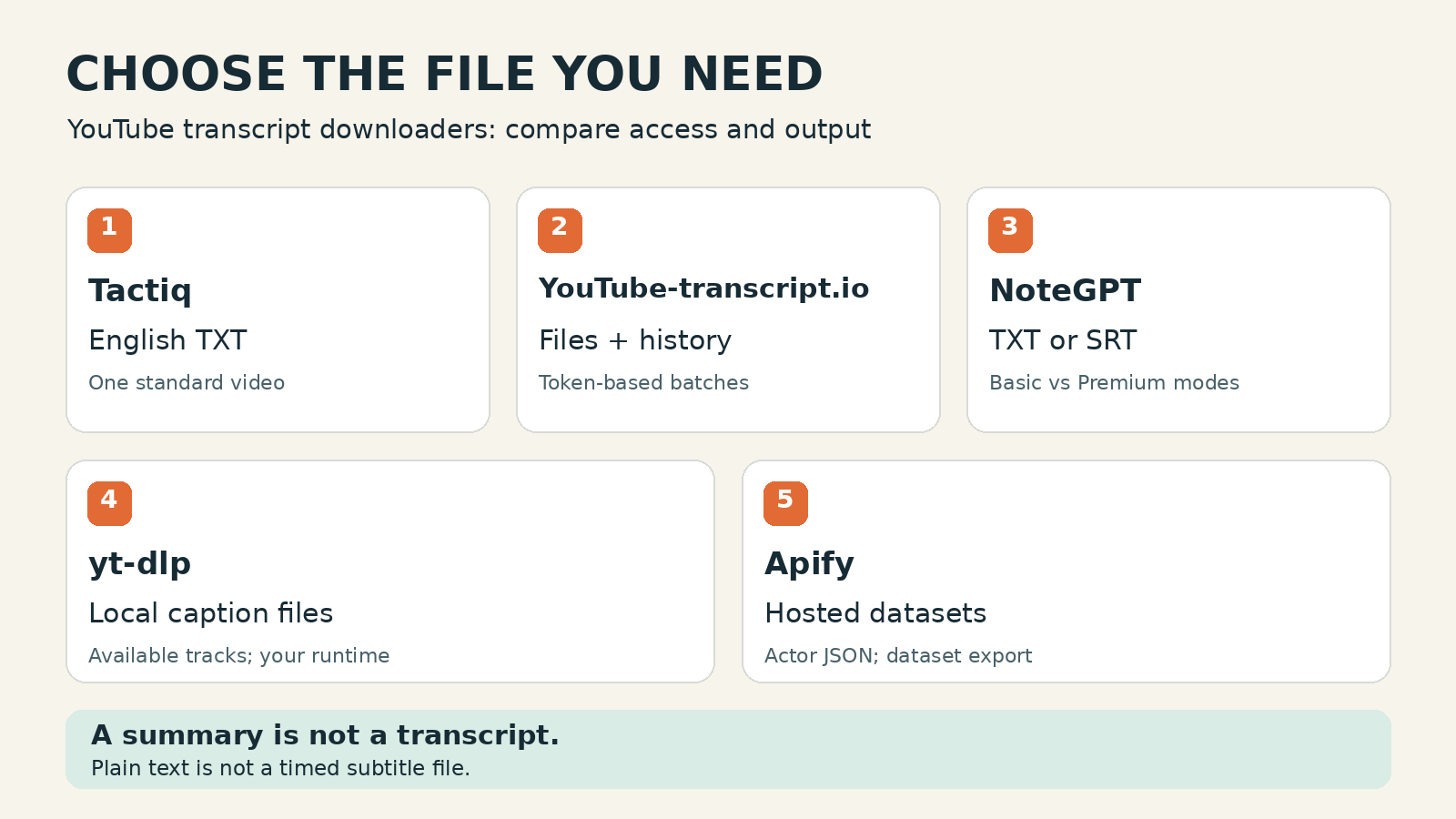
The best YouTube transcript downloader depends on the file you need. Choose Tactiq for one English TXT download, YouTube-transcript.io for a saved transcript workspace and token-based batches, or NoteGPT when you also need a documented no-caption transcription mode. Use yt-dlp for local subtitle files, and Apify for hosted jobs that produce datasets. None is the best choice for every video or language.
I build ScrapeCreators. Its API example below is a separate custom-export option, not a claim that an API is easier than a download button.
Product pages, documentation and displayed prices were checked on November 17, 2026. I executed the ScrapeCreators example. I did not benchmark the five tools against each other or test their paid exports.
Pick by the file you need
A transcript downloader should get you to a usable file, not just a screen full of text. Start with the handoff: readable notes, timed subtitles, a spreadsheet, or a collection your software can process.
| Tool | Choose it for | File or output boundary | Cost and access checked November 17 |
|---|---|---|---|
| Tactiq | One standard English video without setting up a workspace | Its help center documents TXT download and clipboard copy; no bulk or Shorts support | Free YouTube generator; separate meeting-product plans are not required for the advertised download |
| YouTube-transcript.io | Saved transcripts and playlist/CSV-driven batches | Its guide lists TXT, SRT, VTT, CSV and PDF; the bulk page labels the feature experimental | Free plan lists 25 tokens/month; Plus lists $9.99/month for 1,000 transcripts and 90-day history |
| NoteGPT | Downloading text or subtitles alongside transcription and study tools | Downloader lists TXT and SRT; distinguish existing-caption extraction from new recognition | Free downloader advertised; monthly Pro is $9.99 with 1,000 Basic Quotas and 100 Premium Credits |
| yt-dlp | Keeping caption files on your own machine | Downloads available manual or auto-generated subtitle tracks; conversion is a separate option | Open-source software; you supply the runtime, updates and any infrastructure |
Apify, knowbaseai/youtube-transcript-extractor | Hosted runs with multiple video URLs and dataset delivery | Actor documents full text plus timestamped JSON; platform dataset export includes JSON and CSV, not automatic SRT | Actor is labeled Pay per usage; check the run estimate rather than assume a fixed per-transcript fee |
These units are different. A monthly transcript allowance, a quota charged by duration, a hosted run and a local program are not comparable just because they all end in text.
For a quick manual check before choosing software, YouTube’s own transcript instructions say to open Show transcript in the video description. That works for videos with captions. It is a useful baseline, not proof that a third-party tool can retrieve every track.
1. Tactiq for a simple English TXT file
Tactiq’s generator is the straightforward choice if your job is to paste one YouTube URL and save readable text. Its page advertises copying and downloading without entering an email. You do not need to turn a one-off download into a meeting-transcription project.
The important limits are clearer in Tactiq’s current help article than in a broad tools roundup. It documents .txt output, English-only support, standard videos rather than Shorts, and one-at-a-time processing rather than bulk transcription.
That makes it a narrow recommendation. Choose it for an English lecture or tutorial when TXT is enough. Choose another option if your acceptance criteria include a playlist, another language, or an SRT file you can import into an editor.
Tactiq also describes uploading the downloaded transcript into its signed-in workspace for AI analysis. That is a second step. A free download and the later meeting/workspace features are different products and should not share an assumed allowance.
I would check the actual text before asking an AI assistant to tidy it. Keep the original download, then make a separate edited copy. Changing line breaks is harmless until a model also changes a name, drops a sentence or turns the transcript into a summary.
2. YouTube-transcript.io for files you can revisit
YouTube-transcript.io makes more sense when downloading is part of a recurring research routine rather than a one-off task. Its download guide lists TXT, SRT, VTT, CSV and PDF. Treat that as documented format support, not my verification that every format exports successfully on every plan.
The monthly pricing page lists Plus at $9.99/month, with 1,000 transcripts, five watchlists and 90-day history retention. Pro starts at $24.99/month for 3,000 transcripts and lists unlimited history retention. The free plan is described as 25 tokens per month.
Check the token rules before deciding that the headline number equals that many complete research tasks. The pricing FAQ says transcript extraction uses a token and summarizing captions also uses tokens. Unused tokens do not roll over. Downloading text and generating an AI summary are not necessarily one allowance event.
Its bulk page accepts a playlist or CSV and says one transcript equals one token. It also labels bulk extraction experimental. That is a reason to try a small representative batch before committing a channel archive, not a reason to assume the feature is unusable.
Choose this option for a saved workspace with several output formats. If permanent local retention matters, download your files yourself instead of treating a paid plan’s history screen as your only archive.
3. NoteGPT when caption extraction is not the whole job
NoteGPT’s downloader lists TXT and SRT, timestamp options, video/playlist input, and Basic and Premium modes. It is worth considering when you want a transcript alongside notes, translation or other study features.
The catch is the word “free.” The downloader markets free use broadly, while the current quota policy distinguishes several billable operations:
- Basic transcription of a YouTube video with subtitles uses one Basic Quota per video.
- Basic transcription without subtitles uses one Basic Quota per 10 minutes.
- Premium transcription uses one Premium Credit per minute, with or without existing subtitles.
Those are the vendor’s documented units. They are not the same job, and the policy does not establish an unlimited free allowance for every mode.
I selected the Monthly tab on the pricing page. Pro displayed $9.99/month, 1,000 Basic Quotas and 100 Premium Credits. Its no-subtitle per-video limit was 120 minutes. The annual display is a different commitment; do not mistake its lower monthly equivalent for the monthly checkout price.
Choose NoteGPT when you want to evaluate fresh transcription for a video without captions. Test the exact language and export format before paying. The existence of a Premium button is not proof of transcript accuracy, speaker identification, or successful recognition on your recording.
I did not submit a paid NoteGPT job. Its documented no-caption path is a capability to evaluate, not an executed result in this comparison.
4. yt-dlp for local subtitle files
yt-dlp suits people who want files on their own machine and do not mind a command line. It can list available subtitle tracks, download manual captions and download auto-generated captions. It does not create new speech recognition merely because you request subtitles.
The current README documents the difference between --write-subs and --write-auto-subs, language selection, preferred formats, and subtitle conversion. Start by listing what exists rather than guessing that English or SRT must be available.
These commands are documentation-based examples, not a yt-dlp execution performed for this article:
yt-dlp --list-subs "https://www.youtube.com/watch?v=qXfPsEHFQpQ"

yt-dlp --skip-download --write-subs --write-auto-subs \
  --sub-langs "en.*" --sub-format "vtt/best" \
  "https://www.youtube.com/watch?v=qXfPsEHFQpQ"
--skip-download skips the video download while allowing related files to be written. The second command requests available English-family tracks and prefers VTT. It does not guarantee that a matching track exists.
The README separately documents --convert-subs srt; conversion uses post-processing, so check the current FFmpeg requirements. Current full YouTube support also involves the project’s JavaScript components and a supported JavaScript runtime. “Open source” does not mean “zero setup.”
Choose yt-dlp for a local, repeatable workflow you can maintain. Choose a browser downloader if you just want one file and do not want to troubleshoot dependencies or upstream changes. A working command on a home connection also does not prove that the same workflow will work unattended from a server.
5. Apify for hosted transcript datasets
Apify is a marketplace, so inspect the specific Actor rather than treating every transcript listing as one product. The reviewed YouTube Transcript Extractor is maintained by knowbaseai and takes a youtube_urls array with an optional preferredLanguage.
Its documentation describes complete transcript text and timestamped JSON chunks, plus per-item processing status. Its limitations say the videos must have captions enabled. Do not buy this particular Actor expecting it to recognize speech from an uncaptioned recording.
The listing is labeled Pay per usage. I did not run it or obtain a paid run estimate. Compare the estimate and saved results rather than assuming a price per 1,000 downloaded files. Other transcript Actors can have different billing models.
The delivery distinction matters too. Apify’s dataset documentation explains how to export dataset items as JSON, CSV, Excel and other supported table/data formats. An Actor returning transcript JSON is not the same as delivering one ready-to-import SRT file per video. You may need a conversion step.
Choose this route when you want hosted runs and dataset handoff. Before a larger batch, inspect a successful row, an unavailable-caption row, the actual charge and the exported file. A successful job can still contain item-level errors.
Check the download before trusting it
The repeated audience question was more practical than “which AI is best?” People wanted a file they could actually copy, read, import or keep. In the discussion under Kevin Stratvert’s transcript walkthrough, comments describe missing mobile controls, copying problems and disagreement over timestamp toggles. Those reports do not establish one universal YouTube interface or a current outage.
A Reddit discussion about free transcript options also separates TXT from SRT and existing captions from new speech recognition. I used those questions to build this acceptance check, not to rank vendors by comment popularity.
Before subscribing or exporting a large batch:
- Confirm the source and language. Keep the video URL or ID. Check whether the text is the spoken language, a different existing track or a translation.
- Open the actual file. A text preview does not prove that the download is enabled, complete or included in your plan.
- Compare beginning, middle and end. Check against the recording. The last returned cue is not independent proof of full-video coverage.
- Keep timing when you need it. TXT is useful for reading; SRT/VTT carry subtitle timing. Changing a filename from
.txtto.srtdoes not convert the content. - Preserve the original before cleanup. Put summaries, translations and rewritten paragraphs in separate files. Do not call a polished summary a verbatim transcript.
- Record failures per video. In a batch, count requested videos, nonempty transcripts and failures separately. A ZIP file or successful run status does not prove every requested video is inside it.
For an existing caption track, exporting to another format does not improve the underlying recognition. For new transcription, spot-check names, numbers and jargon against the audio.
A custom API export that writes real files
If you need your own filenames or downstream processing, the ScrapeCreators YouTube transcript API is another route. This is deliberately separate from the five ready-tool recommendations above. For a one-off browser task, start with our single-video tool; the channel tool serves a different bulk workflow.
The current endpoint documentation accepts a video URL and optional language. A returned transcript normally costs one credit; no matching caption track returns null transcript fields without a charge. Selecting a language retrieves a matching track, not an on-demand translation. original_audio=true overrides language and requires identifiable original-language captions.
Our pricing lists $47 for 25,000 credits, paid in advance without a subscription. That purchase price is not a claim that one small download costs $47. If you need an account for the example, sign up here.
This standard-library Python example fetches one English-captioned video and writes TXT, source JSON and SRT. Set SCRAPE_CREATORS_API_KEY in your environment first. Run it in a new folder because it overwrites the three filenames. It does not crawl a channel or process a playlist.
import json
import os
from pathlib import Path
from urllib.parse import urlencode
from urllib.request import Request, urlopen

video_url = "https://www.youtube.com/watch?v=qXfPsEHFQpQ"
query = urlencode({"url": video_url, "language": "en"})
request = Request(
    "https://api.scrapecreators.com/v1/youtube/video/transcript?" + query,
    headers={"x-api-key": os.environ["SCRAPE_CREATORS_API_KEY"]},
)
with urlopen(request, timeout=60) as response:
    payload = json.load(response)

segments = payload.get("transcript")
if payload.get("success") is not True or not segments:
    raise SystemExit("No usable caption track returned; no files written.")

# Keep the source fields and string time values unchanged in JSON.
source = {key: payload.get(key) for key in
          ("videoId", "url", "language", "transcript", "transcript_only_text")}
Path("captions.json").write_text(
    json.dumps(source, ensure_ascii=False, indent=2), encoding="utf-8"
)
Path("captions.txt").write_text(
    "\n".join(segment["text"] for segment in segments) + "\n", encoding="utf-8"
)

def srt_time(value):
    milliseconds = int(value)
    if milliseconds < 0:
        raise ValueError("Caption time cannot be negative")
    seconds, milliseconds = divmod(milliseconds, 1000)
    minutes, seconds = divmod(seconds, 60)
    hours, minutes = divmod(minutes, 60)
    return f"{hours:02}:{minutes:02}:{seconds:02},{milliseconds:03}"

cues = []
for number, segment in enumerate(segments, 1):
    if int(segment["endMs"]) < int(segment["startMs"]):
        raise ValueError("Caption end precedes start")
    cues.append(
        f"{number}\n{srt_time(segment['startMs'])} --> "
        f"{srt_time(segment['endMs'])}\n{segment['text']}\n"
    )
Path("captions.srt").write_text("\n".join(cues), encoding="utf-8")
print(json.dumps({
    "videoId": payload.get("videoId"),
    "language": payload.get("language"),
    "segments": len(segments),
    "credits_charged": payload.get("credits_charged"),
    "files": ["captions.txt", "captions.json", "captions.srt"],
}))
I ran that exact code on November 17. The request returned HTTP 200 in 2.833 seconds, 57 timed segments, language English, and one credit charged. I reopened all three files and checked that the TXT lines and SRT cues matched the saved source segments. The JSON keeps the provider’s original string time values; the SRT writer converts milliseconds into subtitle timestamps without rewriting the words.
The last returned cue ended at 00:02:34,680. That describes this response, not a completeness benchmark. The converter preserves source cue boundaries and overlaps; it does not perform subtitle editing, remove rolling-caption repetition or create accurate speaker labels.
A separate request for Esperanto captions (language=eo) on the same video returned null transcript, text and language fields with zero credits charged. That was a missing-track check, not an audio-transcription test or a promise about other videos.
For developer-focused provider selection, use our YouTube transcript API comparison. For a JavaScript implementation, see the Node.js transcript guide. This article is about choosing and checking downloaded files, not replacing those integration guides.
Frequently asked questions
What is the best YouTube transcript downloader?
Choose Tactiq for one standard English TXT file, YouTube-transcript.io for a saved workspace and token-based batches, NoteGPT for evaluating extraction versus new transcription, yt-dlp for local caption files, or the reviewed Apify Actor for hosted datasets. The right choice depends on language, output format, access and who maintains the workflow.
Can I download a YouTube transcript for free?
Several tools advertise free use, but the allowance and operation differ. Tactiq advertises a free single-video English generator. YouTube-transcript.io lists 25 free monthly tokens. NoteGPT advertises a free downloader while its quota policy distinguishes extraction and transcription modes. yt-dlp has no software subscription, but you supply its execution environment.
Can a downloader transcribe a video with no captions?
Only if it offers new speech recognition, not just caption extraction. NoteGPT documents separate with-subtitle and no-subtitle transcription charges. The reviewed Apify Actor requires captions, and yt-dlp’s subtitle options download existing tracks. ScrapeCreators’ YouTube caption endpoint does not generate a new transcript when the requested track is missing.
Should I download TXT, SRT, VTT or JSON?
Use TXT for reading and note-taking, SRT or VTT for timed subtitles, and JSON when your software needs source fields and timing. Keep a source copy before translating, summarizing or reformatting. The file extension alone does not prove that its content has the required structure or covers the full recording.