
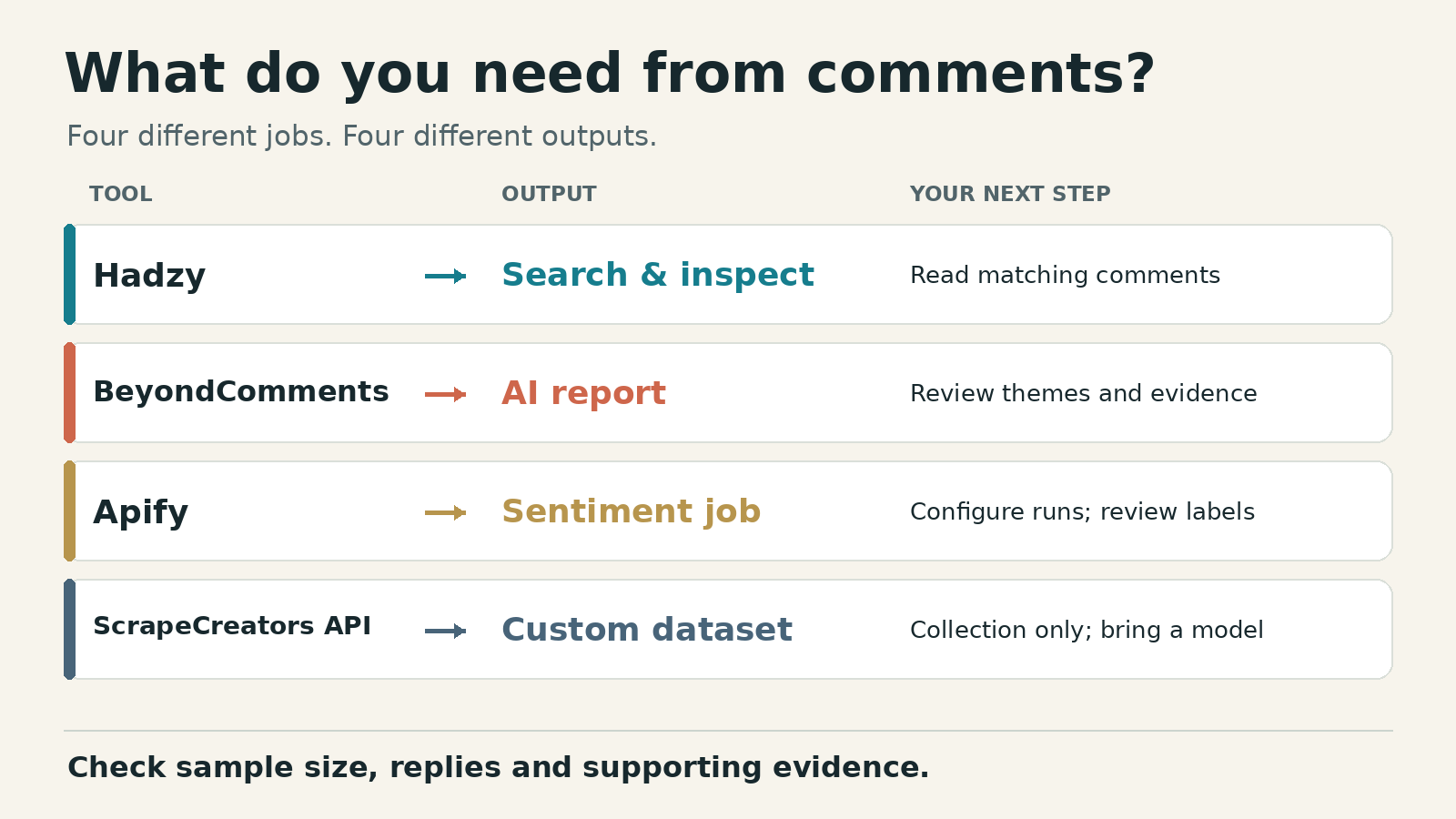
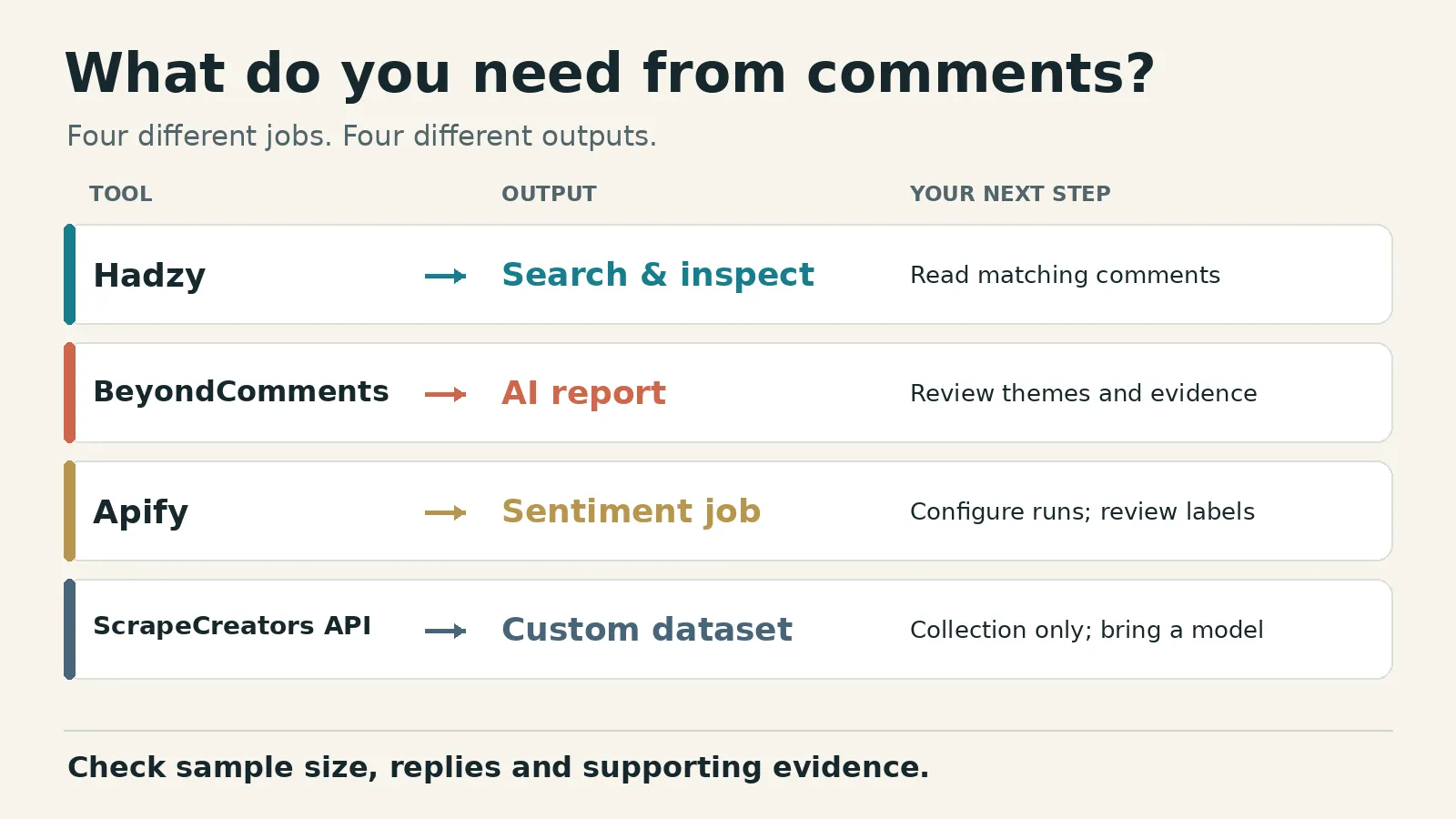
For a ready-made YouTube comment analysis report, start with BeyondComments. Choose Hadzy if you want to search, read and export feedback yourself. Choose Apify’s Comments Analyzer Agent for an automated sentiment job. Use ScrapeCreators’ API when you need comment records for your own model and reporting, not a finished analyzer.
The useful result is a question answered or a decision changed. A positive-versus-negative pie chart alone does not tell you what to make next.
I run ScrapeCreators. Its API is the collection option here, not my recommendation for someone who wants an instant AI report.
Prices, limits and source pages checked November 1, 2026. I executed the ScrapeCreators example below. I did not run paid analyses through the other vendors or benchmark their classification accuracy.
Choose the output before the tool
A searchable comment table, an AI report and an API response solve different jobs. Decide which one you want before comparing prices.
| Tool | Choose it for | Current cost unit | What you still need to do |
|---|---|---|---|
| Hadzy | Search, questions, word frequencies and manual inspection | Free tier; $5/month Core Supporter | Read the matching comments and decide what matters |
| BeyondComments | A per-video report with themes, sentiment and viewer requests | Credit packs from $5; one credit per YouTube comment | Inspect supporting comments and the report’s sample size |
| Apify Comments Analyzer Agent | A scheduled, exportable sentiment job | $1 per 1,000 comment events; platform costs included on this listing | Configure runs, retrieve the right output and review labels |
| ScrapeCreators API | A custom analysis dataset with your own categories | One credit per comments or replies request; prepaid packs | Build or connect the model, storage and report |
These are not interchangeable prices per insight. A monthly search interface, processed-comment credit and API page buy different things. Primary pricing sources are linked in each section.
1. Hadzy for searching and reading feedback
Hadzy is where I would start if I wanted to investigate a particular question rather than generate a report. Its public-video interface offers keyword search, author filters, sorting, a word cloud, top questions and a comment timeline.
That suits jobs such as finding confusion about a setup step or reading comments around a product name. You keep the actual wording in view instead of accepting an AI summary first.
The current Free versus Supporter page makes an important distinction. Free use requires no account, but a search shows its first 250 results and a CSV export covers up to 250 comments. Core Supporter costs $5 per month through Patreon and adds pagination through every matching result, uncapped matching-row CSV/JSON exports, date-range filters and creator insights.
An uncapped export is a vendor feature, not my verification that every public comment will always be retrieved. I did not run an exhaustive export through Hadzy.
Choose Hadzy if: you want to inspect the evidence yourself, especially for a one-off research question.
Choose something else if: your deliverable is a written AI report or a repeatable custom classifier. Search and word counts do not establish sentiment, and a frequently repeated word can have several meanings.
2. BeyondComments for a ready-made AI report
BeyondComments is the more direct fit for a creator who wants a readable result after pasting a public video URL. Its report describes themes, sentiment, viewer questions, criticism and requests. The site says Google sign-in is required, but a YouTube channel connection is not.
Its pricing page currently lists:
- Free reports with up to 50 comments, three reports per day.
- A $5 Starter pack with 10,000 credits.
- A $19 Creator pack with 50,000 credits.
- A $49 Large pack with 150,000 credits.
One YouTube comment uses one credit. Packs are one-time purchases, expire after 12 months and share the same paid report features. A full report analyzes up to 5,000 comments and includes report chat and PDF export.
The per-report limit matters more than the pack’s headline capacity. Buying 10,000 credits does not make a single report a 10,000-comment analysis. The vendor’s own example allocates that pack to two 5,000-comment YouTube reports.
BeyondComments also displays the analyzed count alongside the video’s larger public count in its example report. Keep that distinction when you share findings. A report about a sample should not become a claim about the whole audience.
Choose BeyondComments if: you want themes and content ideas without building collection and model plumbing.
Choose something else if: you need your own row-level taxonomy, a larger per-job sample or a reproducible model evaluation. PDF export is a report feature; it is not the same promise as a raw, fully threaded dataset export.
3. Apify for an automated sentiment job
The relevant listing is Apify’s Comments Analyzer Agent, not every YouTube scraper in the marketplace. Its documented outputs include sentiment summaries, positive/neutral/negative counts and percentages, and per-comment labels with red-flag fields.
It also supports Instagram and TikTok post URLs. For a team already using Apify schedules, storage and integrations, keeping analysis inside an Actor workflow may be simpler than introducing another reporting service.
Check the actual input schema, though. It exposes a singular postUrl and a maxComments integer with a maximum of 1,000 and a displayed default of 1. Set the limit explicitly. Do not read the README’s broad collection language as permission to request an unlimited thread.
This is a documentation-based input example, not a vendor run I executed:
{
  "postUrl": "https://www.youtube.com/watch?v=5HQCNAsSO-s",
  "maxComments": 100
}
The Actor pricing tab lists a Comment event at $1 per 1,000 on the displayed plans, with platform costs included. Its free plan advertises $5 of monthly usage and up to 5,000 comments. That is an allowance across usage, not a change to the input’s 1,000-comment maximum per run. The displayed Starter plan is $19 per month plus pay as you go.
There are also two output locations to understand. The README puts the summary in the dataset and directs readers to the key-value store for individual comment analysis. Verify both before wiring a dashboard that expects one flat table.
Choose this Actor if: you want scheduled sentiment processing and are comfortable handling Apify run state and storage.
Choose something else if: you want an immediately shareable creator report or control over the classification method. I did not verify its recall, reply completeness or toxicity detection. A red flag should create a review task, not automatically decide whether a commenter is abusive.
4. ScrapeCreators for your own analysis pipeline
The ScrapeCreators comments API does not include sentiment analysis. It supplies public comment records that you can classify elsewhere. We also have a separate free browser comment analyzer for a spot check. I did not execute that browser workflow for this review; this section and the code compare API collection, not that tool’s output.
The comments endpoint accepts a video URL, order=top or order=newest, and a continuationToken. Records include text, IDs, engagement fields and reply tokens. The separate replies endpoint accepts the parent’s repliesContinuationToken; subsequent reply pages use their returned continuationToken.
Each successful comments or replies request normally costs one credit, including a successful empty response. This is page billing, not one credit per comment. The current prepaid pricing starts at $47 for 25,000 credits, with no subscription or credit expiry. Budget model calls and storage separately. A cache hit can be free when the response is actually served from cache; do not assume every request will be cached.
The docs also state approximate collection limits of 1,000 top comments or 7,000 newest comments. Those are ceilings to plan around, not a guarantee that a particular video will return that many. publishedTime is a best-effort timestamp derived from YouTube’s relative label, not an exact source publication time.
For collection-provider choices alone, use our YouTube comment scraper comparison. This article is about what happens after collection: inspection, interpretation and a useful report. Our YouTube competitor research guide covers a different job again, channel-level research.
Choose ScrapeCreators if: you want to keep source IDs, choose your own topics and model, and combine comments with another internal workflow.
Choose something else if: you do not want to build the analysis layer. BeyondComments or the Apify analyzer is closer to a finished result.
A bounded sample you can actually audit
The following Python example makes two comment requests, one for each order, and at most one reply request. It saves unique rows with their sampling origin and leaves sentiment and topic null. Install requests and set SCRAPE_CREATORS_API_KEY in your environment first.
This is deliberately not a complete-thread exporter or an AI sentiment demo. It produces evidence you can inspect before choosing a model.
import json
import os
from datetime import datetime, timezone
from pathlib import Path

import requests

API = "https://api.scrapecreators.com"
VIDEO = "https://www.youtube.com/watch?v=5HQCNAsSO-s"
HEADERS = {"x-api-key": os.environ["SCRAPE_CREATORS_API_KEY"]}
rows = {}
pages = []
credits = 0


def fetch(path, params):
    global credits
    response = requests.get(API + path, headers=HEADERS,
                            params=params, timeout=45)
    response.raise_for_status()
    payload = response.json()
    if payload.get("success") is not True:
        raise RuntimeError("The API did not return a successful page")
    if not isinstance(payload.get("comments"), list):
        raise RuntimeError("Missing comments array")
    credits += payload.get("credits_charged", 0)
    return payload


def keep(comment, order, parent_id=None):
    comment_id = comment.get("id")
    if not comment_id or not isinstance(comment.get("content"), str):
        raise ValueError("Comment is missing its ID or text")
    if comment_id not in rows:
        rows[comment_id] = {
            "video_url": VIDEO,
            "comment_id": comment_id,
            "parent_comment_id": parent_id,
            "text": comment["content"],
            "published_time_text": comment.get("publishedTimeText"),
            "likes": comment.get("engagement", {}).get("likes"),
            "observed_at": datetime.now(timezone.utc).isoformat(),
            "seen_in": [],
            "sentiment": None,
            "topic": None,
        }
    rows[comment_id]["seen_in"].append(order)


for order in ("top", "newest"):
    if order not in {"top", "newest"}:
        raise ValueError("Unsupported order")
    page = fetch("/v1/youtube/video/comments",
                 {"url": VIDEO, "order": order})
    pages.append({"order": order, "rows": len(page["comments"]),
                  "more": bool(page.get("continuationToken"))})
    for comment in page["comments"]:
        keep(comment, order)
    if order == "top":
        reply_parent = next((comment for comment in page["comments"]
                             if comment.get("repliesContinuationToken")), None)

if reply_parent:
    replies = fetch("/v1/youtube/video/comment/replies",
                    {"continuationToken": reply_parent["repliesContinuationToken"]})
    pages.append({"order": "selected_reply", "rows": len(replies["comments"]),
                  "more": bool(replies.get("continuationToken"))})
    for comment in replies["comments"]:
        keep(comment, "selected_reply", reply_parent["id"])

with Path("comment-sample.jsonl").open("w") as output:
    for row in rows.values():
        output.write(json.dumps(row, ensure_ascii=False) + "\n")

print(json.dumps({"unique_rows": len(rows), "credits_charged": credits,
                  "pages": pages, "coverage": "bounded sample, not complete"}))
I ran this exact script on November 1, 2026 against IBM Technology’s sentiment-analysis video. It returned 20 top rows and 20 newest rows, which overlapped. After deduplication, the file contained 29 parent comments and one fetched reply, 30 unique rows in total, for three credits. Both parent pages still had continuation tokens. No sentiment model ran.
The file contains public comment text. Keep it private, remove unnecessary identifiers before sending it to another processor and choose retention rules for your use. The code omits author profiles, but comment text can still contain personal information.
If you extend the script to paginate, repeat url and order on every comments request. A cursor does not carry those stateless options for you. Store parent-comment and reply continuations separately, and keep an explicit request budget.
Check the denominator before the sentiment chart
A separate same-day coverage check on that video showed why one number is not enough:
| Measurement | Observed value | Meaning |
|---|---|---|
| Public video comment count | 41 | Source counter, not rows analyzed |
| Parent comments fetched across two top pages | 34 unique, from 20 plus 14 rows | No overlapping IDs; second page had no further token |
| Replies declared on those parents | 6 | Metadata, not fetched reply text |
| Replies actually fetched | 1 | One selected thread, not all replies |
Those four counts are not supposed to be silently substituted for one another. The public total and parent-only sample also cover different record types. I cannot call this a complete 41-comment analysis or infer what the uncollected rows said.
The production checks exposed another practical limit: sending an undocumented order=invalid returned HTTP 200 with 20 comments and charged one credit. HTTP success did not validate the requested sort. Keep an allowlist of documented orders in your client, as the example does. Do not use arbitrary parameters to label a sample “newest” or “complete.”
These were bounded observations, not a reliability study. The separate check and the later code execution also returned slightly different top/newest overlaps. Save the actual row IDs and collection time instead of expecting a live discussion to stand still.
Give the analysis a decision to support
In the Sheets-and-AI tutorial reviewed for this article, viewers asked about extraction limits, setup and retaining likes. In the older Obsei walkthrough, comments raised language handling, persistent small samples and broken dependencies. Those are reasons to separate collection coverage from model quality. Neither old tutorial proves that its full workflow still works today.
A creator discussion about comment overload also distinguished generic praise from questions and useful criticism. Several replies promoted the writers’ own tools, so I did not treat recommendations there as independent endorsements.
My suggested review process is simple:
- Write the decision first, such as “Which installation step needs a clearer explanation?”
- Keep topic, sentiment and requested action in separate fields. A polite question can expose a real problem; a negative comment can be useful criticism.
- Require supporting comment IDs for every reported theme. Check the cited text and its parent thread.
- Label uncertainty and unreviewed rows. Do not force sarcasm, mixed opinions or unfamiliar languages into confident labels.
- State the sample and exclusions beside any percentage. Compare the same orders and collection rules over time.
When handing rows to an AI system, treat comment text as untrusted data, not instructions. Ask it to use only the supplied records, preserve IDs, separate observations from suggestions and return uncertainty when the evidence is weak. Review a small labeled set yourself before using its categories in a business report.
The report should end with a specific task and the evidence behind it. “Add a clearer installation example because these comments identify the same missing step” is more useful than “audience sentiment is positive.”
Frequently asked questions
What is the best YouTube comment analysis tool?
For a finished creator report, I would start with BeyondComments. For manual investigation, Hadzy is a better starting point. Apify fits automated sentiment jobs, while ScrapeCreators fits a custom data pipeline. Choose by output rather than assuming one ranking fits all four jobs.
Can I analyze comments on videos I do not own?
These public-video workflows can work without channel ownership. They do not unlock disabled, removed or unavailable comments, private audience demographics or watch-time analytics. For managing comments on your own channel, check YouTube Studio’s native comment tools before paying for another interface.
Can I use a free tool for this?
Yes, within its limits. Hadzy offers free search and a bounded CSV export; BeyondComments offers small free reports. A free sample can help you evaluate whether the output answers your question. It does not prove full-thread coverage or accurate classification.
Does the ScrapeCreators comments API analyze sentiment automatically?
No. The example deliberately leaves analysis fields null. If you want to choose your own model, start with the YouTube API overview, inspect the comments reference and create an account for a bounded collection check. If you want an immediate report instead, use one of the analysis products above.


