I’m going to show you how to scrape YouTube transcripts in node.js, but the technique can be used for any programming language.
If you are just looking for a pre-built API, check out the scrape creators YouTube Transcript API.
Scrape Creators also has transcript API’s for TikTok, Instagram, Facebook, and Twitter.
Ok first, go to the youtube search page.
In this case, I am going to search for “Charles Barkley Jussie Smollett”
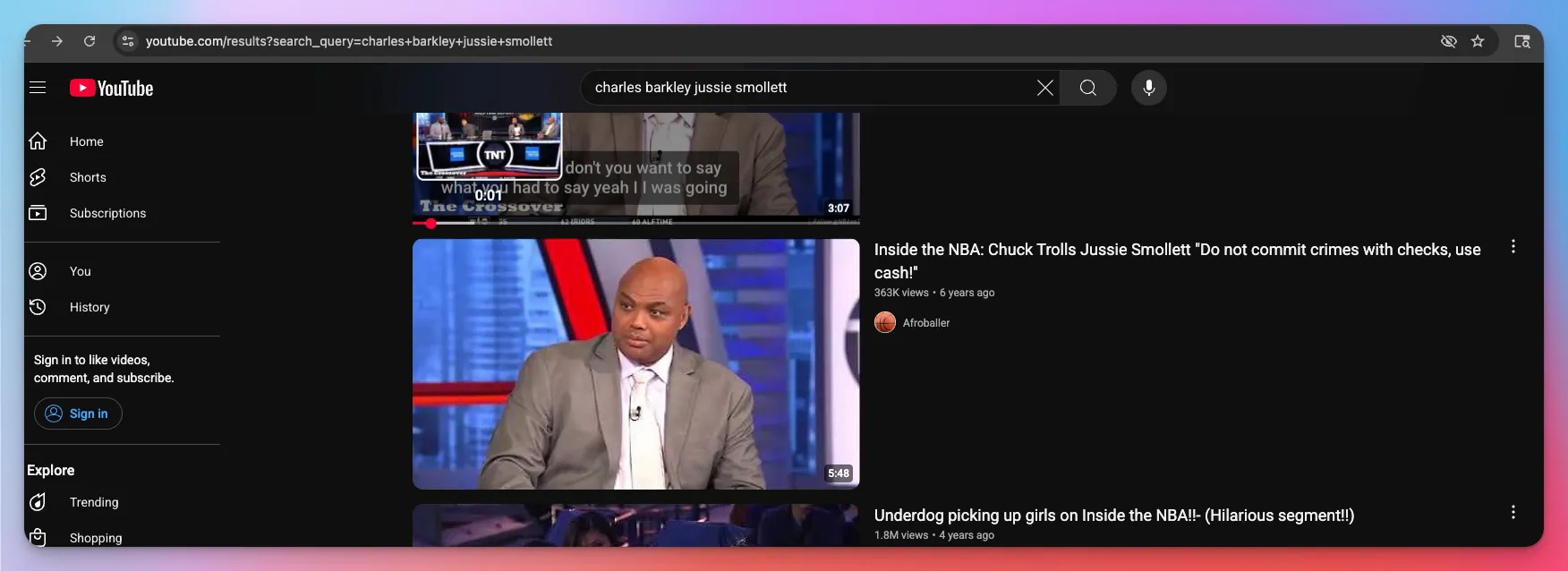
Next we want to see if we can find any API’s that YouTube is using to fetch the video and hopefully transcript, so open up the dev tools by Right clicking > Inspect Element
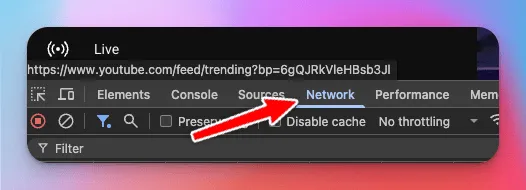
Then go to the “Network Tab”
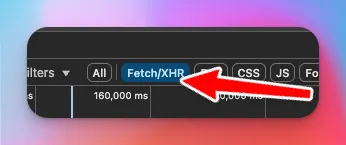
To make things easier for us, filter by “Fetch/XHR”
Now click on any video you want, and observe the requests.
Notice the route: “next?prettyPrint=false”
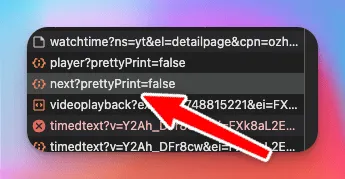
Click on that route and check out the Response.
If you start searching for the video title or views, you’ll see them in this response:
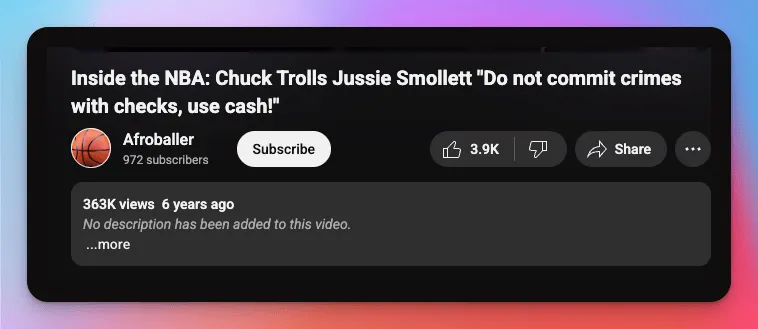
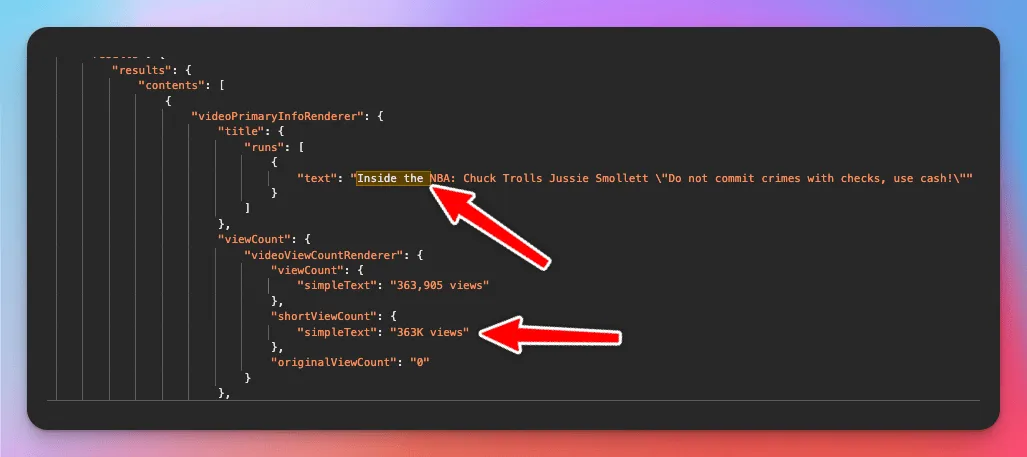
So cool, looks like we found the endpoint that YouTube is using to fetch video details.
Now we want to actually call it in Node.js.
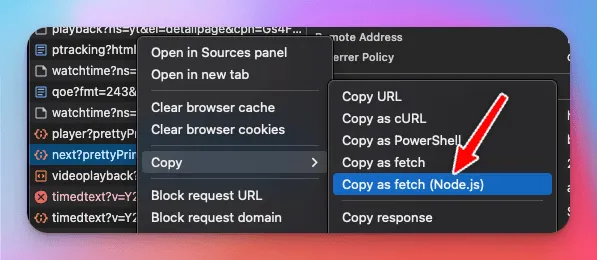
Go to the next?prettyPrint=false endpoint and right click to Copy as fetch (Node.js)
Make sure you have node-fetch installed with npm install node-fetch
We’re going to be using async/await, so your code should look something like this:
const response = await fetch(
    "https://www.youtube.com/youtubei/v1/next?prettyPrint=false",
    {
      headers: {
        accept: "*/*",
        "accept-language": "en-US,en;q=0.9",
        "content-type": "application/json",
        priority: "u=1, i",
        "sec-ch-ua":
          '"Chromium";v="136", "Google Chrome";v="136", "Not.A/Brand";v="99"',
        "sec-ch-ua-arch": '"arm"',
        "sec-ch-ua-bitness": '"64"',
        "sec-ch-ua-form-factors": '"Desktop"',
        "sec-ch-ua-full-version": '"136.0.7103.114"',
        "sec-ch-ua-full-version-list":
          '"Chromium";v="136.0.7103.114", "Google Chrome";v="136.0.7103.114", "Not.A/Brand";v="99.0.0.0"',
        "sec-ch-ua-mobile": "?0",
        "sec-ch-ua-model": '""',
        "sec-ch-ua-platform": '"macOS"',
        "sec-ch-ua-platform-version": '"13.0.1"',
        "sec-ch-ua-wow64": "?0",
        "sec-fetch-dest": "empty",
        "sec-fetch-mode": "same-origin",
        "sec-fetch-site": "same-origin",
        "x-goog-visitor-id": "CgtudWFiZlN2Q3M2Yyi69_HBBjIKCgJVUxIEGgAgTQ%3D%3D",
        "x-youtube-bootstrap-logged-in": "false",
        "x-youtube-client-name": "1",
        "x-youtube-client-version": "2.20250530.01.00",
        Referer: "https://www.youtube.com/watch?v=Y2Ah_DFr8cw",
        "Referrer-Policy": "origin-when-cross-origin",
      },
      body: '{"context":{"client":{"hl":"en","gl":"US","remoteHost":"2600:1700:20:3740:30bb:4a4b:8c6c:11f","deviceMake":"Apple","deviceModel":"","visitorData":"CgtudWFiZlN2Q3M2Yyi69_HBBjIKCgJVUxIEGgAgTQ%3D%3D","userAgent":"Mozilla/5.0 (Macintosh; Intel Mac OS X 10_15_7) AppleWebKit/537.36 (KHTML, like Gecko) Chrome/136.0.0.0 Safari/537.36,gzip(gfe)","clientName":"WEB","clientVersion":"2.20250530.01.00","osName":"Macintosh","osVersion":"10_15_7","originalUrl":"https://www.youtube.com/watch?v=Y2Ah_DFr8cw&pp=ygUfY2hhcmxlcyBiYXJrbGV5IGp1c3NpZSBzbW9sbGV0dA%3D%3D","platform":"DESKTOP","clientFormFactor":"UNKNOWN_FORM_FACTOR","configInfo":{"appInstallData":"CLr38cEGEOLUrgUQu9nOHBCliIATENPhrwUQ9quwBRDg4P8SEKadzxwQ4M2xBRCJsM4cENuvrwUQiIewBRCoqs8cEN6lzxwQhJDPHBCLoM8cEIjjrwUQyKXPHBCjps8cEJT-sAUQ2JzPHBDjpc8cEIiEuCIQy9GxBRCa9M4cEPyyzhwQzInPHBDtoM8cELCJzxwQsIbPHBCLgoATEJybzxwQzN-uBRCr-M4cENOazxwQgc3OHBDpiM8cEOvo_hIQzdGxBRDevM4cEMOKgBMQ3KLPHBC7nM8cEMn3rwUQ0p_PHBCZjbEFENfBsQUQh6zOHBC9mbAFELnZzhwQt-r-EhDa984cEPDizhwQtuCuBRCmmrAFELjkzhwQ_t7_EhCThs8cEJ7QsAUQuabPHBCPjYATEPCcsAUQvbauBRCNzLAFEP7z_xIQvoqwBRCZmLEFELefzxwQieiuBRCdprAFEJinzxwQnInPHCo0Q0FNU0l4VVlwYjJ3RE56a0JwU0NFdmVwMlF2b3NRU1A5QTd2LXdiNTdBUEozQVdETXgwSA%3D%3D","coldConfigData":"CLr38cEGEO-6rQUQvbauBRDi1K4FEL6KsAUQ8JywBRCe0LAFEM_SsAUQy_awBRDj-LAFEKS-sQUQ18GxBRCS1LEFEPSyzhwQ_LLOHBCs1M4cENr3zhwQk4bPHBCwhs8cEJyJzxwQ4onPHBDQjs8cEIGQzxwQxZPPHBC5lc8cEIGYzxwQyZnPHBDTms8cEIKbzxwQu5zPHBDYnM8cELefzxwQ0p_PHBD3n88cEIugzxwQ3KLPHBDIpc8cEN6lzxwQ46XPHBCjps8cELmmzxwQmKfPHBDTqc8cENqpzxwQqKrPHBDRq88cEIiEuCIaMkFPakZveDFSQTlYNlowS2VRVnEyR3owVjJHRllGWmhXeWVyV1N6V2hmay1zcG5iRGF3IjJBT2pGb3gxUkE5WDZaMEtlUVZxMkd6MFYyR0ZZRlpoV3llcldTeldoZmstc3BuYkRhdypwQ0FNU1R3MG11TjIzQXFRWjd5blFFYlVFdlJYOUE0T0ZtaENTQ1lRQzZnS1hBLTRBRktzZEZTMm0zclVma1p3RjFjWUU2OElHQklxckJwTXVvYWdFM2QwR0JiRW9pNHNGelM2RE03OUZ1QXVtOEFZPQ%3D%3D","coldHashData":"CLiU8sEGEhE3ODg2NTA1OTE1MzI0MTA5MhikgfLBBjIyQU9qRm94MVJBOVg2WjBLZVFWcTJHejBWMkdGWUZaaFd5ZXJXU3pXaGZrLXNwbmJEYXc6MkFPakZveDFSQTlYNlowS2VRVnEyR3owVjJHRllGWmhXeWVyV1N6V2hmay1zcG5iRGF3QnBDQU1TVHcwbXVOMjNBcVFaN3luUUViVUV2Ulg5QTRPRm1oQ1NDWVFDNmdLWEEtNEFGS3NkRlMybTNyVWZrWndGMWNZRTY4SUdCSXFyQnBNdW9hZ0UzZDBHQmJFb2k0c0Z6UzZETTc5RnVBdW04QVk9","hotHashData":"CLiU8sEGEhM5NTg4OTgyNTM5NTgwNTc3MTUyGKSB8sEGKJTk_BIopdD9Eijamf4SKMjK_hIor8z-Eii36v4SKMGD_xIo0q7_Eij-3v8SKM3z_xIo_vP_EijHgIATKIuCgBMotIOAEyjChIATKKWIgBMoq4qAEyjYi4ATKI-NgBMonZCAEzIyQU9qRm94MVJBOVg2WjBLZVFWcTJHejBWMkdGWUZaaFd5ZXJXU3pXaGZrLXNwbmJEYXc6MkFPakZveDFSQTlYNlowS2VRVnEyR3owVjJHRllGWmhXeWVyV1N6V2hmay1zcG5iRGF3QjRDQU1TSVEwS290ZjZGYTdCQnBOTjhncTVCQlVYM2NfQ0RNYW43UXZZelFtbHdBWFdWdz09"},"userInterfaceTheme":"USER_INTERFACE_THEME_DARK","timeZone":"America/Chicago","browserName":"Chrome","browserVersion":"136.0.0.0","acceptHeader":"text/html,application/xhtml+xml,application/xml;q=0.9,image/avif,image/webp,image/apng,*/*;q=0.8,application/signed-exchange;v=b3;q=0.7","deviceExperimentId":"ChxOelV4TVRBeE5ETXhOemt6TnpVMk1EUTFNUT09ELr38cEGGLr38cEG","rolloutToken":"CIDkrLKuzfevBxCQw-3qy9CNAxj-lZnry9CNAw%3D%3D","screenWidthPoints":1920,"screenHeightPoints":620,"screenPixelDensity":1,"screenDensityFloat":1,"utcOffsetMinutes":-300,"memoryTotalKbytes":"8000000","clientScreen":"WATCH","mainAppWebInfo":{"graftUrl":"/watch?v=Y2Ah_DFr8cw&pp=ygUfY2hhcmxlcyBiYXJrbGV5IGp1c3NpZSBzbW9sbGV0dA%3D%3D","pwaInstallabilityStatus":"PWA_INSTALLABILITY_STATUS_UNKNOWN","webDisplayMode":"WEB_DISPLAY_MODE_FULLSCREEN","isWebNativeShareAvailable":true}},"user":{"lockedSafetyMode":false},"request":{"useSsl":true,"consistencyTokenJars":[{"encryptedTokenJarContents":"AKreu9vjtpikw1dsiiSKDEIbeyEv6WvPKl7iXSjDB0t3e-Xo5ygRtCz5h8QhwcH941jQylSdQeldJ1FhRoHbSw"}],"internalExperimentFlags":[]},"clickTracking":{"clickTrackingParams":"CNgDENwwGAEiEwj5_cag39CNAxXMoeUHHb7yJxAyBnNlYXJjaFIfY2hhcmxlcyBiYXJrbGV5IGp1c3NpZSBzbW9sbGV0dJoBAxD0JA=="},"adSignalsInfo":{"params":[{"key":"dt","value":"1748794299427"},{"key":"flash","value":"0"},{"key":"frm","value":"0"},{"key":"u_tz","value":"-300"},{"key":"u_his","value":"5"},{"key":"u_h","value":"1080"},{"key":"u_w","value":"1920"},{"key":"u_ah","value":"1080"},{"key":"u_aw","value":"1920"},{"key":"u_cd","value":"24"},{"key":"bc","value":"31"},{"key":"bih","value":"620"},{"key":"biw","value":"1920"},{"key":"brdim","value":"0,88,0,88,1920,0,1920,992,1920,620"},{"key":"vis","value":"1"},{"key":"wgl","value":"true"},{"key":"ca_type","value":"image"}]}},"videoId":"Y2Ah_DFr8cw","racyCheckOk":false,"contentCheckOk":false,"autonavState":"STATE_NONE","playbackContext":{"vis":0,"lactMilliseconds":"-1"},"captionsRequested":false}',
      method: "POST",
    }
  );
  const json = await response.json();
  console.log(json);
If you make the request, it should be successful.
Whoohoo! 🥳 Nice job.
But, we don’t want to fetch the same video over and over again, we want to dynamically fetch different videos.
So if you notice in the request payload, there is a “videoId” field.
And that’s pretty convenient for us, because it means we can just pass a different “videoId” and get the videos details.
You can find the videoId easily because its always in the query params of the video. For example: https://www.youtube.com/watch?v=Y2Ah\_DFr8cw
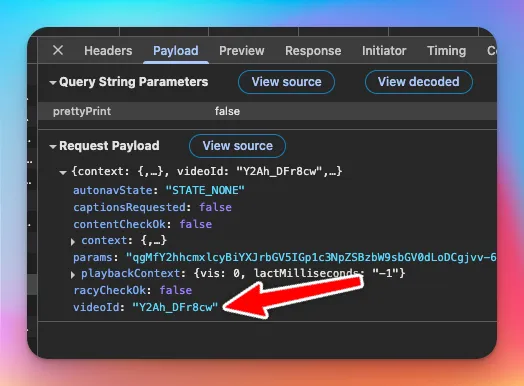
So just make sure to pass whatever videoId you want to get, and that should be it.
You can get rid of that params key.
Cool, now how do we get the transcript?
Well lets first see how YouTube is getting the transcript.
Click the “…more” in the video description
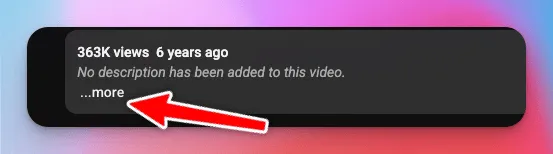
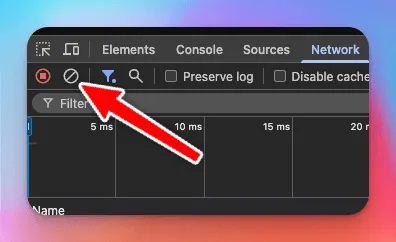
Clear the Network Requests so we can get an easier view of what happens when we click on the Show Transcript button
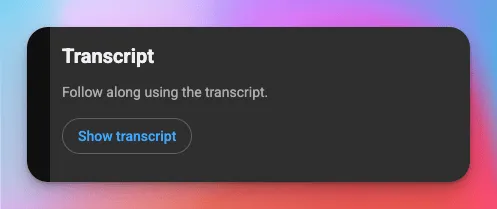
Click on the Show transcript button
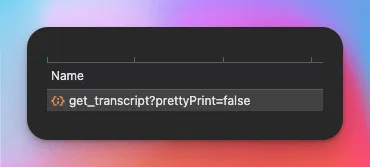
Now they fire off the “get_transcript” endpoint, which doesn’t take a genius to figure out that that’s how they are getting the transcript.
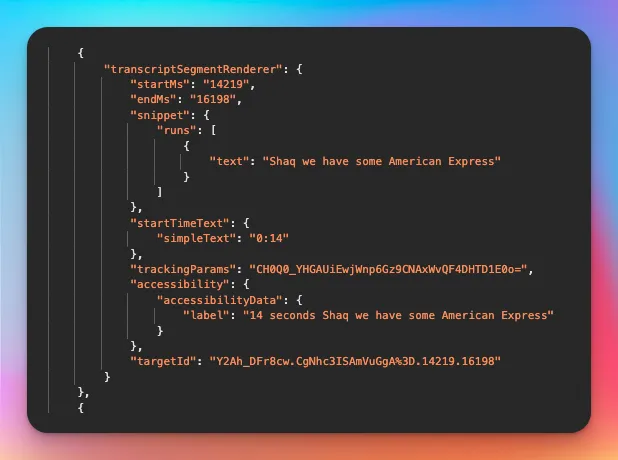
Click on the response, and you can see that the transcript is there in nice JSON for us.
Excellent. Now lets look at how they’re calling it.
So if you go to the Payload tab you’ll see an “externalVideoId”, which you can see is just the videoId, and there is this “params” value, which we did not need to fetch the video details, but spoiler alert, we will need it here.
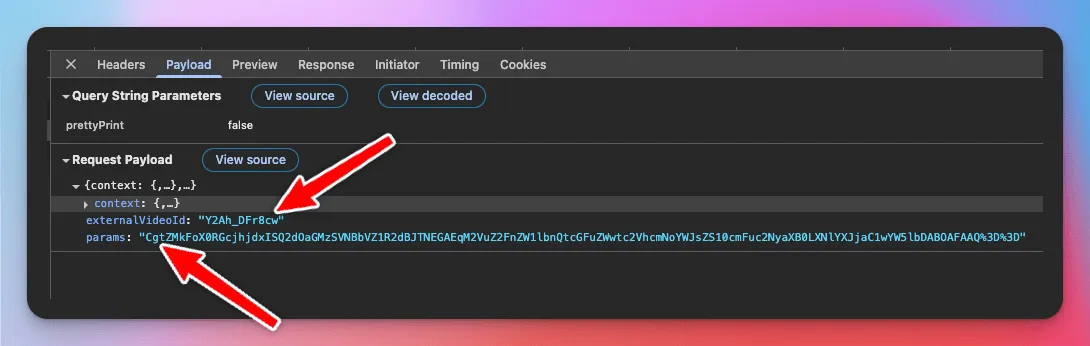
So where does it come from?
Well, if you still have the video details response available, search for “getTranscriptEndpoint”
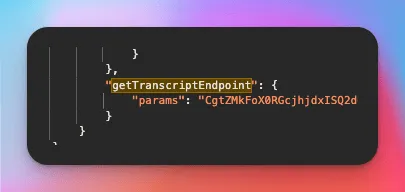
If you copy the params value and search for it in the video details response, you’ll see that is identical to the params value YouTube is using to get the transcript 🙌
So now, to actually call the endpoint to get the transcripts, Copy the get_transcript request like we did for the video details request.
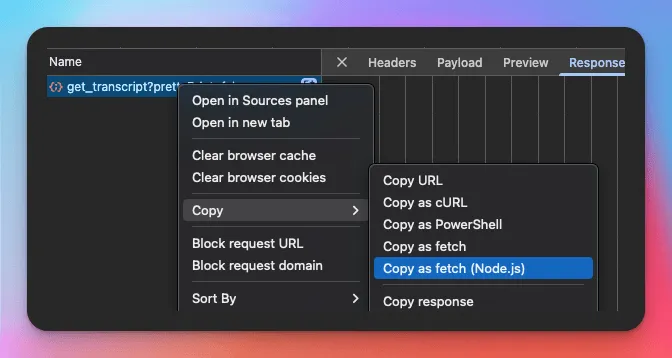
Then make sure to pass the externalVideoId and the getTranscriptEndpoint param from the video details endpoint, and thats it!