
The short answer
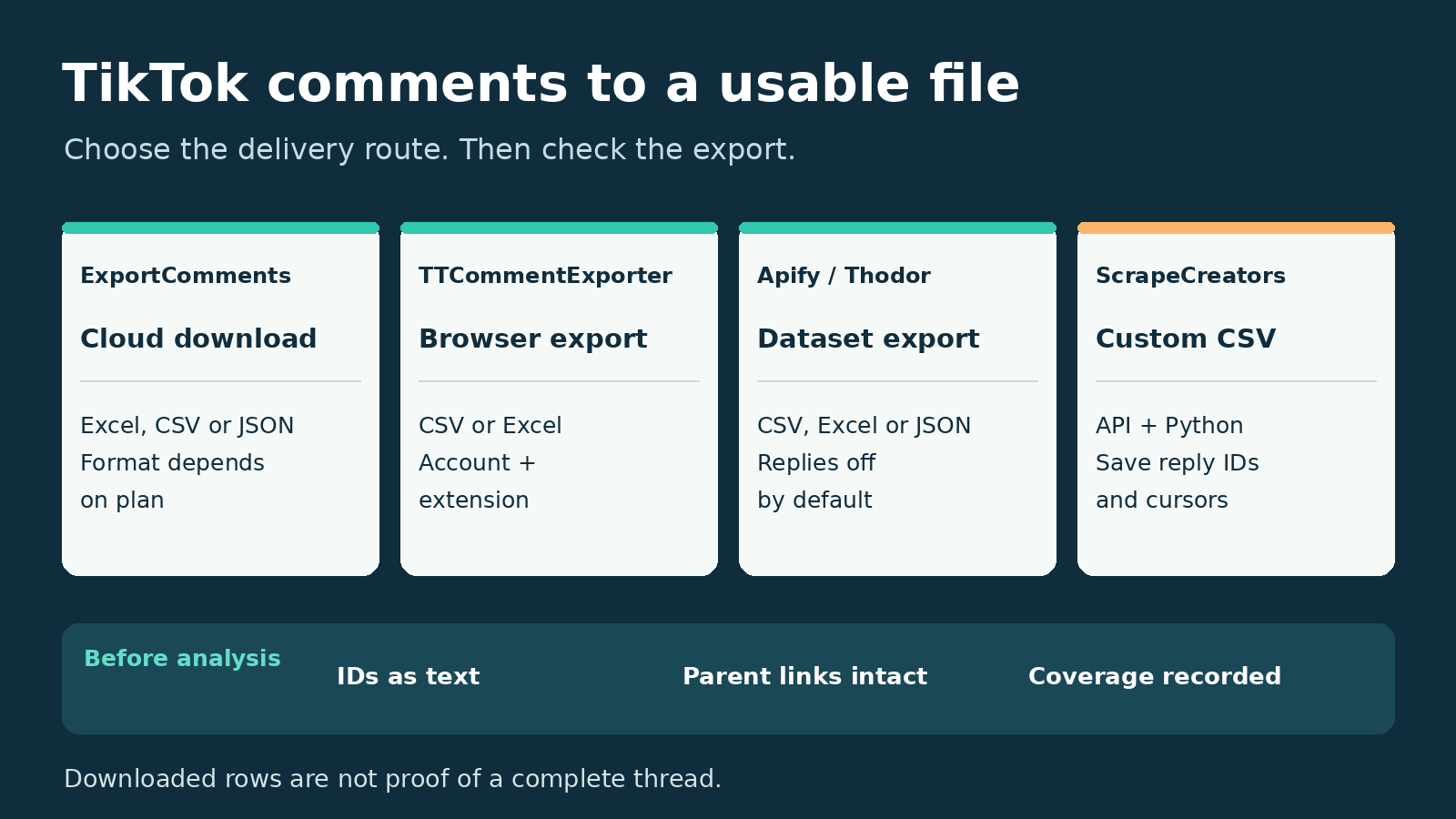
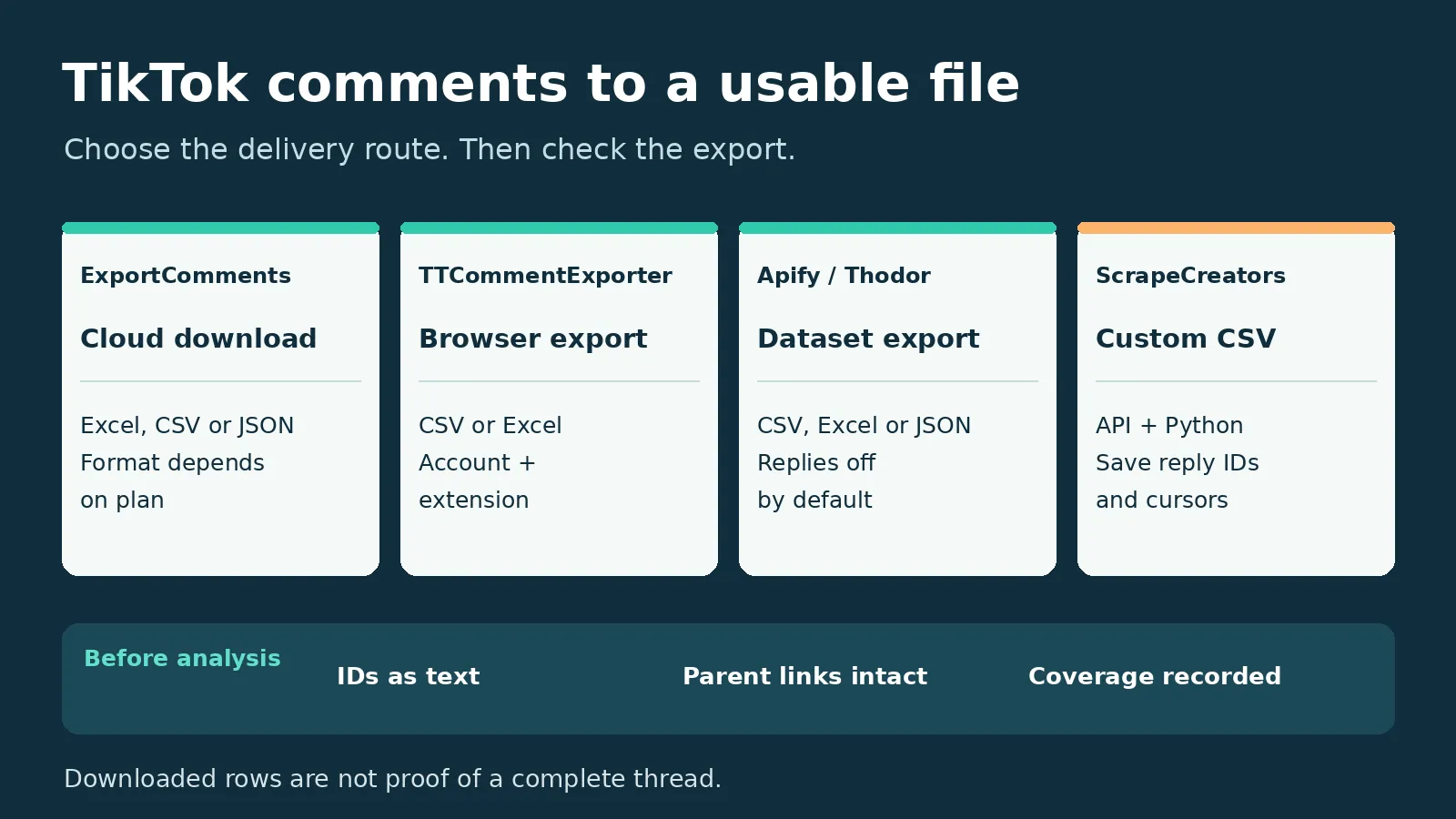
Use ExportComments for a finished cloud download, TTCommentExporter for a browser-based CSV or Excel file, Thodor’s Apify exporter for repeatable dataset jobs, and ScrapeCreators with Python when you need control over columns and reply relationships. For comments on ads you manage, check TikTok Ads Manager before buying a separate tool.
My pick for a one-off spreadsheet is ExportComments, provided its current plan covers your file format and video. A CSV button does not prove that replies or every available comment made it into the file.
I run ScrapeCreators. Its option below requires code; it is not a no-code exporter. Prices, feature gates and API behavior were checked on November 18, 2026. I executed the ScrapeCreators example, but did not purchase or run the other vendors’ paid exports.
Compare the four export routes
| Exporter | Choose it when | File and access | Current purchase unit | Check before paying |
|---|---|---|---|---|
| ExportComments | You want a finished file without keeping a browser workflow running | Cloud export; Excel, CSV and JSON have different plan gates | Personal pass: $30 for 3 days; Premium: $50/month; Business: $220/month | CSV starts at Personal; JSON is listed on Business; confirm free TikTok eligibility |
| TTCommentExporter | You prefer an extension and a local spreadsheet | Chrome or Edge extension plus an account; CSV and Excel | Free: up to 200 comments/video; Pro page displays $13.90/month or $79.90/year | Confirm the selected billing interval and whether your older video returns the rows you need |
| Apify, Thodor’s exporter | You want saved datasets and repeatable multi-video runs | Public video URLs; dataset export to CSV, Excel or JSON | Comment/reply event: $0.50/1,000 on Free, falling to $0.35/1,000 on Business, plus a small start event | Replies default off; the default limit is 500; paid plan prices are separate from event rates |
| ScrapeCreators + Python | You want a custom schema and an honest coverage record | API JSON converted by your script to CSV | $47 buys 25,000 credits; nonempty parent pages cost 1 credit; successful reply calls cost 1 credit | You own pagination, reply collection, file generation and storage |
These are different billing objects. A three-day pass, a recurring subscription, a delivered-row event and a page request should not be presented as the same cost per comment.
1. ExportComments for a finished cloud download
ExportComments’ TikTok exporter is the first place I would check for an occasional research spreadsheet. Its TikTok page describes public-video comments and replies with usernames, text, likes, UTC timestamps and a parent-link field. It also describes media URLs for image, GIF and sticker comments. A link to a media file is different from downloading the media itself.
The file gate matters. The product page lists Excel on every plan, CSV from Personal upward, and nested JSON on Business. Its current pricing shows:
- Personal: $30 for a three-day pass, up to 5,000 results per export and no recurring payment.
- Premium: $50/month, up to 50,000 results per export, scheduled exports and API access.
- Business: $220/month, up to 250,000 results per export.
The general pricing FAQ describes recurring plans, but the Personal card explicitly says the pass is nonrecurring. Do not buy a monthly plan solely because that broad FAQ makes every purchase sound like a subscription. Taxes may apply.
There is also a free-tier ambiguity worth checking. The TikTok page advertises up to 100 results without signup. The pricing grid lists 50 free exports per month but does not mark all-platform access as included for Free. I would verify the actual TikTok form and downloadable format before planning around the free allowance.
For paid bulk input, the TikTok page says each URL becomes a separate export and files can be bundled into a ZIP. That is useful when a researcher wants one file per video rather than one large mixed sheet.
Choose it for a prepared download. Choose another route if you need a permanent API integration, exact stable parent IDs in your own schema, or more history than your plan retains. The displayed retention is three days on Personal and five days on Premium and Business; save your files locally. Its completeness and completion-time claims are vendor claims, not results I verified.
2. TTCommentExporter for a browser extension
TTCommentExporter is more specific than a general scraping platform. It advertises CSV and Excel export through Chrome and Edge, including replies. Its field list includes comment ID, parent comment ID, user ID, comment time, likes and whether the creator liked a comment.
That explicit parent ID is useful. A row saying who replied to whom by handle is convenient to read, but a stable parent-comment key is better for rebuilding threads. Handles can repeat across different conversations.
The Free card lists up to 200 comments per video, with replies and CSV/Excel. The Pro page displays $13.90/month and $79.90/year. Those are different purchase commitments, not two interchangeable monthly prices. Check the actual interval in the upgrade flow. The FAQ says upgrading currently requires contacting support.
The setup requires both installing the extension and creating an account. Do not read “no credit card required” as “no account required.” The vendor says processing and downloading happen locally in your browser; I did not audit the extension’s network behavior.
Its FAQ also reports a collection limit for older videos. That is a provider-specific warning to test your target, not proof that every TikTok exporter has a universal 1,000-comment ceiling. An uncapped paid allowance does not make unavailable source comments retrievable.
Choose TTCommentExporter for hands-on spreadsheet work on a computer. Choose cloud collection if you need unattended runs, or a custom script if your team needs a versioned schema and a machine-readable coverage log.
3. Thodor’s Apify exporter for dataset jobs
The exact listing reviewed here is Thodor’s TikTok Comment Exporter, not every TikTok tool in the Apify marketplace. It takes a list of video URLs and writes flat comment and reply rows to a dataset. Apify’s dataset export supports file formats including CSV and Excel.
Three input settings deserve attention:
videoUrlsis the required input. This Actor’s current README says the former username mode was removed.maxCommentsPerVideodefaults to 500. Setting it to0requests all available comments rather than establishing completeness.includeRepliesdefaults to false. When enabled, replies count toward the per-video limit.
That last point can change the sample you buy. A 500-row cap with replies enabled is not necessarily 500 top-level opinions plus replies. Set your limit around the data unit you actually want.
The pricing tab is clearer than the headline “from $0.35.” Its comment event rates are $0.50, $0.45, $0.40 and $0.35 per 1,000 rows for Free, Starter, Scale and Business. It also lists $0.00005 per Actor start and marks platform costs as included for this Actor. The displayed paid plans begin at $19/month for Starter; that plan includes spending credit, rather than making the event rate the entire purchase price.
The README says delivered replies are separate rows with parent_comment_id and depth. Keep those columns in the export. Dropping them leaves a sheet of text that cannot reliably reconstruct the discussion.
Choose this route when datasets, multiple input URLs and repeated runs are useful. Keep a nonzero cap for the first job. I did not execute this Actor, verify its speed claims or measure its recall; a marketplace description promising all comments is not independent evidence of coverage.
4. ScrapeCreators with Python for a custom CSV
ScrapeCreators’ TikTok API fits a different job: you want to decide exactly what the exported file contains. It returns JSON. The script makes the file.
The parent-comments endpoint takes a video url and optional cursor. The separate reply endpoint takes that video URL, a real parent comment_id and its own cursor.
Keep the parent response untrimmed for this workflow. The current trimmed parent field list omits cid, which you need for thread joins. Reply pages arrive under comments, not a separate replies array. Always send the video URL again with each page; pagination does not carry your other request options forward.
The pricing section currently lists $47 for 25,000 prepaid credits. Nonempty parent pages cost one credit; empty parent pages cost zero. Successful reply calls cost one credit, including an empty successful reply response under the current handler. A page request is not a per-row charge.
This is a good option for a developer, not someone who just wants an extension button. For broader developer procurement, use the existing TikTok comment scraper comparison. This page focuses on the file you receive, the purchase needed to get it and how to accept it.
A bounded CSV example I actually ran
Set SCRAPE_CREATORS_API_KEY in your environment. This standard-library Python script collects at most two parent pages and one reply page for one parent. It deliberately does not export an entire video.
It saves a UTF-8 CSV with a BOM plus a source JSON file. The CSV prefixes potentially formula-like text cells; the JSON preserves the original text. Keep the JSON private if it contains account-specific response metadata.
import csv,json,os,time
from datetime import datetime,timezone
from pathlib import Path
from urllib.parse import urlencode
from urllib.request import Request,urlopen

video='https://www.tiktok.com/@stoolpresidente/video/7463250363559218474'
out=Path('tiktok-export');out.mkdir(exist_ok=True)
pages=[];parents={};replies={};cursor=None

def get(path,params):
    req=Request('https://api.scrapecreators.com'+path+'?'+urlencode(params),
                headers={'x-api-key':os.environ['SCRAPE_CREATORS_API_KEY']})
    started=time.monotonic()
    with urlopen(req,timeout=60) as response:
        status=response.status
        body=json.load(response)
    if body.get('success') is not True or not isinstance(body.get('comments'),list):
        raise RuntimeError('The API did not return a usable comment page')
    pages.append({'path':path,'params':params,'status':status,
                  'seconds':round(time.monotonic()-started,3),'body':body})
    return body

# Two parent pages, then one reply page for one parent. Not a full export.
for _ in range(2):
    params={'url':video}
    if cursor is not None:params['cursor']=cursor
    body=get('/v1/tiktok/video/comments',params)
    for item in body['comments']:
        if str(item['aweme_id'])!=video.rsplit('/',1)[1]:
            raise RuntimeError('Wrong video returned')
        parents[str(item['cid'])]=item
    cursor=body.get('cursor')
    if not body.get('has_more'):break

parent=next((p for p in parents.values() if p.get('reply_comment_total',0)>0),None)
reply_page=None
if parent:
    reply_page=get('/v1/tiktok/video/comment/replies',
                   {'url':video,'comment_id':str(parent['cid'])})
    for item in reply_page['comments']:
        if str(item['aweme_id'])!=video.rsplit('/',1)[1] or str(item['reply_id'])!=str(parent['cid']):
            raise RuntimeError('Wrong reply relationship returned')
        replies[str(item['cid'])]=item

def cell(value):
    text='' if value is None else str(value)
    return "'"+text if text.startswith(('=','+','-','@','\t','\r','\n')) else text

fields=['video_url','comment_id','parent_comment_id','text','username','created_utc','likes']
with (out/'comments.csv').open('w',encoding='utf-8-sig',newline='') as handle:
    writer=csv.DictWriter(handle,fieldnames=fields);writer.writeheader()
    for is_reply,items in [(False,parents),(True,replies)]:
        for cid,item in items.items():
            writer.writerow({'video_url':video,'comment_id':cid,
                'parent_comment_id':str(item['reply_id']) if is_reply else '',
                'text':cell(item.get('text')),'username':cell(item.get('user',{}).get('unique_id')),
                'created_utc':item.get('create_time'),'likes':item.get('digg_count')})
ledger={'observed_at':datetime.now(timezone.utc).isoformat(),'scope':'bounded_sample',
        'public_totals_returned':[p['body'].get('total') for p in pages if p['path'].endswith('/comments')],
        'parent_rows':len(parents),'declared_replies':sum(p.get('reply_comment_total',0) for p in parents.values()),
        'reply_rows':len(replies),'parent_has_more':body.get('has_more'),
        'parent_cursor':cursor,'sampled_parent_id':str(parent['cid']) if parent else None,
        'reply_has_more':reply_page.get('has_more') if reply_page else None,
        'reply_cursor':reply_page.get('cursor') if reply_page else None,
        'credits_charged':sum(p['body']['credits_charged'] for p in pages)}
(out/'source.json').write_text(json.dumps({'ledger':ledger,'pages':pages},ensure_ascii=False,indent=2),encoding='utf-8')
print(json.dumps(ledger,indent=2))
On November 18, the exact script returned 40 unique parent rows and two reply rows, using three successful requests and three credits. Both parent responses reported a public total of 591. The 40 fetched parents declared 71 replies, but the script fetched only two actual reply rows from one parent. More parent history remained available.
Those four counts answer different questions: public total, fetched parents, declared replies on those parents, and fetched reply rows. The resulting 42-row CSV is an intentionally incomplete sample, not 42 eligible giveaway entrants or proof of full recall. Separate exploratory requests returned a changing public total, another reason to record observations rather than promise a fixed denominator.
I reopened the CSV and source JSON and checked every exported ID, text projection, parent relationship and count. That verifies this bounded file, not every TikTok video or the paid competitors above. You can create an API account if this code-owned route fits your job.
Check the file before analysis or a giveaway
A useful acceptance check takes less effort than repairing an analysis built on a bad export.
- Import IDs as text. TikTok IDs can exceed spreadsheet numeric precision. Microsoft documents how Excel can alter large numbers during import. CSV quoting alone does not force Excel’s column type.
- Compare raw and displayed text. Test emoji, non-Latin text, commas and embedded line breaks. Keep original JSON when a spreadsheet-safe cell intentionally adds a prefix.
- Check one reply thread. Find its parent ID, child IDs and actual reply text. A
reply_countcolumn without child rows is metadata, not a conversation export. - Keep counts separate. Log the public total, unique parent rows, declared reply total and actual fetched replies. Record row caps, remaining cursors and observation time.
- Keep eligibility separate from collection. A giveaway may require one entry per person or exclude replies. Export first, apply your stated rules separately, and keep the original file.
The questions are practical. Comments under this older walkthrough include missing downloaded files, broken browser-console steps and second-level comments that did not expand. A creator reply also says that tutorial’s workflow did not offer multi-post bulk collection at the time. Those reports helped shape the preflight above; they are not a present-day failure rate for any ranked tool.
The spoken Thunderbit walkthrough deliberately skips pagination for its demonstration. That is a useful reminder: a clean-looking result table can still be a bounded sample. Check the task settings instead of assuming a tutorial’s export is complete.
For ads you manage, TikTok’s official Comments Manager supports exporting ad comments. That is an authorized ad-account workflow, not a way to export arbitrary public organic videos. I did not sign in or verify its current file columns.
For a similar file-acceptance checklist on another platform, see the Instagram comment exporter guide. Use a platform’s own exporter contract rather than assuming TikTok and Instagram handle replies the same way.
FAQ
What is the best TikTok comment exporter for a spreadsheet?
ExportComments is my first check for a finished cloud download, while TTCommentExporter fits a browser-based CSV or Excel workflow. Apify fits repeatable dataset jobs. ScrapeCreators with Python fits custom columns and coverage logs, but requires code.
Can I export TikTok comments to Excel for free?
TTCommentExporter advertises up to 200 comments per video on Free, including replies and CSV/Excel. ExportComments advertises a 100-result free TikTok export, but its pricing grid leaves free all-platform access unmarked. Confirm your actual video and format before relying on either allowance.
Does a TikTok comment export include all replies?
Not automatically. Some tools include replies, others require an option or separate requests, and source availability still limits collection. Compare actual child rows with declared reply counts and keep remaining cursors. A reply count alone is not exported reply text.
Can I export every comment made by a TikTok user?
A video-comment exporter collects comments under selected videos. It does not establish a complete account-wide history of everything a person has written across TikTok. Filtering your collected files by a user ID only finds that user’s comments within those files.