
The short answer
For a developer who wants public Spotify search, artist, track, album, playlist, and podcast data without maintaining Spotify app credentials or browser code, ScrapeCreators is the best practical default. I run ScrapeCreators, so that recommendation is not neutral. Spotify’s official Web API is better when you qualify for its access model and need an official integration. S-Music is simpler for a one-off spreadsheet. SpotifyScraper is the strongest self-hosted Python option in this list.
Do not choose from the word “scraper” alone. A playlist exporter, an artist monitoring job, a track play-count lookup, and an audio downloader are four different products. This comparison covers public metadata, not ripping songs. Product and price claims were checked on September 24, 2026.
Define the data before picking a tool
A Spotify URL can point to several objects. Each one needs a different input and output.
| Job | Input | Useful output | Common trap |
|---|---|---|---|
| Search the catalog | Query text | Mixed artists, tracks, albums, playlists, podcasts, and episodes | Search relevance is not a complete catalog export |
| Track lookup | Track ID or URL | Name, artists, duration, album, share URL, and sometimes play count | The official API does not expose every public-web metric |
| Artist monitoring | Artist ID or URL | Profile, followers, releases, related artists, and top tracks | A current total is not a historical time series |
| Playlist export | Playlist ID or URL plus cursor | Playlist metadata and ordered track pages | The first 50 tracks may not be the full playlist |
| Podcast research | Show ID or URL | Publisher, rating, topics, and paginated episodes | Spotify calls podcasts “shows” in parts of its official API |
| Audio collection | A song or episode | Audio file or stream | Metadata access does not grant download or redistribution rights |
The last row is the boundary that most search results blur. If your actual goal is an MP3 downloader, this list is not a recommendation to bypass Spotify’s playback or rights controls. If you need public metadata for research, enrichment, monitoring, or an internal dashboard, keep reading.
Comparison table
The price units below are intentionally different. A result, page load, vendor credit, and self-hosted request are not interchangeable.
| Option | Best for | Spotify coverage | Published starting point | Main catch |
|---|---|---|---|---|
| ScrapeCreators | Hosted structured JSON across several Spotify objects | Search, artist, track, album, playlist, podcast, and podcast episodes | $47 for 25,000 pay-as-you-go credits; the eight live checks for this article charged 1 credit each | No audio downloading, and route fields differ by object |
| Spotify Web API | Official integrations and user-authorized apps | Official catalog and approved user data endpoints | No public per-call fee | Development mode currently requires Premium for the owner and allows up to five authenticated users |
| Apify | Teams already using Actors and datasets | Reviewed Actor accepts track, album, or artist URLs | $5 per 1,000 results | Store page was marked under maintenance and does not advertise playlist or podcast input |
| Bright Data | Custom, high-volume page extraction | The scraper builder can target Spotify pages and fields | Spotify page advertises 5,000 page loads per month for free | It is a scraper builder, not a fixed Spotify response contract |
| SpotifyScraper for Python | Developers who want an open-source local library | Tracks, albums, artists, playlists, podcasts, lyrics, search, and more | MIT-licensed package; vendor fee is $0 | You own hosting, retries, breakage, and policy review |
| S-Music Scraper | Manual browser exports and page monitoring | Tracks, playlists, artists, albums, user profiles, lyrics, and discography | Chrome listing does not show a public price | Browser workflow is awkward for a backend or scheduled production job |
| ScrapingBee | Custom extraction with managed browsers and proxies | Track, artist, and playlist pages through general scraping tools | $19/month for 75,000 API credits; 1,000 free credits advertised | JavaScript and proxy options use different credit amounts, and you own the schema |
1. ScrapeCreators
ScrapeCreators’ Spotify API is my pick when the application needs ready JSON for several Spotify object types under one API key. The current catalog has separate routes for:
GET /v1/spotify/searchfor mixed catalog search;GET /v1/spotify/artistfor an artist ID or URL;GET /v1/spotify/trackfor track metadata and available public counts;GET /v1/spotify/albumfor album metadata and tracks;GET /v1/spotify/playlistfor cursor-paginated tracks;GET /v1/spotify/podcastand/podcast/episodesfor show and episode data.
That object-specific design matters. You do not have to send a page to a generic extraction model and hope it labels the right fields. A playlist response has tracks, cursor, and totalCount. A track response has fields such as duration, artists, and playcount when Spotify exposes it through the source used by the route.
The pricing section currently lists 25,000 credits for $47 and 500,000 for $497. Credits do not expire. Each Spotify request I ran for this article charged one credit, but check the route documentation before assuming all ScrapeCreators endpoints cost the same.
Choose ScrapeCreators if you need a hosted API, named fields, and several Spotify object types. Choose something else if you want to download audio, need official user authorization, or prefer to run the retrieval code yourself.
2. Spotify Web API
Spotify’s official Web API should be the first option you assess, not an afterthought. It is the right fit when you need an official application, user consent, or a documented Spotify contract and can work within the current access rules.
Those rules are tighter than many old tutorials suggest. Spotify says newly created apps start in development mode. The app owner must currently have Spotify Premium. Up to five authenticated users can use the app, and each must be added to the allowlist. Extended quota applications are now limited to organizations and list requirements that include an active launched service and at least 250,000 monthly active users.
Rate limits are also dynamic. Spotify documents a rolling 30-second window and tells clients to honor Retry-After on a 429 response. That is manageable, but it belongs in your engineering estimate.
Choose the official API when official access, OAuth, and user-specific actions are central to the product. It is less attractive for a small internal tool that only needs public metadata and cannot meet the extended-quota requirements. Read Spotify’s developer policy before storing data, computing derived metrics, or using content commercially.
3. Apify
Apify is a marketplace of Actors, not one Spotify product. The strongest relevant Apify page in the live US search was the community Spotify Scraper from Web_scraper.
Its store page says it accepts public Spotify track, album, or artist URLs and returns structured metadata. The advertised fields include play counts, artist followers, top tracks, album relationships, durations, and artwork. Pricing is $5 per 1,000 results.
There are two catches. First, the store page was marked “Under maintenance” when checked. Its public Actor API reported 45 runs in the prior 30 days, with three successful and 42 failed. That is a point-in-time store statistic, not a controlled benchmark, but it is a reason to run your own sample before adopting it. Second, the documented input does not cover the full Spotify surface in this comparison. Playlist and podcast workflows need another Actor or tool.
Choose Apify if you already schedule Actors, store data in datasets, and only need track, album, or artist URLs. Review the exact Actor, recent status, example output, and pricing event before you build around it. I reviewed the public page and Actor metadata. I did not run the paid Actor.
4. Bright Data
Bright Data’s Spotify scraper page presents a scraper builder rather than a fixed Spotify API. You describe the data, preview the generated scraper, and deploy it as an endpoint. Bright Data handles rendering, blocking, retries, and proxy infrastructure.
That is useful when a fixed vendor schema omits a field that is visible on a public Spotify page. It also means your team must define the extraction and validate it over time. “We can scrape Spotify” does not tell you whether playlists paginate correctly, whether a public count is present, or whether the same schema works across tracks and podcasts.
The page advertises 5,000 page loads per month for free and says no credit card is required. It does not publish one simple Spotify result price on the page I reviewed.
Choose Bright Data if you want managed browser infrastructure and custom fields at larger scale. Pick a Spotify-specific API if stable named JSON is more important than extraction flexibility.
5. SpotifyScraper for Python
SpotifyScraper is the best self-hosted option in this list for a Python team. The project says it reads public Spotify pages without official API credentials and supports tracks, albums, artists, playlists, podcasts, lyrics, search, charts, and more. It has synchronous and asynchronous clients, typed models, a command-line interface, and an MCP server.
The repository was active when checked, with version 3.9.2 on PyPI, Python 3.10 or newer required, an MIT license, 309 GitHub stars, and a commit six days before this review. Those numbers can change, but they are better maintenance signals than an abandoned code snippet.
Open source does not mean zero cost. You still own execution, rate control, caching, tests, source changes, and incident response. You also need to review Spotify’s policy for your use case rather than assuming a public page is unrestricted.
Choose SpotifyScraper when your team wants local control and can maintain Python infrastructure. Choose a hosted API when retrieving Spotify data is plumbing, not the product you want to operate.
6. S-Music Scraper
S-Music Scraper is the easiest option here for a person who wants a file, not an API. The Chrome extension lists tracks, playlists, artists, albums, profiles, lyrics, and discography data. It exports CSV, XLSX, JSON, HTML tables, and raw JSON. It also advertises automatic pagination, batch processing, and page-change monitoring.
The workflow is visible in a short track-export walkthrough: open Spotify, run the extension, scroll or automate collection, customize fields, then export. That is much easier than setting up OAuth for a one-time spreadsheet.
The tradeoff is automation. A browser extension tied to an interactive Spotify page is not the contract I would choose for a backend, queue worker, or daily data pipeline. The Chrome listing showed 446 users and two ratings when checked, and it did not show a public price in the page text I could verify.
Choose S-Music for manual research and ad hoc exports. Do not treat a convenient browser export as a production API.
7. ScrapingBee
ScrapingBee’s Spotify page is aimed at custom retrieval. It can return rendered HTML or structured JSON from track, artist, and playlist pages. The product handles headless browsers and proxy rotation, while you choose CSS/XPath rules or AI extraction.
That flexibility is the reason to buy it. It is also the work that remains on your side. You own field names, pagination, response validation, and repairs when Spotify’s page changes. A general browser API is useful when you need one odd field. It is a poor substitute for a stable domain-specific schema if all you wanted was a track object.
Current general pricing starts at $19 per month for 75,000 API credits. The page offers 1,000 free credits. Do not divide plan price by credits and call that a request rate. JavaScript rendering, premium proxies, and other request modes can spend different credit amounts.
Choose ScrapingBee if your requirement is “render this public Spotify page and extract my fields.” Choose ScrapeCreators or the official API when you want Spotify objects rather than page extraction.
What buyers actually ask for
The phrase “Spotify scraper” is noisier than the product need. I searched YouTube, Reddit, TikTok, and LinkedIn for the primary query and three close variants before writing this comparison.
The useful YouTube discussions were specific. Viewers asked how to collect playlist track URIs, poll artist numbers daily, export play counts, find UPCs, get audio features, and handle playlists longer than one page. Several people also asked for artist emails or audio downloads, neither of which a normal metadata response should promise. A playlist API walkthrough showed the common 50-item page boundary. A monthly-listener workflow showed why people often want scheduled snapshots rather than one lookup.
Reddit threads added two practical concerns: official API access changes and 429 rate limits. They also mixed metadata collection with music piracy. This article separates those jobs on purpose.
TikTok and LinkedIn searches returned rows, but they were much noisier than YouTube and Reddit. I used them as audience research, not proof of demand or ranking potential. The recurring lesson was simple: decide whether you need current metadata, a historical series, a manual export, or actual audio before comparing vendors.
How to choose
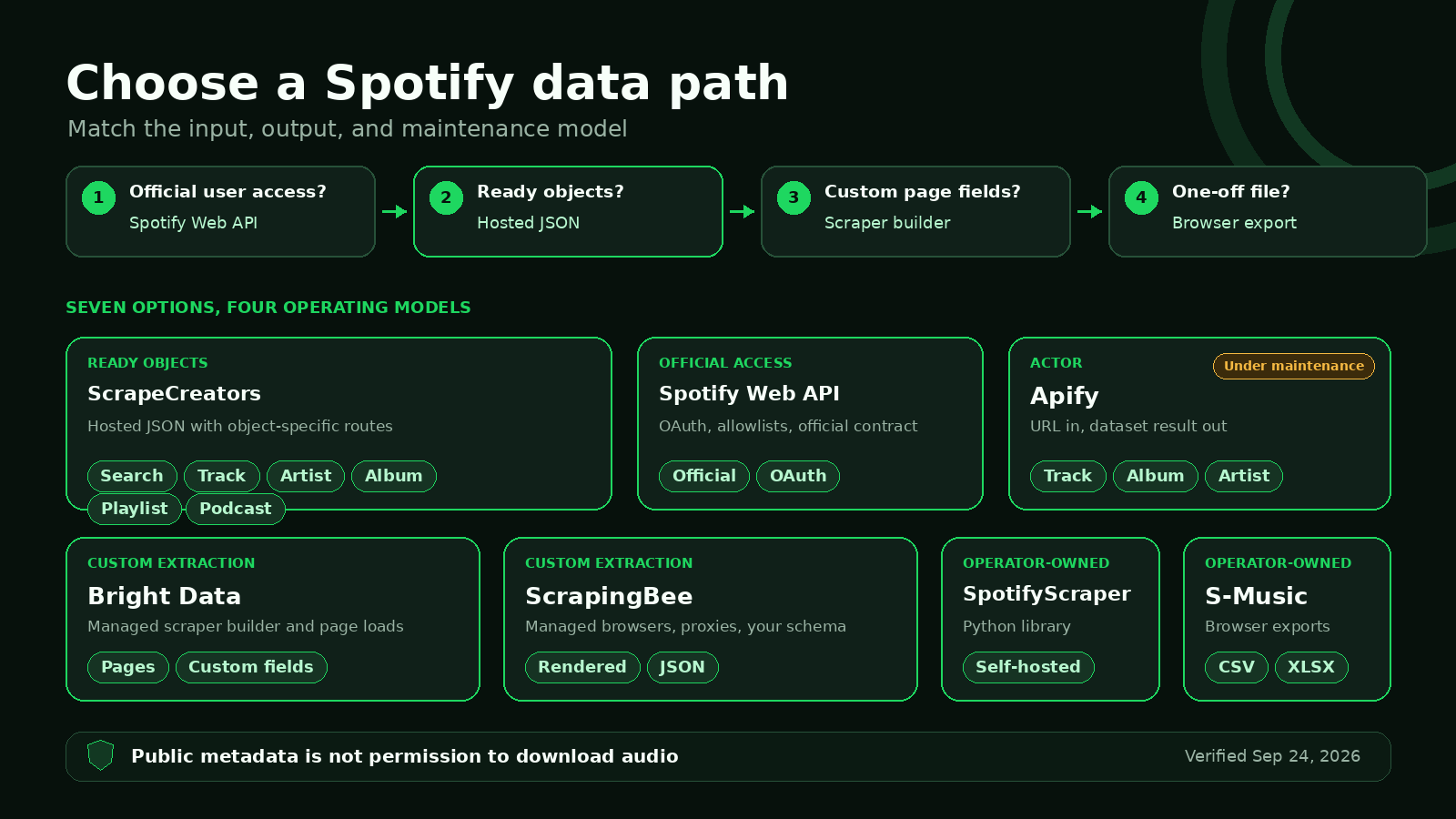
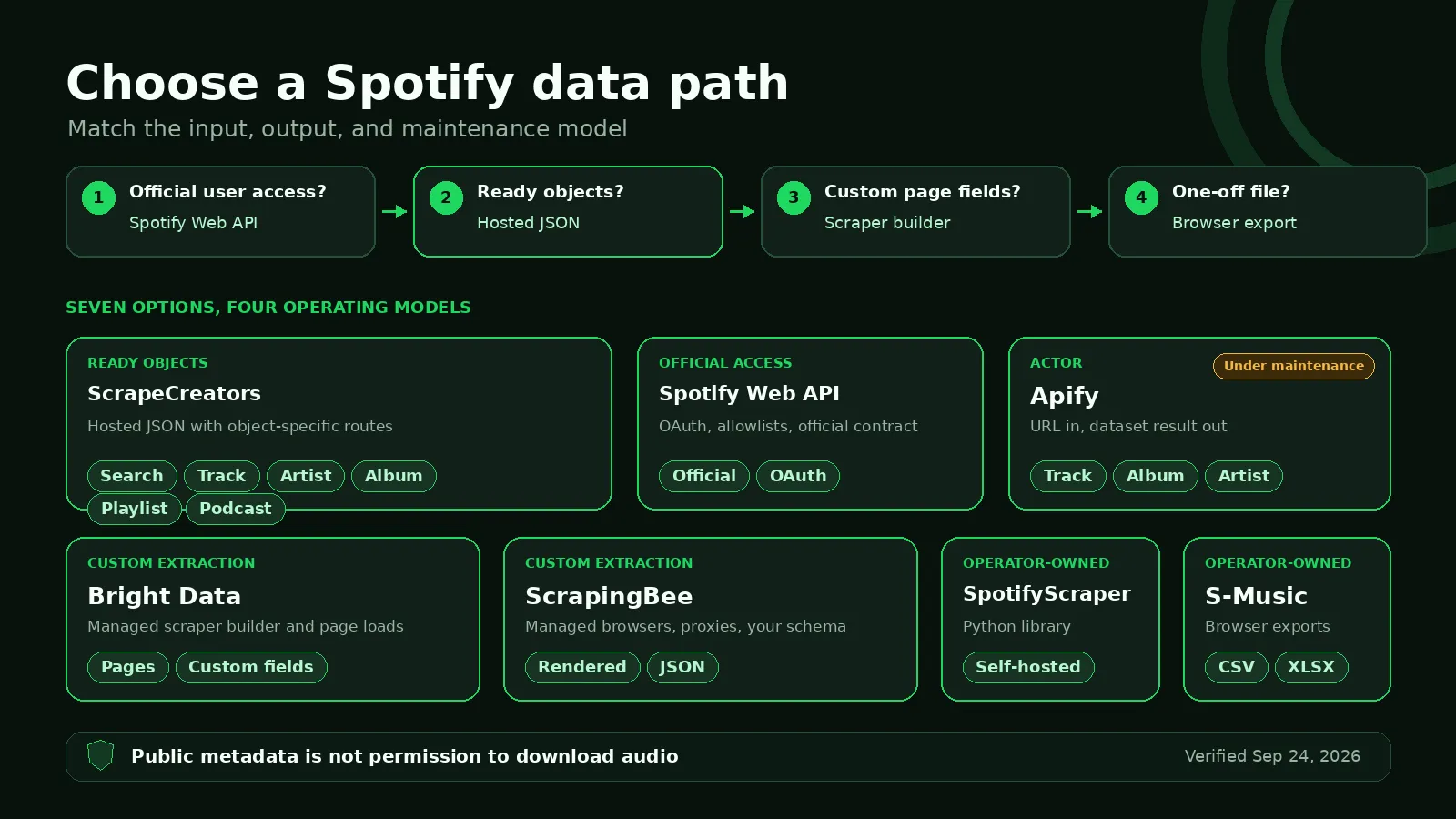
Use these questions in order.
1. Do you need official user access?
Use Spotify’s Web API if your app acts for a Spotify user, needs official authorization, and fits the current quota model. Do not route around OAuth with a scraper just because an old tutorial makes it look easier.
2. Do you want objects or pages?
Use ScrapeCreators or the official API when you want tracks, artists, albums, playlists, or podcasts as named objects. Use Bright Data or ScrapingBee when you want to retrieve a page and define your own extraction. Use S-Music when a human wants a file.
3. Who owns maintenance?
A hosted Spotify API owns more retrieval logic. An Actor packages a job inside Apify. A general scraper API owns browsers and proxies but leaves extraction with you. An open-source library gives you control and the maintenance pager.
4. What is the paid unit?
| Billing model | Cost formula to model | Options here |
|---|---|---|
| Per request or vendor credit | Requests × route credits × credit price | ScrapeCreators |
| Per result | Returned results × result price | Reviewed Apify Actor |
| Page loads or browser credits | Pages × rendering/proxy multiplier × retries | Bright Data, ScrapingBee |
| Software plus infrastructure | Compute + proxies + engineering + failures | SpotifyScraper |
| Official access | Engineering + review + OAuth operations | Spotify Web API |
| Manual export | Operator time + any extension plan | S-Music |
Run the same representative sample before estimating a month. Include a 150-track playlist, a missing object, a podcast with hundreds of episodes, and whatever field matters most to the product.
If you are weighing a broader hosted API against browser infrastructure, my guides to social media scraping APIs and why browser automation becomes expensive cover that layer choice in more detail.
Real request and output
This request fetches one public Spotify track by ID:
curl --get "https://api.scrapecreators.com/v1/spotify/track" \
  --data-urlencode "id=1ITJflybJsfarsUtiBvkfK" \
  -H "x-api-key: $SCRAPE_CREATORS_API_KEY"
The live response on September 24, 2026 included this excerpt:
{
  "success": true,
  "credits_charged": 1,
  "id": "1ITJflybJsfarsUtiBvkfK",
  "name": "Shoulda Never (feat. USHER)",
  "duration": {
    "totalMilliseconds": 186112
  },
  "playcount": 21670228
}
Play counts move. Store the track ID and collection timestamp if you are building a history. Do not present one response as a lifetime record that will never change.
For a playlist, keep following the numeric cursor until it is absent:
const playlistId = "37i9dQZF1DX4UtSsGT1Sbe";
let cursor;
const tracks = [];

do {
  const params = new URLSearchParams({ id: playlistId });
  if (cursor !== undefined) params.set("cursor", String(cursor));

  const page = await fetch(
    `https://api.scrapecreators.com/v1/spotify/playlist?${params}`,
    { headers: { "x-api-key": process.env.SCRAPE_CREATORS_API_KEY } },
  ).then((response) => response.json());

  tracks.push(...page.tracks);
  cursor = page.cursor ?? undefined;
} while (cursor !== undefined);

console.log(tracks.length);
My first two live pages for the “All Out 80s” playlist each returned 50 tracks. Their track IDs had no overlap. The response reported totalCount: 150, so stopping after the first page would have silently dropped two-thirds of the playlist.
What I verified
I called ScrapeCreators because it is the product I can verify directly. I reviewed the other options through their current public product pages, documentation, package metadata, and pricing pages. I did not run paid competitor tools, so this is not a success-rate benchmark.
| Live ScrapeCreators check | Result | Useful output |
|---|---|---|
Search for Radiohead | 200, 1 credit | 20 artists, 20 tracks, 20 playlists, 20 podcasts, and 20 episodes in the mixed response |
Artist 4Z8W4fKeB5YxbusRsdQVPb | 200, 1 credit | Radiohead profile and 17,179,589 followers at collection time |
Track 1ITJflybJsfarsUtiBvkfK | 200, 1 credit | Track metadata, 186,112 ms duration, and 21,670,228 plays at collection time |
Album 0pgrg7phBbnwGJ2HBEl9EG | 200, 1 credit | Album metadata and three track rows |
| Playlist, page 1 | 200, 1 credit | 50 tracks, cursor 50, total count 150 |
| Playlist, page 2 | 200, 1 credit | 50 more tracks, cursor 100, no ID overlap with page 1 |
Podcast 3mliji9352UAk3XnWElnDV | 200, 1 credit | Show metadata, publisher, topics, and rating data |
| Podcast episodes | 200, 1 credit | 50 episodes, cursor 50, total count 904 |
These are reproducible point-in-time checks, not a claim that every Spotify URL will always return every field. Public counts and catalogs change. Region, content availability, and object type can change the response.
Limitations
No option here makes Spotify data consequence-free.
- Public metadata is not permission to copy or redistribute recordings.
- A current follower or play count is not a historical dataset. Poll and timestamp it if the policy and your use case allow that.
- Search results do not prove catalog completeness.
- A playlist owner can edit or remove tracks between pages.
- Lyrics, preview URLs, artwork, and audio-related fields can carry separate rights and availability rules.
- Spotify and third-party products can change endpoints, policies, prices, and access requirements after the verification date.
If your product depends on one specific field, verify that field with several real inputs before buying volume. If it depends on Spotify user authorization, start with the official API. If it only needs public objects under one key, try the Spotify API or start with the free credits.
FAQ
What is the best Spotify scraper in 2026?
ScrapeCreators is the best practical default for hosted JSON across search, tracks, artists, albums, playlists, and podcasts. Spotify’s official Web API is better for approved user-authorized apps. S-Music is easier for a manual export, and SpotifyScraper is better when a Python team wants to own the runtime.
Can I scrape Spotify play counts?
Sometimes. The ScrapeCreators track check above returned playcount, and the reviewed Apify Actor advertises play counts. Spotify’s official Web API does not expose a general lifetime stream-count field for each track. Test the exact track type you need before building around that metric.
Does Spotify have an official API?
Yes. New apps currently start in development mode. Spotify says the owner needs Premium, up to five authenticated users can be allowlisted, and extended quota requests are limited to eligible organizations.
Can a Spotify scraper download songs?
Do not assume it can or should. This comparison covers public metadata. A metadata response does not grant rights to download, copy, or redistribute audio.
Is Apify or ScrapeCreators better for Spotify?
ScrapeCreators is the broader ready-JSON choice in this comparison. The reviewed Apify Actor is a focused URL-to-dataset tool for tracks, albums, and artists. Apify is reasonable if that Actor fits and your stack already runs on Apify, but its maintenance notice and recent run statistics deserve a real trial first.
How much does a Spotify scraper cost?
ScrapeCreators lists 25,000 pay-as-you-go credits for $47. The reviewed Apify Actor lists $5 per 1,000 results. ScrapingBee starts at $19 per month for 75,000 API credits. Bright Data advertises 5,000 free page loads per month on its Spotify page. Open-source software trades a vendor fee for infrastructure and maintenance. Verify the current unit before estimating cost.


