
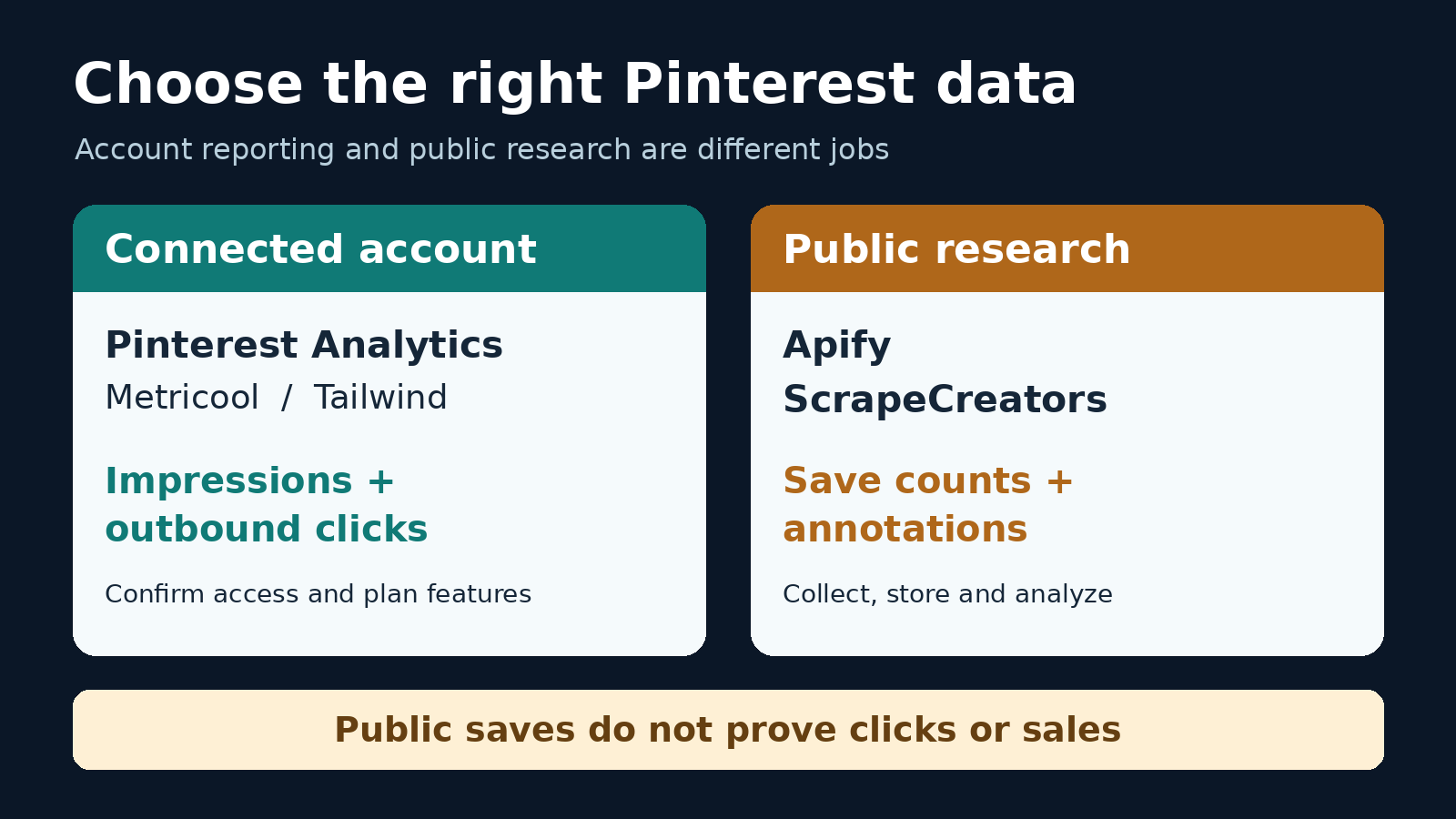
Start with Pinterest Analytics for your own account’s impressions, saves, and outbound clicks. Choose Metricool when you need Pinterest in a wider reporting workspace, or consider Tailwind when publishing and reviewing Pins belong in the same workflow. For public competitor research, Apify and ScrapeCreators can supply records for an analysis you build. They do not replace authorized account analytics or reveal another creator’s private click and conversion reports.
I build ScrapeCreators, so I have a stake in the last option. For most people asking which Pinterest analytics tool to buy, my first recommendation is the free native dashboard. Prices and capabilities below were checked on November 3, 2026. I ran the public-data example, not a five-tool dashboard or accuracy benchmark.
Quick comparison
| Tool | Choose it for | Price or billing unit checked today | Important boundary |
|---|---|---|---|
| Pinterest Analytics | Understanding your own account and claimed content | Free with a business account | Filters and metric definitions matter; it is not access to arbitrary competitors’ private reports |
| Metricool | Organic Pinterest reporting alongside other channels | Free: one brand and 30 days of analytics; Starter from $25/month, or $20/month billed annually | Pinterest analytics require a business account; report and integration features have plan gates |
| Tailwind | Pinterest publishing plus its documented Insights workflow | Modular subscriptions per Pinterest account; Scheduling & Creation is $29.99/month, or $17.99/month billed annually | That is a scheduling price, not a verified standalone Insights entitlement |
| Apify’s epctex Pinterest Scraper | Scheduled public datasets you analyze yourself | Pay per event, including dataset rows and optional detail fetches | A dataset is not a finished account-performance report |
| ScrapeCreators | Public board and Pin observations in your own application | $47 buys 25,000 non-expiring credits | Public aggregate saves and annotations are not private impressions, clicks, or sales |
The decision is about which data you need and who will operate the report, not which product displays the most numbers. A monthly reporting workspace, an Actor event, and an API request are different purchases.
If you already know you need extraction rather than analytics, our Pinterest scraper comparison covers that separate decision. This guide focuses on measurement, report scope, and avoiding misleading comparisons.
1. Pinterest Analytics for your own account
Use the native tool before paying to recreate it. Pinterest’s business account documentation says business accounts are free. Its Analytics overview provides performance metrics and filters, including organic versus paid and earned activity, date ranges, and content associated with claimed accounts.
For a website-traffic goal, start with outbound clicks. Pin clicks describe interaction with the Pin; an outbound click leads away from Pinterest. Neither is a completed order. Keep your site’s conversion measurement separate.
The desktop dashboard supports CSV exports of the selected filters. Its current documentation describes custom date ranges covering the past year and a half, plus optional real-time estimates for the last 48 hours. Real-time estimates are not available for every metric or filter combination.
I would save an export for a fixed, completed reporting period, write down the filters, and reuse those settings next month. Otherwise, two screenshots can disagree simply because they answer different questions.
Choose Pinterest Analytics if you want to know how your own content performs without another subscription. Choose a reporting workspace if the manual export, multi-channel presentation, or client workflow is what costs you time. Do not buy a public scraper expecting it to unlock the same private report for someone else’s account.
2. Metricool for organic reporting across channels
Metricool is the shortlist option when Pinterest is one part of a wider social report. Its Pinterest connection guide distinguishes publishing access from analytics: personal and business accounts can connect for publishing, but Pinterest analytics are available only for business accounts. If you convert an account, reconnect it afterward.
Its Pinterest metrics reference makes an important distinction that a feature checklist misses:
- Published Pins selects Pins published within your chosen period, but their performance accumulates from publication through yesterday.
- Viewed Pins reports activity within the selected period, regardless of when the Pins were published.
Those views can legitimately produce different totals. A report about this month’s new Pins is not the same as a report about everything that received attention this month.
The current pricing page lists one brand and 30 days of analytics on Free. Starter begins at $25/month for up to five brands, or $20/month with annual billing, and includes PDF/PPT reports. Advanced begins at $67/month, or $53/month billed annually, and adds features such as customizable report templates, a Data Studio connector, and API access. Taxes are excluded. Unlimited stored history on paid plans is not proof that every metric comes with unlimited pre-connection backfill.
Choose Metricool if you want an organic Pinterest reporting workflow alongside other networks. Its reference explicitly describes these Pinterest metrics as organic. Do not treat them as a Pinterest Ads report, assume every report feature is free, or mix Published Pins’ accumulated results with Viewed Pins’ period totals.
3. Tailwind for publishing plus a documented Insights workflow
Tailwind is worth considering when the same person plans Pins and reviews their performance. Its current Profile Performance help article, updated in June 2026, documents Insights → Profile Performance, date comparisons, Pin and follower counts, impressions, saves, Pin clicks, and outbound clicks.
The purchase decision needs more care than an old “Pro versus Advanced” comparison. Today’s pricing page sells separate Scheduling & Creation, Pinterest SEO, and Pinterest Engagement products, all per Pinterest account. Scheduling & Creation is $29.99 monthly or $17.99/month billed annually, with 300 monthly Tailwind credits. Scheduling a Pin uses a credit; other features share the allowance, and extra credits are sold separately.
That is the verified scheduling offer. The public pricing grid does not clearly map Insights access, history, and exports to each modular subscription. I would check those exact features inside the available account or get confirmation from Tailwind before paying for analytics. The existence of a help article does not prove that the cheapest current module includes every screen it describes.
Choose Tailwind if its publishing workflow is already useful to you and the required Insights access is confirmed. If you only need to inspect your own account’s performance, start with Pinterest Analytics. If client reporting is the purchase, compare the actual report and export against Metricool rather than choosing from a scheduling headline.
4. Apify for scheduled public research datasets
Apify fits a different job: collect public records, store successive observations, then build your own analysis. The concrete option reviewed here is epctex/pinterest-scraper, not every Pinterest Actor in the marketplace.
Its current input schema accepts URLs or a search keyword. getDetails defaults to true; turning it off returns list summaries instead. maxItems and endPage bound collection. Comment and reply collection are separate options. Apify also supports scheduled Actor runs.
Read the event pricing tab, not just the “from $0.10 per 1,000 dataset items” headline. It lists $0.003 per Pin Detail event, $0.0001 per Dataset Item, and $0.0025 per Board Pins event. The README describes a full Pin as $0.0031 including its dataset item, with query charges on top. It also documents a first-page summary-item waiver for paying users. The pricing tab marks platform costs as included, so I would not automatically add a separate compute bill to those event prices.
These are vendor prices, not a paid run I executed. Verify the selected Actor’s current configuration and charge events before scaling.
Choose Apify if you want scheduled public datasets and are prepared to own the analysis. A successful run does not establish another account’s private outbound clicks, a complete archive, or historical growth before you began observing it. Keep collection costs, storage, deduplication, and reporting work in your budget.
5. ScrapeCreators for a public-data reporting pipeline
ScrapeCreators makes sense when you already have an application or warehouse and want public Pinterest records through REST. It is not a replacement for the first three tools’ connected-account workflow.
The board endpoint accepts a board URL and optional cursor. With trim=true, it retains aggregated_pin_data.aggregated_stats.saves and pin_join.visual_annotation when Pinterest supplies them. The labels are annotations, not measured keyword search volume. An aggregate save count is not the number of saves generated by that board during your reporting month.
For this article, two requests to one public board returned 15 rows, then eight rows, with no overlapping returned IDs. The first response included 14 Pin-shaped records with board metadata and one Related Interests module. All 22 board-linked records across the pages had save counts and annotations in that snapshot. One returned ID used an opaque e1_ prefix rather than digits; preserve it instead of assuming every Pin ID is numeric. The second response carried the -end- cursor. Each request cost one credit.
A full first-page request exposed another useful warning: the first Pin had repin_count: 0 while its aggregated save count was 74,247. Its creator_analytics was null. Keep those fields separate. Renaming any number called “repins” to “saves,” or filling missing impressions with zero, would make a neat but misleading report.
A bounded public-board example
This Python example makes one request, keeps rows with a returned ID and board metadata, and emits JSON Lines without rewriting their identifiers. It keeps unavailable account metrics null and marks the scope explicitly. It is a page sample, not an account analytics export.
import json
import os
import sys
import urllib.parse
import urllib.request
from datetime import datetime, timezone

params = {
    "url": "https://www.pinterest.com/lizmrodgers/moms-night/",
    "trim": "true",
}
request = urllib.request.Request(
    "https://api.scrapecreators.com/v1/pinterest/board?"
    + urllib.parse.urlencode(params),
    headers={"x-api-key": os.environ["SCRAPE_CREATORS_API_KEY"]},
)
with urllib.request.urlopen(request, timeout=40) as response:
    payload = json.load(response)
if payload.get("error") or payload.get("success") is not True:
    raise RuntimeError("Board request did not return usable data")

observed_at = datetime.now(timezone.utc).isoformat()
for pin in payload.get("pins", []):
    pin_id = pin.get("id")
    if pin_id is None or not isinstance(pin.get("board"), dict):
        continue
    stats = (pin.get("aggregated_pin_data") or {}).get("aggregated_stats") or {}
    annotations = (pin.get("pin_join") or {}).get("visual_annotation")
    print(json.dumps({
        "pin_id": pin_id,
        "observed_at": observed_at,
        "metric_scope": "public_aggregate_snapshot",
        "saves": stats.get("saves"),
        "annotations": annotations,
        "impressions": None,
        "outbound_clicks": None,
        "conversions": None,
    }))
print(json.dumps({
    "returned_rows": len(payload.get("pins", [])),
    "credits_charged": payload.get("credits_charged"),
    "more_pages": payload.get("cursor") not in (None, "", "-end-"),
}), file=sys.stderr)
On November 3, the exact script emitted 14 unique Pin records from 15 returned rows, cost one credit, and reported that more pages remained. All three unavailable account metrics stayed null. For pagination, repeat the board URL and trim=true on each request, add the returned cursor, and stop at null or -end-. A cursor does not carry your response-format options forward. Deduplicate Pin IDs and preserve the board relationship separately.
Our pricing is prepaid: $47 buys 25,000 credits. The successful board calls above cost one credit per request, not per Pin. Successful empty board fetches can still be billable; do not budget by useful rows alone. A nonexistent board returned an uncharged 404 in this run, while a deliberately wrong-site URL returned an uncharged 500. Validate input hosts and check HTTP errors and the error body, not success alone.
Choose ScrapeCreators if you want to build this public-observation workflow. Use the Pinterest integration guide for broader implementation context, or create an account to try it. Choose authorized account analytics instead when the requirement is impressions, outbound clicks, or conversions. This small run does not prove completeness or reliability across all boards.
A reporting check before you buy
The most useful question from the audience research was not “which tool has more charts?” It was “why do the numbers disagree?” Comments under Heather Farris’s walkthrough ask about conflicting Pin, dashboard, and ad totals; a creator reply points to lifetime versus filtered periods. A Reddit discussion raises similar confusion. Those are troubleshooting leads, not proof that a particular product is inaccurate.
Pinterest’s Pin stats documentation says real-time estimates can change and decrease, and that Pin stats can differ from Analytics. Before treating a discrepancy as a defect, use this acceptance check:
| Check | What to record | Reject the comparison when |
|---|---|---|
| Identity | Pin ID, connected account, claimed domain, board relationship | A saved copy or public aggregate is being compared with one account’s contribution |
| Time | Exact start/end dates, lifetime versus period, collection timestamp | A recent observation is presented as activity during the month |
| Source | Organic, paid and earned, public snapshot, or site conversion data | Public saves are labeled impressions or private clicks |
| Coverage | Returned rows, real Pin rows, duplicates, cursor state | Modules count as Pins or a single page is called a complete export |
| Purchase | Required report, history, export format, subscription or event charge | A feature on a higher plan is assumed to be included |
Run that check with a few known Pins before migrating your monthly report. For website goals, inspect the landing page’s own conversion evidence too. An outbound click means someone left Pinterest; it does not mean they bought anything.
Frequently asked questions
What is the best free Pinterest analytics tool?
Pinterest Analytics is the first choice for your own account’s performance. A business account is free. Metricool also has a free plan, but its history and reporting limits differ. Free collection credits are useful for trying an API, not a substitute for a reporting workspace.
Can I see another account’s Pinterest analytics?
Separate public observations from private performance. Public Pin records may expose saves, metadata, and annotations. The public requests in this article did not provide account impressions, outbound clicks, or conversions. Do not accept a dashboard label as proof that it has those private measurements.
Why do Pinterest analytics numbers differ between tools?
Check the reporting period, organic versus paid scope, accumulated versus period activity, Pin identity, and freshness. Pinterest says its real-time estimates can change. Metricool documents different time semantics for Published Pins and Viewed Pins. If those settings match and the discrepancy remains, preserve the exports and ask the provider to investigate.
Can public save counts tell me which competitor gets the most sales?
No. A save is not an outbound click or sale. Public aggregate counts can help you choose content to inspect, but they cannot establish a competitor’s conversion rate or revenue. Buy a tool for the decision its data can support, not the private metrics you hope it contains.