
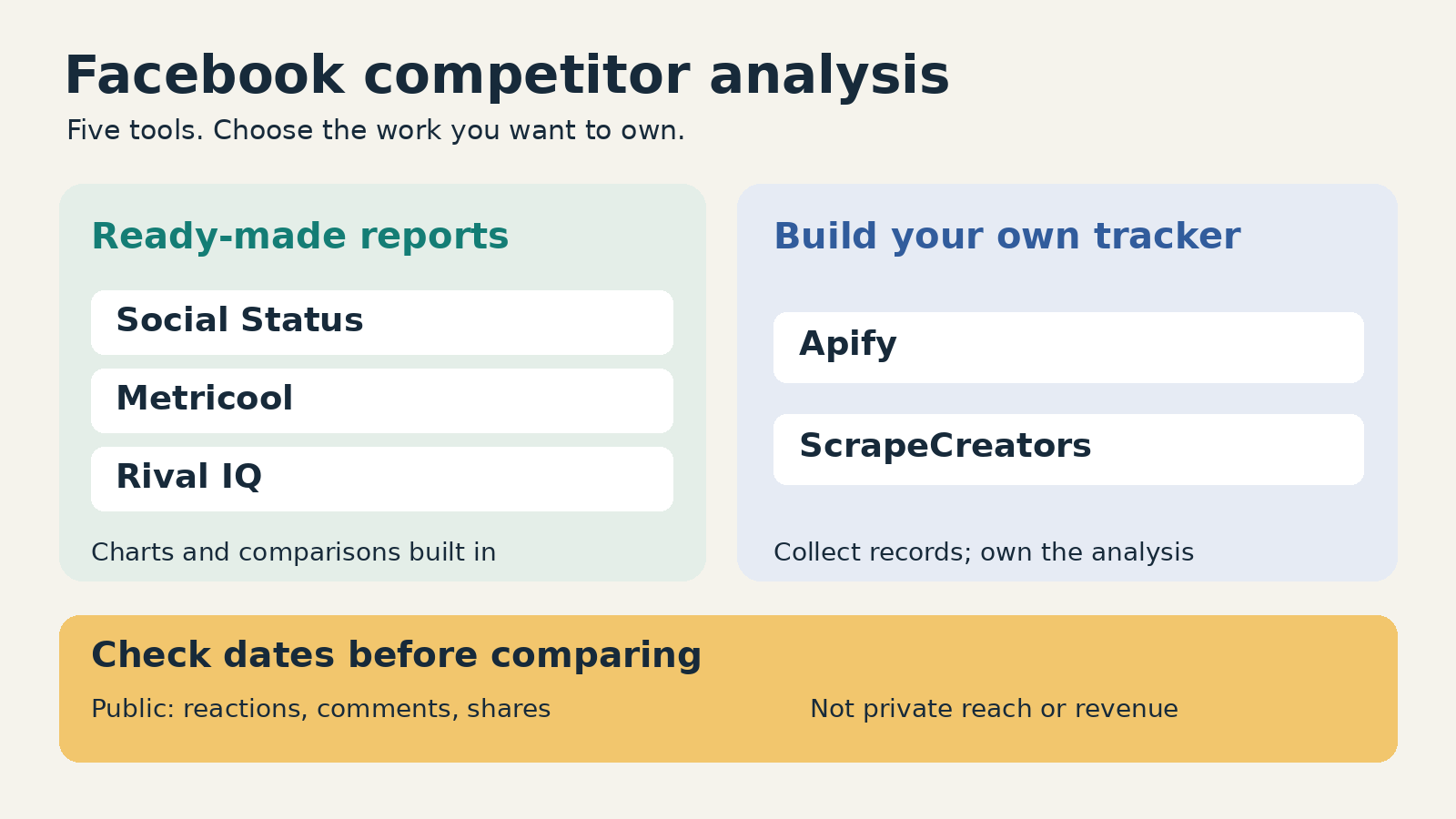
For Facebook competitor analysis tools, I would start with Social Status for public-Page benchmarking and reports, Metricool for a small free watchlist alongside publishing, or Rival IQ for a larger reporting workflow with alerts. Apify fits scheduled datasets and exports. ScrapeCreators fits a developer building a custom tracker from public Page and post records. Those last two are data collection tools, not finished competitor dashboards.
This guide focuses on public Page content and engagement. If you mainly want competitor ad creatives, use an Ad Library workflow instead.
I build ScrapeCreators. I would still buy a dashboard if the job is sending a client report next Friday, rather than maintaining software.
Prices, plan limits, source documentation, and the API observations below were checked on October 25, 2026. I reviewed the other providers’ primary pages. I did not run a paid comparison of their accuracy or coverage.
Compare the five options
| Tool | Best fit | Price or billing unit checked today | Important catch |
|---|---|---|---|
| Social Status | Public Facebook Page comparisons and exportable reports | Basic: $29/month, 10 plan-quota units, three months of history | Quota counts profiles and ad accounts, not just competitors |
| Metricool | A small watchlist plus social publishing | Free lists five competitor profiles; Starter from $25/month on monthly USD billing | Free analytics storage is 30 days; do not assume old competitor history exists |
| Rival IQ | Team benchmarking, content research, and alerts | Drive: $239/month, 10 tracked companies | Six-month history allowance does not guarantee full history on day one |
| Apify Facebook Posts Scraper | Scheduled runs and datasets for further analysis | Free-plan post event: $5/1,000; lower rates on paid plans | Actor-start and date-filter events also apply |
| ScrapeCreators | Public data inside your own database or product | $47 buys 25,000 credits; the post-page calls here charged one each | You build storage, comparisons, reports, and coverage checks |
These prices buy different work. A subscription includes a reporting interface. A returned-post charge or API credit does not. Compare the cost of getting a useful report, including the person who maintains it.
What you can learn from a competitor Page
A useful competitor report answers a narrow question: which content themes and formats deserve a test on your own Page?
Public reactions, comments, shares, post timestamps, and available video counts can help you investigate that. They do not establish the competitor’s sales, conversion rate, or private reach. If a provider offers estimated impressions or predicts that a post was boosted, preserve that label. An estimate is not an authorized report from the other company’s account.
There are also three different kinds of history:
- Post history: older posts that a tool can retrieve now.
- Observation history: measurements saved at different times, so you can see a count change.
- Plan retention: how long your subscription lets you keep or examine the data.
A tool can retrieve a year-old post without knowing how many reactions it had six months ago. A plan advertising unlimited storage does not manufacture observations that nobody collected.
This distinction came up while reviewing Metricool’s competitor walkthrough, which tells users to add competitors early because tracking starts when they are added. A viewer also asked how engagement definitions stay consistent across networks. Both are good buying questions. Check the exact Facebook report, its earliest available date, and its denominator before subscribing.
1. Social Status for public-Page benchmarking
Social Status Competitor Analytics is the most direct fit here when you want comparisons rather than an engineering project. Its content feed supports sorting by engagement rate, interactions, likes, comments, shares, and time. It also compares media types, content themes, and posting frequency.
That lets a marketer move from a chart to the actual posts behind it. I would rather inspect a handful of unusually strong posts than receive a score with no examples attached.
The current plans make the buying unit clear: every profile, competitor, influencer profile, or ad account uses plan quota. A connected Facebook Page and a different competitor Page consume separate units. The same profile is not counted twice merely because you add it to more than one analytics area.
Basic is $29 per month for 10 quota units and three months of data history. Essential is $49 per month for 40 units and six months. Basic lists CSV/XLSX, PDF, and PPTX exports. The current feature grid excludes Competitor Analytics from Free; Micro includes it, but CSV/XLSX exports require Basic or above.
Social Status describes post history as a rolling window, including older posts fetched when you add a profile. Its pricing FAQ separately claims historical daily Facebook follower counts. I did not verify that backfill for competitor Pages inside a paid account. Ask to see your exact Page and chart rather than borrowing another network’s history rules.
Choose Social Status if public-Page comparisons and reports are the deliverable. Check quota across your whole account, not just the number of clients. Its separate Ads Analytics product concerns ad accounts you administer; do not interpret that as access to a competitor’s private campaign results.
2. Metricool for a small watchlist and publishing
Metricool’s competitor feature is worth trying before paying for a larger research stack, especially if you also need to schedule your own posts.
Its pricing page lists five competitor profiles and 30 days of analytics on Free. Starter begins at $25 per month on monthly USD billing, or a displayed $20 monthly equivalent with annual billing. The lowest Starter size covers up to five brands. Higher brand counts cost more, so the starting price is not the price for every agency setup.
Paid plans list up to 100 competitors and PDF/PPT reports. API access belongs to Advanced, which starts at $67 per month on monthly billing. Do not buy Starter assuming its report exports and API access are interchangeable.
For a Facebook watchlist, add your own Page and a few genuinely comparable competitors. Review the individual post list as well as summary totals. A Page that posted twice and a Page that posted daily need different context.
The main caution is history. The current tutorial says tracking begins when you add a competitor. Paid storage and an attractive date picker should not be mistaken for guaranteed backfilled daily measurements. Test the earliest populated date for the exact Page.
Choose Metricool if you want a low-commitment way to combine a watchlist with publishing. Choose a dedicated research product if its historical coverage, exports, or reporting conventions do not satisfy your client brief.
3. Rival IQ for reporting and alerts
Rival IQ’s Facebook analytics is aimed at an ongoing competitive reporting process. It combines public benchmarking with content analysis, reporting, and alerts.
The monthly pricing matrix lists Drive at $239 per month for 10 tracked companies, six months of data history, and one user. A company can include a handle on each supported network; that is a different billing object from Social Status’s individual-profile quota.
Drive includes scheduled reports and email alerts. The current matrix gives it a 12-hour social-metric freshness level. That is a provider-stated plan level, not a latency measurement from this review. It is also a useful reminder that a continuously available dashboard is not necessarily a real-time feed.
Rival IQ explicitly warns that the full history allowance might not be populated initially. If you are buying it to compare a launch with last quarter, ask for a demonstration using those dates before paying.
Higher plans add authorized private-data analysis and other features. The top standard plan lists estimated impressions, while API access is an add-on. Keep private analytics for connected accounts separate from estimated competitor metrics.
Choose Rival IQ if a repeatable reporting process and alerts justify the subscription. A small team needing occasional public post rows may find it more product than they need. A team that must ship consistent reports may find that buying the workflow is cheaper than staffing a custom one.
4. Apify for scheduled competitor datasets
The relevant Apify option is Facebook Posts Scraper, maintained by Apify. It is a collector you can schedule and feed into a reporting system, rather than a ready-made comparison of your brand against competitors.
Its input schema accepts Facebook Page URLs, a per-Page result limit, and newer-than or older-than date filters. The schema explicitly says public Pages, not personal profiles, despite broader wording elsewhere on the product page. Validate your actual Page set rather than treating every Facebook URL as equivalent.
The current event table lists these post rates per 1,000:
- Free plan: $5.
- Starter: $4, with a $19 monthly platform plan.
- Scale: $2.50, with a $199 monthly plan.
- Business: $2, with a $999 monthly plan.
The paid subscriptions include spendable platform credit. Do not add the full included allowance again as though it were a separate charge, or treat the Business unit rate as an entry-level offer.
There is also a $0.001 Actor-start event, plus a date-filter add-on ranging from $2 per 1,000 on Free to $0.60 on Business. A job with date filters therefore has more than one billing event. The headline “from $2” does not describe the Free-plan total.
Choose Apify if scheduled collection and downloadable datasets fit your workflow. You still need stable Page identities, deduplication, saved observations, metric definitions, and charts. I did not execute this Actor, so these are documented inputs and prices, not measured retrieval results.
5. ScrapeCreators for a custom Page tracker
Use the ScrapeCreators Facebook API when you want public Page and post records in your own application. The Page-post endpoint accepts a url or pageId, then a cursor for another page. Current docs describe three posts per page.
For this article, I requested Nike’s public profile, Nike’s first two post pages, and adidas’s first post page. All four requests succeeded and charged one credit each. Nike’s two post pages returned three records each, with six unique post IDs and no overlap. More pages remained available.
That successful retrieval did not establish a current competitor comparison. Nike’s first returned posts were dated September 2025, while adidas’s first page contained October 2026 posts. I cannot tell from this sample whether Nike’s returned feed omits newer posts. I would not label it “latest 30 days” or use these two samples to rank the brands’ posting frequency.
There were field limitations too. An adidas post had videoViewCount: null, and a later request returned another null video count. The Nike profile’s main ID differed from its adLibrary.pageId. Keep feed identity and advertiser identity separate. Missing counts should remain missing, not become zero.
This is the tradeoff with a raw API: you get flexible records, but you must decide whether those records support the report you plan to make. For the collection details rather than tool selection, see the separate Facebook post scraper comparison.
The current pricing section offers 25,000 credits for $47, with no subscription. The post-page requests observed here cost one credit each, including the separate example run below. The backend deducts after a successful post collection, so budget for successful empty pages too. Do not assume an empty result is free.
A modeled job fetching two pages per day for 10 Pages over 30 days uses 600 requests. At that package ratio, the allocated API cost is $1.13. You still purchase the $47 package, and this model excludes profile calls, retries, extra pagination, storage, and engineering. It is not the price of a finished analytics service.
Choose ScrapeCreators if you want to own the data pipeline and can enforce coverage checks. Choose a dashboard if you mainly need reports, historical charts, or alerts without building them.
A working snapshot with a date-coverage flag
This Python example uses only the standard library. Set SCRAPE_CREATORS_API_KEY in your environment, then run it locally. It saves one returned page per brand, preserves unknown counts as blank CSV cells, and flags whether each post falls within the preceding 30 days.
It deliberately does not calculate a winner, claim a complete monthly export, or follow every cursor. Keep response files containing account metadata private.
import csv
import json
import os
from datetime import datetime, timezone
from pathlib import Path
from urllib.parse import urlencode
from urllib.request import Request, urlopen

pages = ["https://www.facebook.com/nike", "https://www.facebook.com/adidas"]
observed_at = datetime.now(timezone.utc)
fields = ["observed_at", "page_url", "post_id", "post_url", "published_at",
          "within_30_days", "reactions", "comments", "shares", "video_views"]
rows, seen, credits = [], set(), 0

for index, page_url in enumerate(pages):
    query = urlencode({"url": page_url})
    request = Request(
        "https://api.scrapecreators.com/v1/facebook/profile/posts?" + query,
        headers={"x-api-key": os.environ["SCRAPE_CREATORS_API_KEY"]},
    )
    with urlopen(request, timeout=45) as response:
        data = json.load(response)
    if data.get("success") is not True or not isinstance(data.get("posts"), list):
        raise RuntimeError("No usable post collection returned")
    # Keep the source body locally so the CSV can be audited later.
    Path(f"facebook-page-{index}.json").write_text(json.dumps(data))
    credits += data.get("credits_charged", 0)
    for post in data["posts"]:
        if not post.get("id") or (page_url, post["id"]) in seen:
            continue
        seen.add((page_url, post["id"]))
        timestamp = post.get("publishTime")
        published = datetime.fromtimestamp(timestamp, timezone.utc) if isinstance(timestamp, (int, float)) else None
        age_days = (observed_at - published).total_seconds() / 86400 if published else None
        rows.append({
            "observed_at": observed_at.isoformat(), "page_url": page_url,
            "post_id": post["id"], "post_url": post.get("permalink") or post.get("url"),
            "published_at": published.isoformat() if published else None,
            "within_30_days": 0 <= age_days <= 30 if age_days is not None else None,
            "reactions": post.get("reactionCount"), "comments": post.get("commentCount"),
            "shares": post.get("share_count"), "video_views": post.get("videoViewCount"),
        })
    print(page_url, "posts:", len(data["posts"]), "more pages:", bool(data.get("cursor")))

with open("facebook-competitors.csv", "w", newline="") as output:
    writer = csv.DictWriter(output, fieldnames=fields)
    writer.writeheader()
    writer.writerows(rows)
print("Saved", len(rows), "unique observations; credits charged:", credits)
I ran this exact script separately on October 25, 2026. It wrote six unique rows using two requests and two credits. Both responses had another cursor. All three Nike rows failed the 30-day date flag; all three adidas rows passed it. That is a description of the returned sample, not proof that adidas published only three times or Nike was inactive.
For a production tracker, store multiple observations under (Page identity, post ID, observed_at). Deduplicate within each fetch, but do not overwrite yesterday’s measurement with today’s count. Preserve publication time and collection time separately.
A 30-day posting-frequency report needs evidence that collection covered the whole period. A reaction-growth report needs repeated observations of the same posts. A first-page sample provides neither by itself.
Make the report useful without inventing performance
Before comparing totals, write a small report contract:
| Check | What to save or ask | When to withhold a comparison |
|---|---|---|
| Same entity | Canonical Page URL and verified feed ID | A regional Page or advertiser ID was substituted |
| Same coverage | Requested window, returned dates, page budget, cursor state | One Page’s sample is much older or pagination is incomplete |
| Same metric | Exact fields and denominator, with missing values preserved | One tool uses reach and another uses followers |
| Same observation age | Collection timestamp and post age | Old posts accumulated engagement longer than new posts |
| Same output | Raw rows alongside the chart | The vendor cannot explain a score or provide supporting records |
For a simple public-content audit, I would review comparable post formats and list the themes behind the strongest examples. Then test one idea on my own Page. I would not infer revenue from reactions or assume that a frequently repeated ad is profitable.
The audience research reinforced this split. A marketing discussion about competitor tools mixes SEO tools, social collectors, and requests for an ongoing dashboard. Those are different jobs. Another discussion about ad research asks for organization and history beyond a one-off lookup. Neither is evidence that any vendor’s performance claims are correct.
If your own Page’s reach, conversions, or paid results are the question, use the reports available through your authorized account. This list is about competitor observations. Do not silently compare public counters for one brand against private business outcomes for another.
Questions before you commit
What is the best free Facebook competitor analysis tool?
I would try Metricool’s free watchlist first if five competitor profiles and its storage limits fit the job. For a one-off audit, a small manual spreadsheet may be enough. Check the actual Facebook coverage before upgrading for more history.
Can I see a competitor’s Facebook reach or sales?
Ordinary public Page and post data does not expose private reach or sales. Some products provide estimates or inferred labels. Ask what was observed, what was modeled, and whether the metric requires the Page owner’s authorization.
Can these tools recover historical follower growth?
Not automatically. Retrievable old posts, retained analytics, and a daily follower-count series are different products. Ask the provider to show the exact Page and earliest observation rather than relying on a plan’s history headline.
Which should I choose if I need a custom dashboard?
Use Apify if scheduled Actor runs and datasets suit your stack. Use ScrapeCreators if you want REST responses and control over collection. Budget for validation and reporting either way. You can create a ScrapeCreators account and check your actual Pages against the API documentation before buying credits.


