
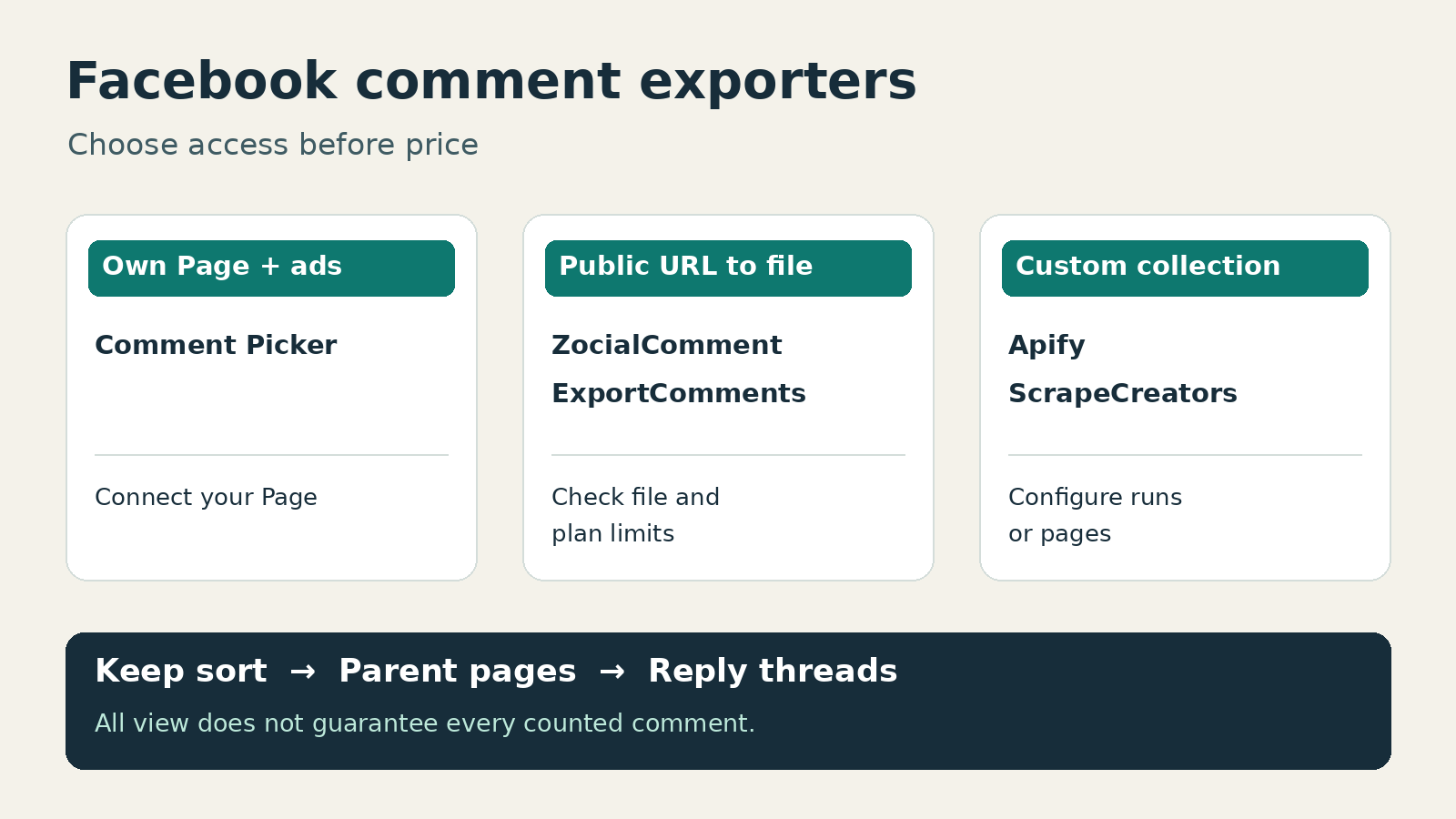
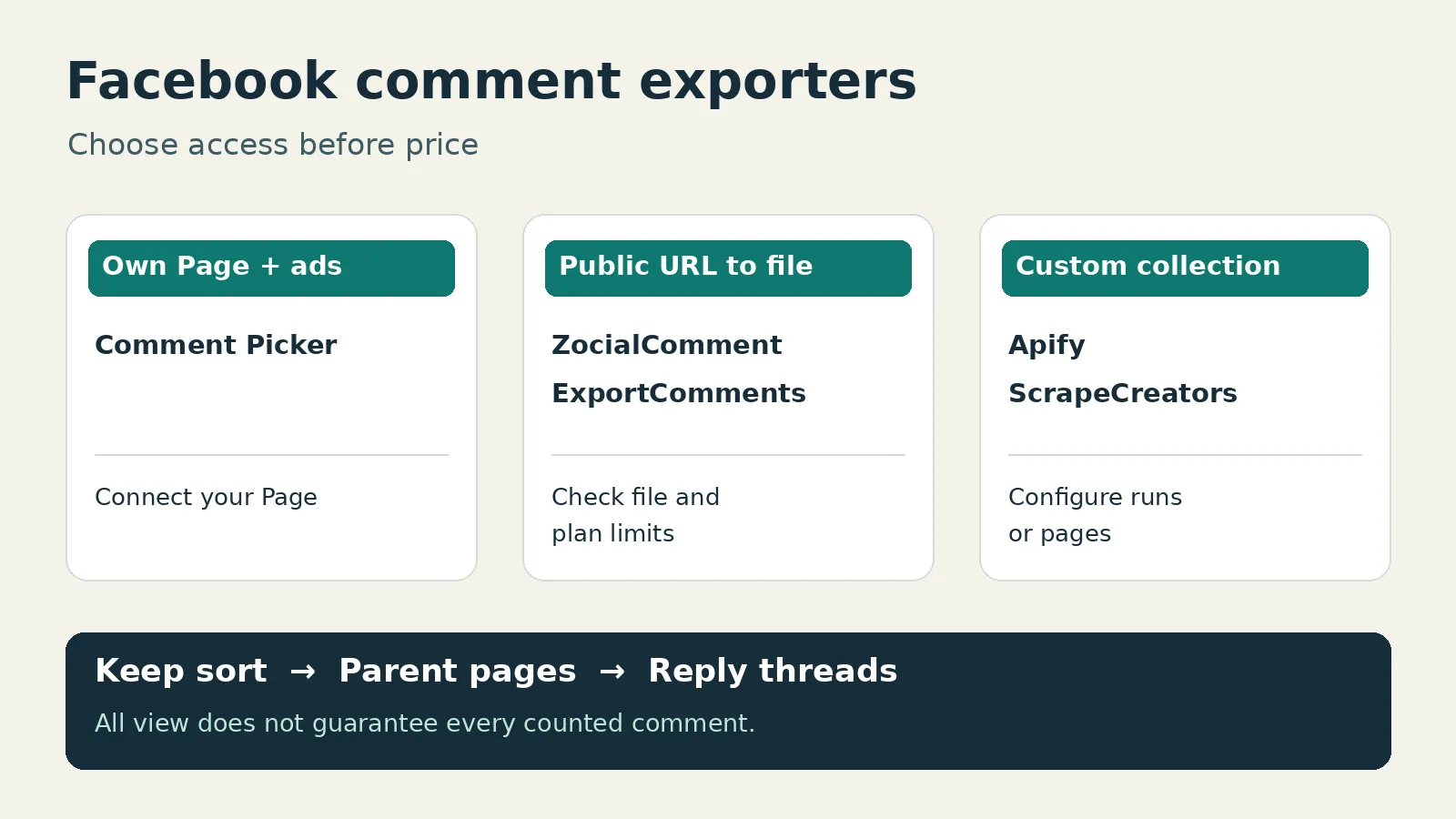
For your own Facebook Page, Comment Picker is my first shortlist for a CSV or Excel file with Page authorization and useful filters. For a public post you do not manage, look at ZocialComment for a short export window or ExportComments for scheduled files. Choose Apify for hosted collection runs, or ScrapeCreators when an engineer needs control over the export.
I run ScrapeCreators. It is a public-data API, not a finished spreadsheet app. I checked the sources and prices below on November 14, 2026, and ran the ScrapeCreators example. I did not purchase or benchmark the other tools. None should be treated as a guarantee that every counted comment will appear in your file.
Compare access before price
A Facebook comment exporter must fit the post you actually have. Managing a business Page, pasting someone else’s public Reel, and reading a private group are different access situations. A tool that supports one does not automatically support the others.
| Tool | Choose it for | Current entry cost or allowance | Important boundary |
|---|---|---|---|
| Comment Picker | Comments from a Page you manage, including supported ad workflows | Free: 50 comments, one export daily and three monthly; Premium $9.99/month | Requires Facebook authorization; not for other people’s Pages or personal profiles |
| ZocialComment | A short public-post export project | First 100 comments per post, three free exports daily; $9 three-day pass | Pass caps are per post; public access and reply coverage still need checking |
| ExportComments | Saved, scheduled exports | Free: 100 results/export, 50 exports/month; Personal $30 for three days | Schedules start at Premium $50/month; reply inclusion is marked PRO |
| Apify Facebook Comments Scraper | Configurable runs and downloadable datasets | Free-account event rate $2.50/1,000 comments, plus $0.001/start | Reply collection requires a paid plan; a date filter adds an event charge |
| ScrapeCreators | A CSV pipeline you control | $47 buys 25,000 prepaid credits | Parent pages and reply requests are separate; you write the file logic |
These are different purchases: a subscription, a short pass, comment events and request credits. The cheapest-looking number does not necessarily buy the file you need. Each section links the primary source behind its price.
For endpoint setup rather than a buying decision, see our Facebook comments API guide. If you still need to discover the posts first, the Facebook post scraper comparison covers that separate job. This list starts with a known post or an authorized Page selection.
1. Comment Picker for a Page you manage
Comment Picker’s Facebook export tool is the most useful place to start when you manage the Page. Log in with Facebook, select the Page and grant the requested read permissions. The tool explicitly says it cannot export other people’s public Pages or personal-profile comments through its Facebook API access.
That restriction is helpful buying information. You should find it out before paying, not after pasting a competitor’s post and wondering why the Page picker is empty.
The exporter supports CSV and XLSX, a reply-inclusion option, and fields including comment ID, parent comment ID, text, date, like count and attachment link. It also offers text, date and like-count filters. Keep an unfiltered source export if you need to explain why a filtered report has fewer rows.
The free allowance is 50 comments, at most one export per day and three per month. Premium is $9.99/month in USD before applicable local taxes and advertises unlimited Facebook export comments and exports, with multiple posts from one Page. The larger free giveaway limit is not the export allowance.
For ads, its instructions require access to both the ad account and associated Page. The current form says Facebook video ads are not supported. Do not buy it on the assumption that every ad format is covered.
Choose it if you want an authorized own-Page file with filters and parent IDs. Choose another option if you need comments from someone else’s public Page. I reviewed the form and instructions, not a connected-account export.
2. ZocialComment for a short public-post project
ZocialComment’s Facebook exporter accepts public post, Reel and video links without asking for a Facebook login. It advertises CSV, Excel and JSON, including comment text, timestamps, reply counts, total reactions and the individual reaction types.
The current pricing offers the first 100 comments per post, with three free exports daily. The discounted $9 three-day pass covers unlimited posts during the window, but only up to 10,000 comments per post. The $39 Pro pass raises that per-post cap to 100,000. Both are one-time purchases; passes allow batches of up to 20 links and say replies are included.
Pay-per-export pricing is also available at $1 per 100 comments with a $3 minimum. Compare the actual checkout with a pass when you have several URLs.
I would ask for a sample that contains a parent comment and its reply relationship before buying a large threaded export. A reply_count column is useful, but it does not by itself prove that reply text is in the file.
The Facebook page describes broad URL support in one section while describing public Page-post access more narrowly elsewhere. Preflight the exact link, especially for a group or unusual permalink. It explicitly excludes private content. I have not independently verified its paid completeness, delivery speed or sentiment labels.
Choose it if you need a public-link spreadsheet over a few days. Choose another route if you require a permanent scheduled collector or a guarantee about an unsupported source.
3. ExportComments for scheduled files
ExportComments is worth shortlisting when the file is a recurring deliverable, not a one-time download. Its current interface supports Facebook and offers Excel, CSV and JSON. The reply-inclusion control is marked PRO; confirm your entitlement before expecting nested discussion.
The browser-rendered pricing grid currently lists:
- Free: up to 100 results per export, 50 exports monthly and one-day retention.
- Personal: $30 for three days, up to 5,000 results per export, no recurring payment and three-day retention.
- Premium: $50/month, up to 50,000 results per export, schedules, two workflows and five-day retention.
- Business: $220/month, up to 250,000 results per export, ten workflows and API access.
Those are monthly-billing prices, not an annual equivalent. Personal is a real nonrecurring purchase, even though the general FAQ describes recurring subscriptions. Do not reduce the whole product to “subscription only.”
Schedules can deliver to a dashboard, email or webhook. That is useful for a weekly client file, but short vendor retention means you still need your own storage policy. A schedule also does not prove that each export includes only new comments; establish how you will deduplicate successive files.
Choose it if saved exports and delivery matter more than writing code. Choose another option if you only need a small file today or want API access below Business pricing. I inspected the live form and settled plan grid, not a completed paid Facebook export.
4. Apify for a configurable dataset job
The specific listing here is Apify’s Facebook Comments Scraper, not every Facebook tool in its marketplace. It accepts Facebook URLs and provides datasets you can download as CSV, Excel or JSON, plus API invocation and schedules.
Its input schema has startUrls, resultsLimit, includeNestedComments and viewOption. The default view is RANKED_UNFILTERED; alternatives include ranked threaded comments and recent activity. Enabling replies can return up to three levels, with each comment or reply as a separate result. The README warns that nested output can exceed the chosen results amount, so inspect the delivered row count rather than treating the input as an exact cap.
Reply collection requires Starter or higher. The event pricing lists $2.50 per 1,000 comments on Free, $2 on Starter, $1.70 on Scale and $1.40 on Business, plus $0.001 per Actor start. Platform usage is included for this listing. Do not automatically add a separate compute-and-proxy estimate to those event prices.
onlyCommentsNewerThan is an extra paid date-filter feature and uses newest-first sorting. Its event adds $2 per 1,000 on Free or $1 per 1,000 on Starter, with lower higher-plan rates. A date-filtered run and an unfiltered run are not the same cost.
The platform pricing includes a $5 monthly Free allowance; Starter costs $19/month with included spend, then pay as you go. A small consumed event charge is not the same as the cash needed to start a paid plan.
Choose Apify if your team wants managed runs, datasets and settings. Choose a simpler exporter if those controls add work you do not need. I checked the current listing and schema; I did not run the Actor or verify its reply recall.
5. ScrapeCreators for an export you control
The ScrapeCreators Facebook API returns public records for your application. It does not hand you a finished XLSX. An engineer handles collection, deduplication, writing and the record of what remains unfinished.
The comments route accepts a post or Reel url, or a post-level feedback_id. Set sort=all on every parent-comment page when you want Facebook’s unfiltered view. The default most_relevant view may filter comments. Switching views halfway through a cursor chain is not a clean export, and All does not guarantee every counted comment is accessible.
Replies use a separate route. Send the selected comment’s feedback_id and complete, fresh expansion_token, not its ordinary comment id. For unfiltered replies, obtain those values from sort=all parent results. The replies route has no sort parameter; its expansion token carries the view. Paginate reply threads independently.
Current billing is one credit for a nonempty parent page, zero for a successful empty parent page, and one credit for a successful reply request. The prepaid package starts at $47 for 25,000 credits. That is not a promise of 25,000 comments or a complete export for one credit.
In a separate November 14 fixture check, two All-view parent pages returned 10 rows each with no ID overlap. One reply request returned 10 replies beneath a parent declaring 16, with another cursor remaining. Each of those requests cost one credit. A Most-relevant control also returned 10 parents; equal page sizes do not establish equal coverage.
Choose ScrapeCreators if you need collection control and can maintain the exporter. Choose a file app if that sounds like unnecessary work. You can create an account after checking that public-data scope fits your source. Private groups and login-gated comments are not a supported shortcut.
A bounded CSV with its collection record
This standard-library Python example exports at most two parent pages from one public Reel. It leaves replies out and deliberately labels the thread incomplete. Set SCRAPE_CREATORS_API_KEY in your environment before running it.
import csv
import json
import os
from datetime import datetime, timezone
from pathlib import Path
from urllib.parse import urlencode
from urllib.request import Request, urlopen

POST = "https://www.facebook.com/reel/753347914167361"
API = "https://api.scrapecreators.com/v1/facebook/post/comments"
rows = {}
pages = []
source_bodies = []
cursor = None


def spreadsheet_text(value):
    text = "" if value is None else str(value)
    if text.lstrip().startswith(("=", "+", "-", "@", "=", "+", "-", "@")):
        return "'" + text
    return text


for page_number in range(1, 3):
    params = {"url": POST, "sort": "all"}
    if cursor:
        params["cursor"] = cursor
    request = Request(API + "?" + urlencode(params), headers={
        "x-api-key": os.environ["SCRAPE_CREATORS_API_KEY"]
    })
    with urlopen(request, timeout=45) as response:
        payload = json.load(response)
    if payload.get("success") is not True or not isinstance(payload.get("comments"), list):
        raise RuntimeError("Expected a successful comments page")
    observed_at = datetime.now(timezone.utc).isoformat()
    source_bodies.append(payload)
    for comment in payload["comments"]:
        comment_id = comment.get("id")
        if comment_id is None:
            raise ValueError("A comment has no ID; export needs review")
        key = (POST, str(comment_id))
        if key not in rows:
            rows[key] = {
                "post_url": POST,
                "comment_id": str(comment_id),
                "text": comment.get("text"),
                "created_at": comment.get("created_at"),
                "reaction_count": comment.get("reaction_count"),
                "reply_count": comment.get("reply_count"),
                "observed_at": observed_at,
                "first_seen_page": page_number,
            }
    cursor = payload.get("cursor")
    pages.append({"page": page_number, "rows": len(payload["comments"]),
                  "credits": payload.get("credits_charged")})
    if payload.get("has_next_page") is False or not cursor:
        break

fields = ["post_url", "comment_id", "text", "created_at", "reaction_count",
          "reply_count", "observed_at", "first_seen_page"]
with open("facebook-comments.csv", "w", newline="", encoding="utf-8-sig") as file:
    writer = csv.DictWriter(file, fieldnames=fields)
    writer.writeheader()
    writer.writerows({key: spreadsheet_text(value) for key, value in row.items()}
                     for row in rows.values())
manifest = {"post_url": POST, "sort": "all", "pages": pages,
            "unique_parent_rows": len(rows), "reply_rows_fetched": 0,
            "more_parent_pages": bool(cursor) and payload.get("has_next_page") is not False,
            "complete_thread": False}
Path("facebook-comments.manifest.json").write_text(json.dumps(manifest, indent=2))
Path("facebook-comments.source.json").write_text(json.dumps(source_bodies))
print(json.dumps(manifest, indent=2))
I ran this exact script on November 14. Both requests returned HTTP 200 and charged one credit each. The parsed CSV contained 20 unique parent rows from 10 + 10 returned rows, with more parent pages remaining. It fetched zero replies. The source JSON and manifest are local outputs, not a claim that the file matches Facebook’s public total.
Import CSV with UTF-8 encoding and treat comment IDs as Text. The helper prefixes common formula-leading text, including full-width variants, but it is not a universal spreadsheet security guarantee. Review untrusted text before opening or sharing files, and preserve the original JSON separately from spreadsheet-modified text. OWASP explains the CSV formula-injection risk.
Accept the file before paying for scale
During research, the comments on this Facebook automation tutorial repeatedly raised reply omissions, small result sets, Excel versus Sheets and ad or private-group access. A public archiving discussion includes both an old browser-copy method and a later report that it stopped returning the desired result. These are qualitative questions, not measured vendor failure rates.
I would use this acceptance checklist before a large purchase:
- Match the source. Test the exact Page post, Reel or supported ad workflow. An Ad Library URL is not automatically a post-comment input. ScrapeCreators’ comments route rejects Ad Library URLs.
- Record the view. Write down All versus Most relevant, date filters and any excluded users. Preserve the same view through pagination.
- Check relationships. Keep parent ID, reply ID and source post together. A declared reply total is not downloaded reply text.
- Keep four counts. Public comment total, fetched parent rows, declared replies on those parents, and reply rows fetched belong in separate fields. Deduplicate IDs before claiming a row total.
- Verify the handoff. Open the actual file, check Unicode, multiline text, missing values and ID preservation. Total reactions are not the same as the Like reaction alone.
- Label unfinished work. Keep remaining cursors and failed-page notes privately. A two-page sample should say two-page sample, not “all comments exported.”
Exported rows also are not unique giveaway entrants. Apply your published rules to a retained source file before deduplicating people or selecting a winner. Public visibility does not remove privacy, platform-term or retention obligations. Collect only what you need, restrict access and set a deletion policy for your project.
Frequently asked questions
What is the best Facebook comment exporter?
For a Page you manage, shortlist Comment Picker. For public-link files, consider ZocialComment for a short project or ExportComments for schedules. Apify fits configurable dataset runs, while ScrapeCreators fits a custom exporter. Match access, replies and the final file before comparing prices.
Can I export Facebook comments to Excel for free?
Several tools provide a limited free export. Comment Picker allows 50 comments with one export daily and three monthly; ExportComments lists 100 results per export and 50 monthly exports; ZocialComment offers the first 100 comments per post and three exports daily. Check the current plan and reply entitlement.
Why does my Facebook comment export contain fewer rows than the post count?
The selected view, unavailable content, reply coverage, filters, pagination or a plan limit can affect the result. Keep the public total, fetched parent rows, declared replies and fetched reply rows separate. A downloaded file and a successful first page are not proof of a complete thread.
Can I export comments from a Facebook Page I do not manage?
A public-data exporter may support the exact public post, but access varies by source and tool. Comment Picker explicitly requires your own business Page; it is not an exporter for other public Pages or personal profiles. No option here should be treated as permission or a workaround for private or login-gated content.