
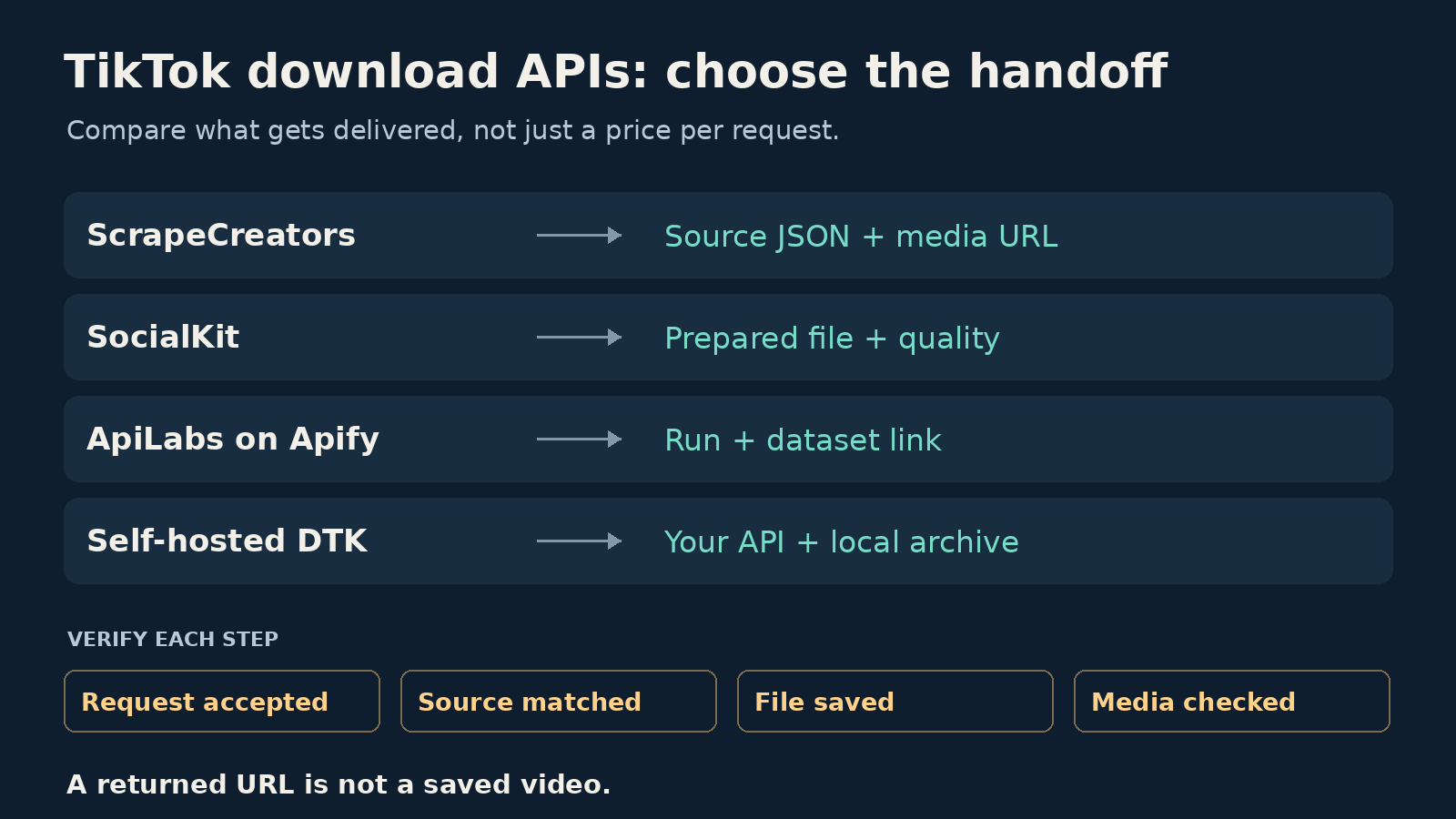
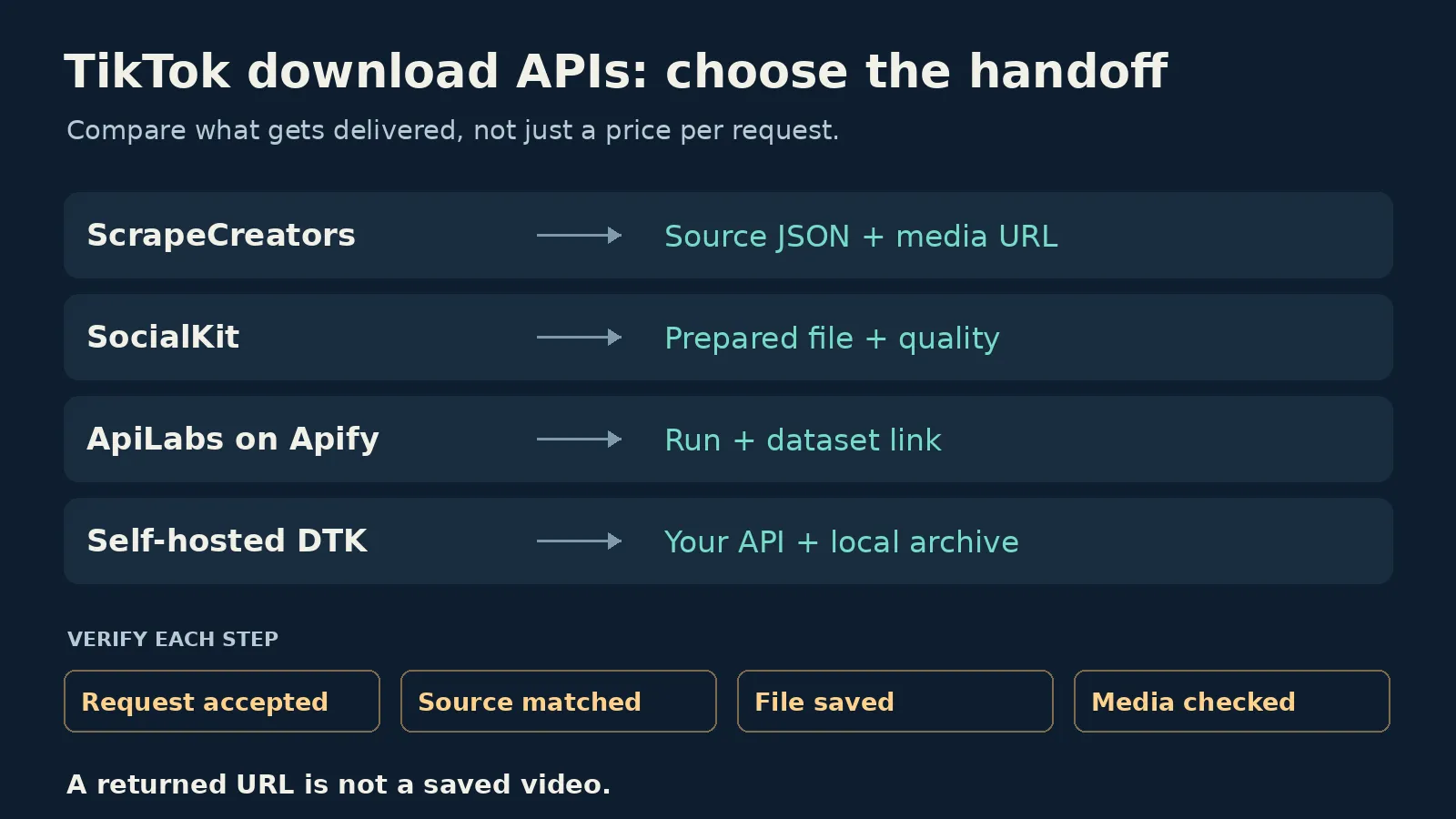
For a TikTok video downloader API, I would choose ScrapeCreators when I need public-post metadata and a media URL inside an existing app. Choose SocialKit when the service should prepare a format and report the delivered quality. Choose ApiLabs’ downloader on Apify for an Actor-based workflow. Choose Douyin_TikTok_Download_API when you want to operate the API and storage yourself.
A returned URL is not a saved video. Decide who retrieves the bytes, checks the file and keeps it available before comparing prices.
I run ScrapeCreators. I checked the linked documentation and prices on November 25, 2026. I executed the ScrapeCreators example below and inspected its downloaded file. I did not run the competing paid services or deploy the self-hosted stack.
Choose who should deliver the file
| Option | What your application receives | Current cost unit | Choose it when |
|---|---|---|---|
| ScrapeCreators | Public-post JSON with media URLs; optional hosted-media output | Normally 1 credit for live detail; download_media=true costs 10 when media is found, 1 otherwise | You need metadata beside the media and control the ingestion pipeline |
| SocialKit | Prepared download URL, or an asynchronous job with measured file metadata | Credits per started minute, with a separate HD tier | You want conversion, quality requirements and job polling handled for you |
| ApiLabs on Apify | An Actor run and dataset containing a download link | $0.01 per result event, plus start events and this Actor’s platform usage | Your workflow already uses Apify runs, datasets and automation |
| Douyin_TikTok_Download_API | Your own REST service, queued tasks, archive and local media storage | Open-source software; you pay infrastructure and operations | You want deployment and storage control and can maintain the stack |
These are different handoffs, not four interchangeable prices per MP4. The source links below explain the current billing rules.
This is a provider-selection guide for known video URLs. Our TikTok scraper comparison covers broader collection jobs. Our download-and-store tutorial covers the implementation after you choose a provider. Use those for the adjacent collection and storage work.
1. ScrapeCreators for metadata and media ingestion
The ScrapeCreators TikTok API is useful when a saved video belongs beside a source record: post ID, creator, caption and public engagement data. The video detail endpoint accepts a public TikTok URL and returns aweme_detail.
For a no-watermark URL, the current documented selection order matters:
- Use
aweme_detail.video.download_no_watermark_addr.url_list[0]when present. - Otherwise, use
aweme_detail.video.play_addr.url_list[0]only whenhas_watermarkis explicitlyfalse. - If neither condition holds, record that a suitable URL was not returned. Do not quietly treat an arbitrary playback link as watermark-free.
The example post returned has_watermark: true and a separate download_no_watermark_addr. That is why rejecting every response with a true flag would discard a documented alternative rendition. This API selects available source URLs; the example does not erase a watermark from downloaded frames.
Normal live detail retrieval costs one credit. A cache hit costs zero when the request is actually served from cache. The optional download_media=true flow returns hosted media URLs and costs 10 credits total when media is found, 1 otherwise. I did not execute that upload option for this article, so the file check below is evidence for the ordinary URL-and-download workflow, not a storage-lifetime test.
Prepaid pricing starts at $47 for 25,000 credits, with no subscription. That is a credit purchase, not a guarantee of 25,000 successfully saved files. Your own transfers, storage, retries and file checks remain separate.
Choose ScrapeCreators if public metadata and source identity are part of the same application. Choose another option if you mainly need a service to transcode files or enforce a particular output resolution. The endpoint does not promise a user-selected 1080p rendition for every post. Photo posts also need their own image handling rather than being forced into an MP4 path.
2. SocialKit for prepared files and quality requirements
SocialKit’s synchronous TikTok download API accepts url, format and quality. It documents a prepared downloadUrl, file size and a one-hour signed-link lifetime. The synchronous route has a 30 MB file limit.
For longer or larger files, its v2 asynchronous API is a different completion model: submit a job, retain jobId, then poll until data.status is ready or failed. It documents a 2 GB download limit and a quality ceiling of 1080p. A successful status lookup is not itself a successful download; failed jobs can still be retrieved with HTTP 200.
The useful distinction is requested versus delivered quality. V2 reports requestedQuality, measured quality, width, height, qualityVerified and fallbackUsed. For an editing pipeline that cannot accept a smaller file, its documented min_quality setting can reject an inadequate result without charging. That is more useful than merely putting “HD” in a download button.
Current v2 billing is 1 credit per started minute for audio or video below the HD tier, and 4 credits per started minute when both requested and delivered video quality qualify for HD. The delivered tier caps the charge at the requested tier. Failed jobs and repeated status polls use zero credits. A new successful job can be charged even when it reuses a cached file; polling an existing paid job refreshes access to that same file without another charge.
The current purchase page offers subscriptions and separate, nonexpiring credit packs. The pay-as-you-go tab lists $30 for 3,000 credits, $49 for 15,000, and $249 for 150,000, without a subscription requirement. Do not convert a credit into “one video”: duration and quality change consumption, and existing accounts may retain earlier rates during the stated rollout window.
Choose SocialKit if conversion and a checked minimum quality belong inside the provider’s job. Choose another option if you only need a source URL and want to avoid a file-preparation step. These are documentation-verified features, not results from a paid job I ran.
3. ApiLabs on Apify for an Actor-based download job
The specific listing is ApiLabs’ TikTok Video Downloader, not every TikTok Actor on Apify. It describes full-video or audio-only extraction, FFmpeg processing and proxy configuration. Its output example contains download_link and status_code.
There is a practical documentation mismatch to resolve before integration. The current input schema requires a urls array, with optional audioOnly, ffmpeg and proxy. Parts of the README instead show singular url, onlyAudio or useFFmpeg. I would build against the current schema and verify one completed run rather than copy the older prose or example unchanged.
Its pricing tab lists $10 per 1,000 result events. The current public Actor pricing record also includes an Actor-start event of $0.00005 per GB of Actor memory, with a minimum of one event, and marks platform usage as paid by the user. Compute and applicable proxy usage are therefore separate for this Actor. That is not a claim about every Apify listing’s billing model.
Check which dataset and storage objects belong to the run you just completed. The README’s example reads the latest row of a named dataset; that is not a safe substitute for matching each requested source when several jobs overlap. Save the run identifier, requested URL and returned record together.
Choose this Actor if Apify is already your automation workspace and you want a hosted job rather than another request service. Choose another route if a direct metadata request is enough, or if the input-documentation mismatch is unacceptable without a trial. I did not execute this Actor, compare its speed or verify its downloaded media.
4. Douyin_TikTok_Download_API for a service you operate
Evil0ctal’s Douyin_TikTok_Download_API is a self-hosted option with REST, a console, queued work, an archive and media downloads. Its current default-branch documentation describes a substantially larger service than a small wrapper around one download URL.
The installation guide includes PostgreSQL with TimescaleDB, Redis and optional browser and downloader components. TikTok identities must be supplied or minted through the configured browser component. “Self-hosted” does not mean the deployment has no session, storage or maintenance work.
Its REST guide documents asynchronous submission and task lookup. In particular, a successful HTTP lookup can contain a failed task. Your application must inspect the task state and error rather than equate HTTP 200 with a retrieved post or saved file.
The project uses Apache 2.0. There is no hosted per-file purchase in this comparison: you fund the machine, transfers, storage and maintenance. I inspected the documentation, not a running installation, and did not benchmark its current TikTok retrieval.
Choose it if controlling the deployed service and archive is worth the operational burden. Choose a managed option if you want to send a request without maintaining the retrieval stack. Keep the software’s license and your content-rights review separate.
A real request followed by a real file
Run this standard-library Python example with SCRAPE_CREATORS_API_KEY set in your environment. It makes one detail request, checks the exact post ID, selects the documented no-watermark field, and saves the bytes under the numeric ID. It deliberately fails if the response lacks a suitable URL.
The 50 MiB download cap is a safety choice in this example, not a ScrapeCreators endpoint limit. The API credential is never forwarded to the media host. Keep credentials on your server rather than embedding them in a public downloader page.
import hashlib
import json
import os
import re
from datetime import datetime, timezone
from pathlib import Path
from urllib.parse import urlencode
from urllib.request import Request, urlopen

source = "https://www.tiktok.com/@mkbhd/video/7647628388932259086"
endpoint = "https://api.scrapecreators.com/v2/tiktok/video"
request = Request(endpoint + "?" + urlencode({"url": source}), headers={
    "x-api-key": os.environ["SCRAPE_CREATORS_API_KEY"]
})
with urlopen(request, timeout=40) as response:
    body = json.load(response)
    api_status = response.status
if body.get("success") is not True:
    raise RuntimeError("The detail request did not succeed")
post = body["aweme_detail"]
post_id = str(post["aweme_id"])
if post_id != "7647628388932259086" or not re.fullmatch(r"\d+", post_id):
    raise RuntimeError("Unexpected source identity")
video = post.get("video") or {}
urls = (video.get("download_no_watermark_addr") or {}).get("url_list")
selected_field = "download_no_watermark_addr"
if not urls and video.get("has_watermark") is False:
    urls = (video.get("play_addr") or {}).get("url_list")
    selected_field = "play_addr"
if not urls:
    raise RuntimeError("No documented no-watermark video URL; this may be a photo post")

# The API key goes only to ScrapeCreators, never to the media host.
target = Path(post_id + ".mp4")
limit = 50 * 1024 * 1024  # This example's safety cap, not an API limit.
size = 0
try:
    with urlopen(urls[0], timeout=60) as media, target.open("wb") as out:
        media_status = media.status
        content_type = media.headers.get_content_type()
        if media_status != 200 or content_type != "video/mp4":
            raise RuntimeError("Expected a complete MP4 response")
        while chunk := media.read(1024 * 1024):
            size += len(chunk)
            if size > limit:
                raise RuntimeError("Example file-size cap exceeded")
            out.write(chunk)
    if size == 0:
        raise RuntimeError("Empty media file")
except Exception:
    target.unlink(missing_ok=True)
    raise

receipt = {
    "source_url": source, "post_id": post_id,
    "received_at": datetime.now(timezone.utc).isoformat(),
    "api_status": api_status, "credits_charged": body.get("credits_charged"),
    "selected_field": selected_field,
    "source_has_watermark": video.get("has_watermark"),
    "source_width": video.get("width"), "source_height": video.get("height"),
    "media_status": media_status, "content_type": content_type,
    "bytes": size, "sha256": hashlib.sha256(target.read_bytes()).hexdigest()
}
Path(post_id + ".json").write_text(json.dumps(receipt, indent=2))
print(json.dumps(receipt, indent=2))
On November 25, 2026, this exact script returned HTTP 200 for the API request, charged 1 credit, and retrieved HTTP 200 with video/mp4. It saved 26,127,260 bytes for post 7647628388932259086, selecting download_no_watermark_addr while the source’s general has_watermark field was true.
I inspected the saved file with ffprobe. It reported 720 × 1280 H.264 video, an AAC audio track, and a container duration of 164.899 seconds. Those are file observations, not an assessment of visual fidelity, every frame’s watermark state or the quality of the audio throughout. They do not establish that every post downloads successfully.
Two earlier detail-only fixtures, for this post and a different public post, both returned matching IDs, separate no-watermark URLs and a one-credit charge. Only the exact script’s file above was downloaded and inspected. I did not test expiry, bulk completeness or a private-account workflow.
Check the handoff before buying more
A Code with Vincent walkthrough and its discussion separate finding post URLs from downloading files. One substantive reply describes captions breaking filenames because they contain long or unusual characters. That changed the example here: the filename uses a checked numeric post ID, while captions stay metadata.
A DataHoarder discussion about a large saved-link list also describes incomplete retrieval and the difficulty of resuming. Those are qualitative workflow questions, not a reliability benchmark or proof that a particular service is best.
For your own trial, use a deliberately varied source list and record these separately:
- Identity: requested URL, returned post ID and creator. A downloaded file for the wrong post is a failure.
- Completion: request status, job state, usable link, completed transfer and parseable file. Each is a separate step.
- Media: actual dimensions, audio presence, duration and the rendition selected. A JSON quality label is not a file inspection.
- Recovery: source-specific errors and resumable work. Do not mark a post globally deleted from one provider failure.
- Cost: API or event charges, processing, bytes transferred and retained storage. Compare the whole handoff you need.
If you only have known links, do not buy a profile-discovery workflow by accident. If you need a creator’s whole archive, a one-video success does not establish pagination or complete historical coverage. Create a ScrapeCreators account if its metadata-and-ingestion handoff fits; otherwise start with the provider that owns the missing step.
Frequently asked questions
What is the best TikTok video downloader API?
Choose ScrapeCreators for public metadata and media URLs, SocialKit for prepared files and quality requirements, ApiLabs on Apify for an Actor workflow, or Douyin_TikTok_Download_API for self-hosted control. Compare the completed handoff and actual billing unit rather than treating every returned link as a saved video.
Can a TikTok download API guarantee no watermark and 1080p?
Do not assume either from a product name. ScrapeCreators documents a specific no-watermark URL field and a conditional playback fallback. SocialKit v2 documents measured quality and an optional minimum. Inspect the returned rendition and actual file; no sample here establishes that every source supplies watermark-free 1080p media.
Is TikTok’s official Data Portability API a public video downloader?
It is a different workflow. TikTok’s official download reference requires a user-authorized token, portability scopes and a request ID from an earlier data request, and returns a streamed ZIP. It is not the arbitrary public-post-URL retrieval contract compared here. See the official reference.
Does a successful API response mean the video is saved?
No. A detail response can contain a temporary media URL, a job submission can still be queued, and a successful status lookup can describe a failed job. Treat the transfer, local file and media inspection as separate completion checks. Store the file or use a verified hosting workflow if you need availability beyond the source link.