
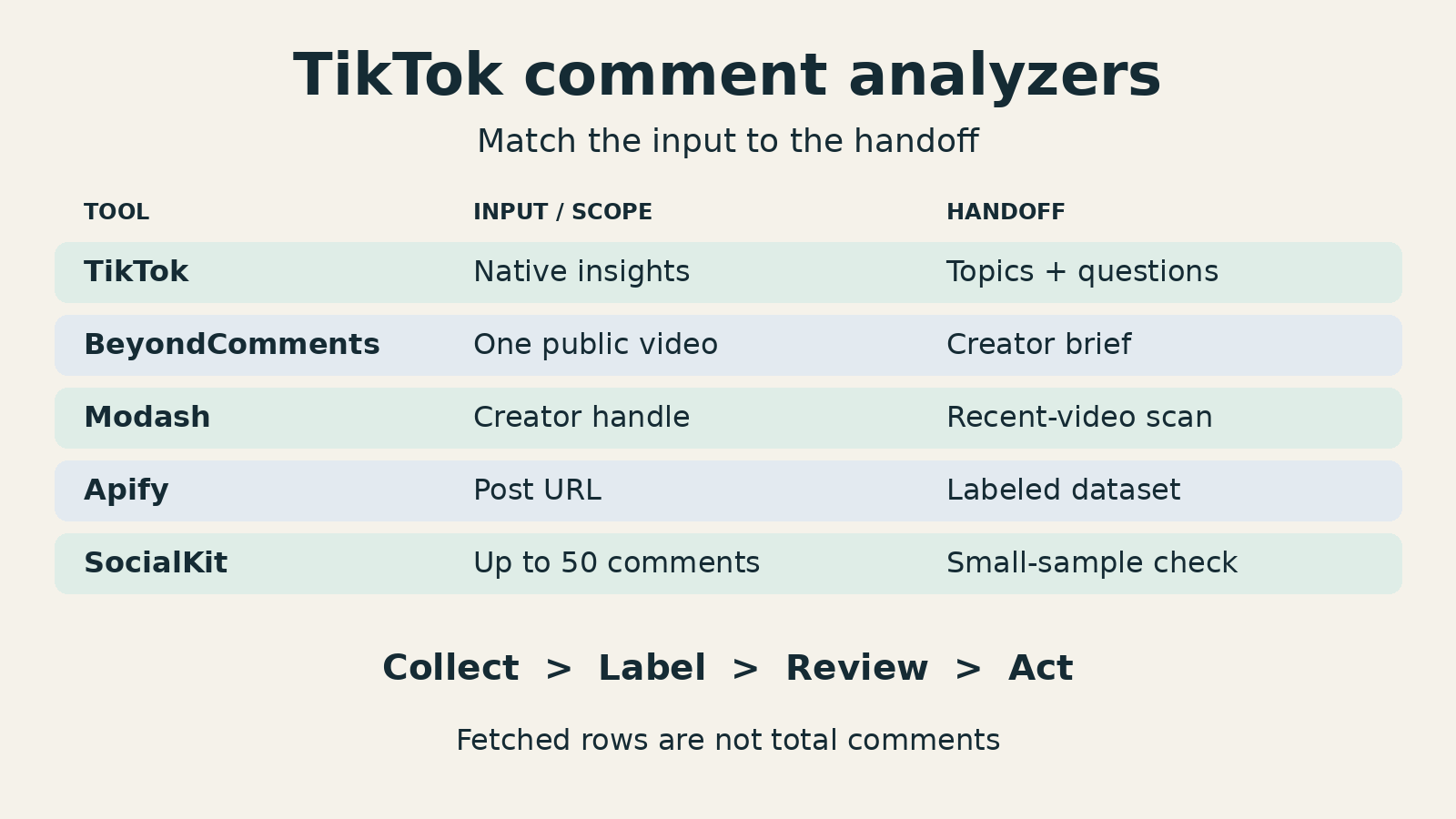
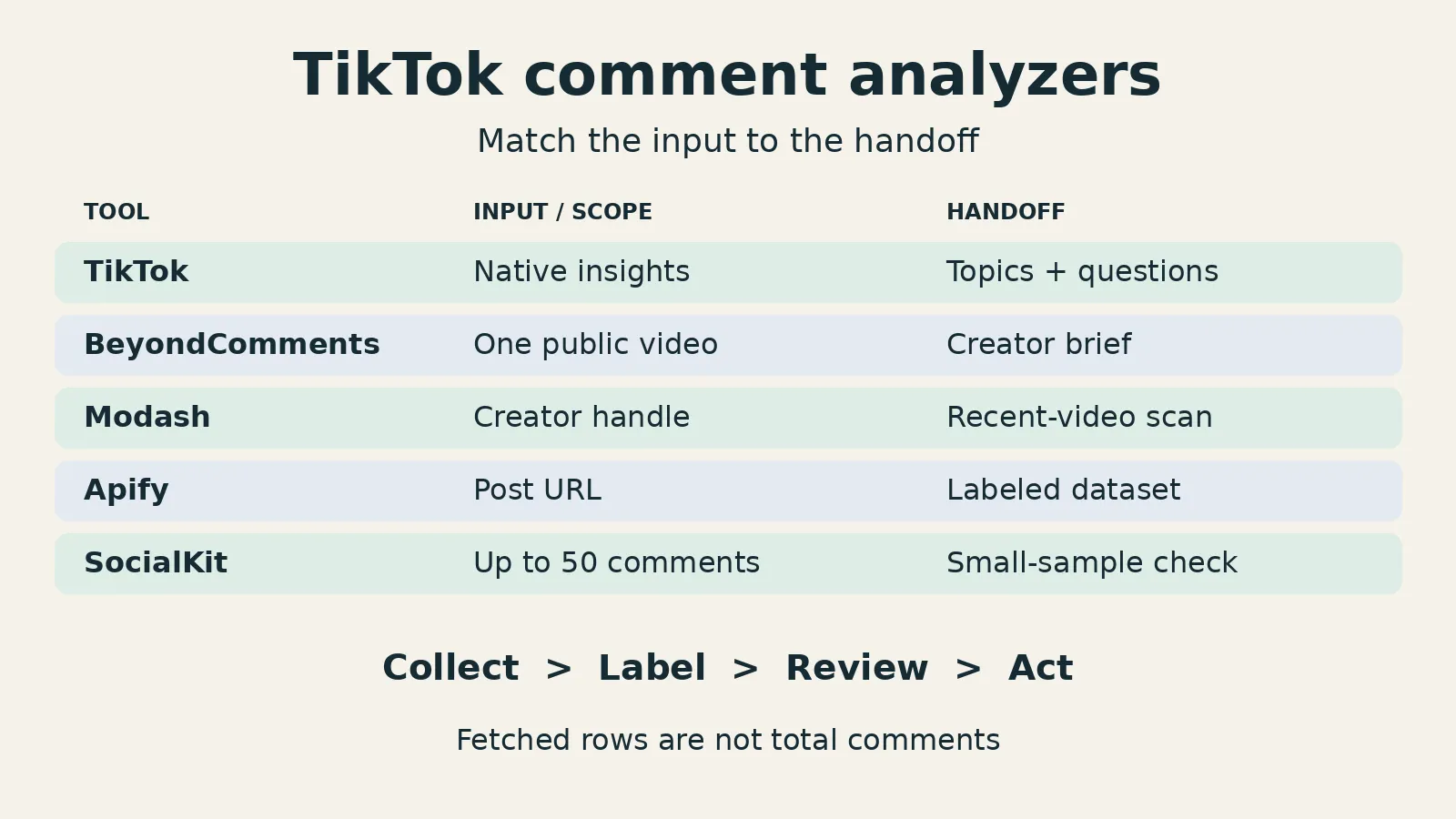
For a TikTok comment analyzer, start with TikTok’s native comment insights if the feature is available to you. Choose BeyondComments for a readable report on one public video, Modash for a creator-level scan, or Apify’s Comments Analyzer Agent for a dataset and automation. SocialKit is another small-sample option, but check access first: my attempt reached a sign-in page despite its no-registration wording.
My shortlist is based on the input and handoff you need, not a claim that one model understands every joke. Questions, product requests and criticism often matter more than a positive-versus-negative percentage.
I run ScrapeCreators. It supplies public comment data, not a finished comment-analysis report. I checked the sources below on November 23, 2026 and ran the bounded collection example. I did not run a paid analyzer or benchmark classification accuracy.
Compare the five comment analyzers
| Tool | Choose it for | Access and current billing | Boundary to check |
|---|---|---|---|
| TikTok comment insights | Native topics, suggestions and questions | Native TikTok feature; requires an eligible account and location | Age 18+, not available everywhere; do not assume a downloadable labeled dataset |
| BeyondComments | A creator brief from one public video | Free: up to 50 comments, three reports/day after sign-in. Paid packs start at $5 for 10,000 credits | Full report: up to 5,000 comments; replies are sampled, not exhaustive |
| Modash | Questions and likely buying intent across a creator’s recent videos | Free browser analyzer; Raw API access is a separate product | Last 12 videos and top-level comments in the free tool; my scan stopped at verification |
| Apify Comments Analyzer Agent | Structured sentiment results and an automated handoff | $1 per 1,000 comment events; platform costs included for this Actor | Input schema caps maxComments at 1,000 and defaults to 1; inspect the complete run’s charges |
| SocialKit | A small video-level sentiment and theme check | Browser page advertises free analysis of up to 50 comments | My Analyze attempt required sign-in; API comment retrieval is not proof of API classification |
These are different products. A report credit, an Actor event and a raw comment-page request do not buy the same work. If you only need a spreadsheet, our TikTok comment exporter comparison is the better starting point. If you are choosing collection infrastructure, see the separate comment scraper comparison.
1. TikTok comment insights for native audience questions
Check TikTok’s current comment-insights help before buying anything. TikTok says the feature uses AI to group frequently discussed topics, surface audience suggestions, and show positive comments or viewer questions. Availability varies by location, and users must be at least 18.
The official instructions cover your own posts and other creators’ posts. For example, the browser route for another creator goes through TikTok Studio’s Inspiration feed. That is different from promising that you can paste any public URL into a bulk export API.
Choose it if you want to decide which question to answer next inside TikTok. Choose another option if you need a saved client report, your own labels, a repeatable dataset, or access the native feature does not offer you. I verified the help page, not an authenticated creator account.
2. BeyondComments for a one-video creator brief
BeyondComments’ TikTok analyzer is the closest match here to “read this comment section and tell me what to make next.” Its documented report includes topics, questions, requests and criticism, with supporting comments. Full reports add suggested next moves, report chat and PDF export.
Its current pricing separates a small trial from larger reports. Free covers up to 50 comments and three reports per day after sign-in. The $5 USD pack contains 10,000 credits, valid for 12 months; TikTok comments use one credit each. The full-report ceiling is 5,000 comments, so a pack’s credit balance is not a single-report limit.
Reply coverage is specific: full reports add up to 10 replies from each of the 10 busiest threads. Free reports cover top-level comments only. Do not translate that into “all replies included.”
Choose it if you want a readable brief and occasional PDF without a recurring subscription. Choose another tool if your deliverable is a row-level research corpus or an account-wide history. I reviewed the report example and purchase terms, not a newly generated paid report.
3. Modash for a creator-level scan
Modash’s free analyzer starts with a creator handle rather than one video URL. Its explanation describes a profile lookup, the last 12 videos, then comment retrieval and checks for thin comments, questions and likely buying intent. Older pinned videos are skipped.
The expanded FAQ says the free tool reads top-level comments, not replies. Longer histories and reply collection belong to a custom Raw API workflow. The page also makes clear that the Raw API returns data; your code or model supplies custom analysis.
My quick scan of mkbhd reached a human-verification error and returned no report. I did not bypass it or treat the page’s preloaded Leo Cooks example as a live result. That is a limitation of this check, not evidence that the tool fails for everyone.
Choose it if you want to assess a creator’s recent comment mix rather than one isolated video. Choose another approach if thread context or an exact selected-video sample is essential. Free-tool access does not establish paid API pricing or entitlements.
4. Apify Comments Analyzer Agent for a dataset handoff
The Apify-maintained Comments Analyzer Agent accepts a post URL and documents sentiment labels, red flags and aggregate counts. Its example separates the summary from individual comment data, so check both outputs instead of stopping at a successful run status.
The input schema names postUrl and maxComments. The latter is required, defaults to 1, and has a maximum of 1,000. A nearby description says unspecified values scrape all comments; the schema constraints are a better reason to set your intended limit explicitly than to assume an unlimited run.
The pricing tab lists $1 per 1,000 comment events and includes platform costs. Its public pricing history also notes runs on other Actors. Inspect the actual complete workflow’s charges; do not assume either a universal extra compute surcharge or that one displayed event rate proves every downstream cost. No paid run was executed for this article.
Choose it if you want structured results with a scheduled or webhook-based handoff. Choose another tool if you want a finished creator brief without configuring an Actor and checking its output stores.
5. SocialKit for a small sample after checking access
SocialKit’s TikTok comments analyzer advertises sentiment, recurring themes and engagement insights. Its expanded FAQ says it analyzes up to 50 comments per video.
There is an access discrepancy worth knowing. The page says no registration is required, but submitting my public-video URL navigated to Sign In. I could not verify a finished analysis without an account, so I would check the actual flow before relying on it for an urgent handoff.
Its linked paid API is a separate purchase. The FAQ describes bulk comment retrieval; that alone does not prove that the API returns the same classification as the browser analyzer. Ask for a documented classified response if automation is the reason you are buying.
Choose it if a small sample answers your question and the current access flow works for you. Choose another option if you need an immediately verified no-login report, complete threads or a clearly documented analysis API.
Pick the question before you pick the sentiment chart
A comment can praise the presenter while criticizing the product. Another can ask where to buy something without expressing an intention to purchase. A useful analyzer should let you get back to the original text and its reply context.
The buyer questions I would separate are:
- Content planning: Which unanswered questions deserve a follow-up video?
- Product feedback: Which product, size or use case is the comment actually discussing?
- Creator evaluation: How much of the visible discussion contains specific questions rather than short reactions?
- Moderation: Which comments need review? A model flag is not a reason to delete automatically.
A small TikTok Shop discussion includes a seller interested in spotting requested restocks. That influenced the product-request check here. It is one person’s use case, not evidence of willingness to buy or a forecast of sales.
Keep three quantities separate: labeled comments, distinct commenters, and likes on those comments. They answer different questions. A like-weighted topic score is not a percentage of people, and a buying-intent label is not an order.
Build a reviewable sample with ScrapeCreators
If you need custom categories, start with an inspectable input file. The ScrapeCreators TikTok API can retrieve public comments and replies. You still supply classification, review and reporting. It is not a substitute for the finished tools above.
The comments reference and reply reference document separate requests. Keep parent pages untrimmed: trim=true removes the parent cid needed to fetch replies. Pass the video URL and that exact cid as comment_id.
This standard-library Python example makes one parent request and, when possible, one reply request for the first parent with replies. It deliberately does not crawl every page or classify anything. Set SCRAPE_CREATORS_API_KEY in your environment before running it. The private receipts file contains public source bodies and should not be committed to your application repository.
import json
import os
from datetime import datetime, timezone
from pathlib import Path
from urllib.parse import urlencode
from urllib.request import Request, urlopen

video_url = "https://www.tiktok.com/@mkbhd/video/7647628388932259086"
video_id = video_url.rsplit("/", 1)[1]
receipts = []

def get_page(path, params):
    request = Request(
        "https://api.scrapecreators.com" + path + "?" + urlencode(params),
        headers={"x-api-key": os.environ["SCRAPE_CREATORS_API_KEY"]},
    )
    with urlopen(request, timeout=60) as response:
        data = json.load(response)
        status = response.status
    if data.get("success") is not True or not isinstance(data.get("comments"), list):
        raise RuntimeError("Expected a successful comment page")
    for row in data["comments"]:
        if str(row.get("aweme_id")) != video_id:
            raise RuntimeError("Comment belongs to a different video")
    receipts.append({"path": path, "params": params, "status": status,
                     "received_at": datetime.now(timezone.utc).isoformat(), "body": data})
    return data

parents = get_page("/v1/tiktok/video/comments", {"url": video_url})
selected = next((row for row in parents["comments"]
                 if row.get("cid") and (row.get("reply_comment_total") or 0) > 0), None)
replies = None
if selected:
    replies = get_page("/v1/tiktok/video/comment/replies",
                       {"url": video_url, "comment_id": selected["cid"]})
    if any(str(row.get("reply_id")) != str(selected["cid"]) for row in replies["comments"]):
        raise RuntimeError("Reply parent does not match")

rows = {}
for kind, source in [("parent", parents), ("reply", replies)]:
    if source is None:
        continue
    for row in source["comments"]:
        comment_id = str(row["cid"])
        rows[(video_id, comment_id)] = {
            "comment_id": comment_id, "video_url": video_url,
            "parent_id": str(selected["cid"]) if kind == "reply" else None,
            "kind": kind, "text": row.get("text"),
            "likes": row.get("digg_count"), "language": row.get("comment_language"),
            "source_created_unix": row.get("create_time"),
            "theme": None, "sentiment": None, "review_status": "unreviewed",
        }
packet = {
    "scope": "One parent page and at most one reply page for one parent",
    "video_url": video_url,
    "source_reported_total": parents.get("total"),
    "parent_rows": len(parents["comments"]),
    "declared_replies_on_fetched_parents": sum(
        row.get("reply_comment_total") or 0 for row in parents["comments"]),
    "reply_rows": len(replies["comments"]) if replies else 0,
    "unique_rows": len(rows),
    "parent_has_more": parents.get("has_more"),
    "parent_cursor": parents.get("cursor"),
    "selected_reply_parent": str(selected["cid"]) if selected else None,
    "reply_has_more": replies.get("has_more") if replies else None,
    "reply_cursor": replies.get("cursor") if replies else None,
    "rows": list(rows.values()),
}
Path("comment-review.json").write_text(json.dumps(packet, ensure_ascii=False, indent=2))
Path("private-receipts.json").write_text(json.dumps(receipts, ensure_ascii=False, indent=2))
print(json.dumps({key: value for key, value in packet.items() if key != "rows"}))
I ran this exact script on November 23. It returned 48 parent rows and three reply rows, 51 unique comment IDs, across two successful requests costing two credits. The parent response reported total=974; fetched parents declared 128 replies in aggregate. Both the parent page and the selected reply thread still had more data. Neither 974 nor 128 is the number of rows analyzed.
Every saved row starts with null theme and sentiment fields and an unreviewed status. That is intentional. The script has collected evidence, not produced an AI verdict. It also verifies the source video ID and the reply-parent relationship before saving the packet.
At the current ScrapeCreators pricing, $47 buys 25,000 prepaid credits. A nonempty parent-comment page costs one credit; empty parent pages cost zero. Successful reply requests cost one credit, including a successful empty result. Classification and storage are separate costs. You can create an account to inspect the API, but choose a finished analyzer if you do not want to build the remaining workflow.
A trial that shows whether the report is useful
Use the same public video and a clearly declared sample when comparing tools. Different samples cannot establish which model is more accurate.
First, record the input, retrieval time, comments fetched, replies fetched, remaining cursors and any excluded rows. Then manually review a small set containing a real product question, an emoji-only response, a mixed opinion, a joke and a reply that changes its parent’s meaning. These are proposed trial cases, not a benchmark performed here.
Ask each tool for a short evidence-backed brief: the strongest repeated question, the main product request, one useful criticism and the comments supporting each finding. If a result cannot identify its supporting sample, treat its fluent explanation as a lead to investigate.
Finally, check the handoff. Can your colleague open the report, inspect the source comments, correct an interpretation and retain the sampling limits? For a creator choosing tomorrow’s video, that can be enough. For a study comparing sentiment over time, you also need stable collection rules, comparable windows and a defined treatment of replies and uncertain labels.
Frequently asked questions
What is the best TikTok comment analyzer?
Start with TikTok comment insights when available. BeyondComments fits a one-video creator brief, Modash fits a recent creator-level scan, and Apify’s Comments Analyzer Agent fits structured automation. SocialKit is a small-sample candidate, but verify its access flow. No accuracy winner was established here.
Is there a free TikTok comment analyzer?
TikTok has native comment insights for eligible users. BeyondComments advertises up to 50 comments and three free reports per day after sign-in. Modash offers a free creator scan. SocialKit advertises free analysis of up to 50 comments, but our submission required sign-in. Free access does not mean complete coverage.
Do TikTok comment analyzers include replies?
It depends on the tool. Modash’s free analyzer excludes replies. BeyondComments’ full reports sample up to 10 replies from each of 10 busy threads, while its free reports are top-level only. In a custom API workflow, fetch replies separately and record remaining cursors. A declared reply count is not reply text.
Can ScrapeCreators analyze TikTok comment sentiment?
Not in the comments endpoints or example covered here. ScrapeCreators retrieves public comments and replies. Your code, model or analysis service adds sentiment and themes. Keep those labels separate from the original text and review uncertain cases before using them in a report.