
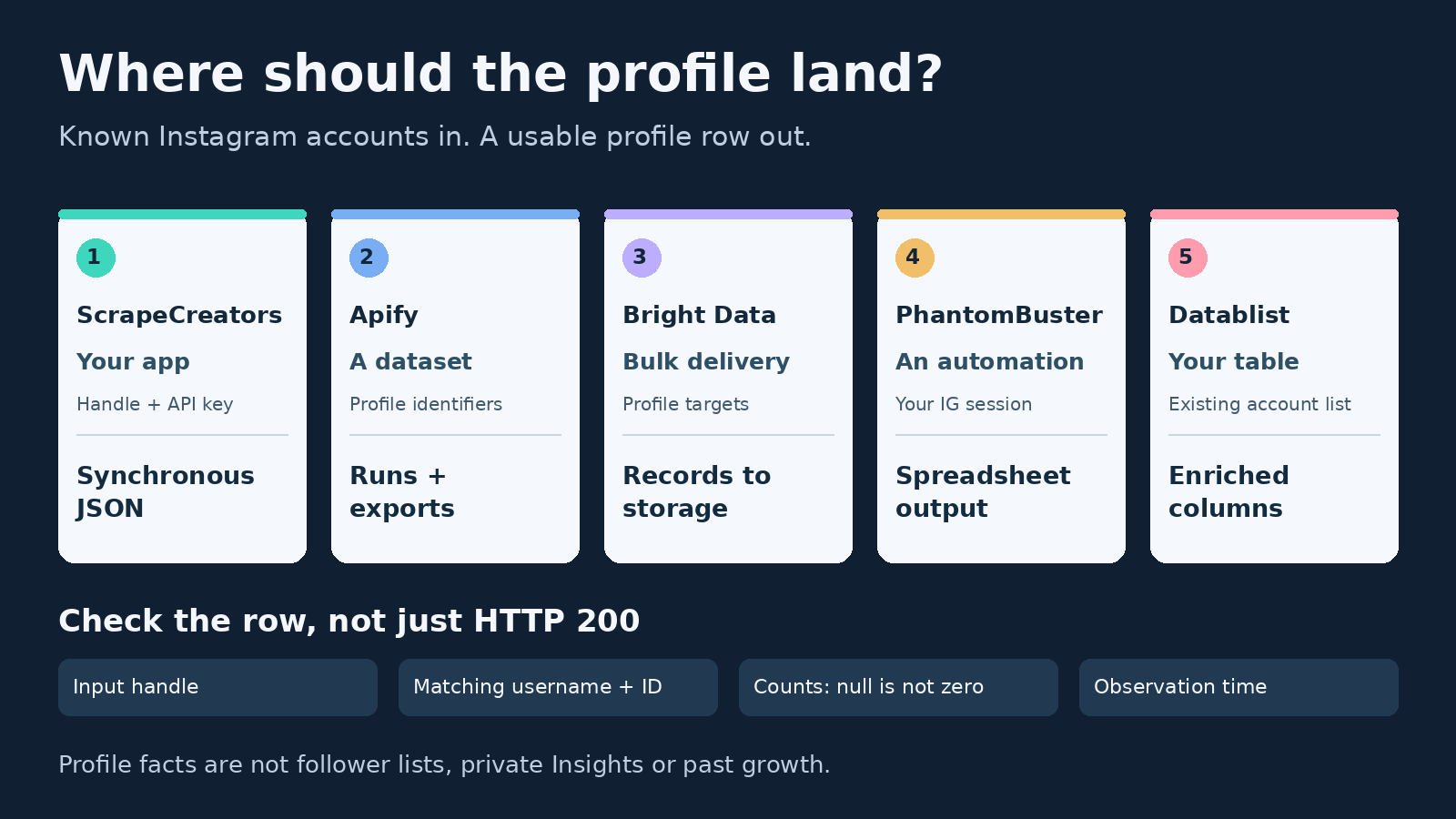
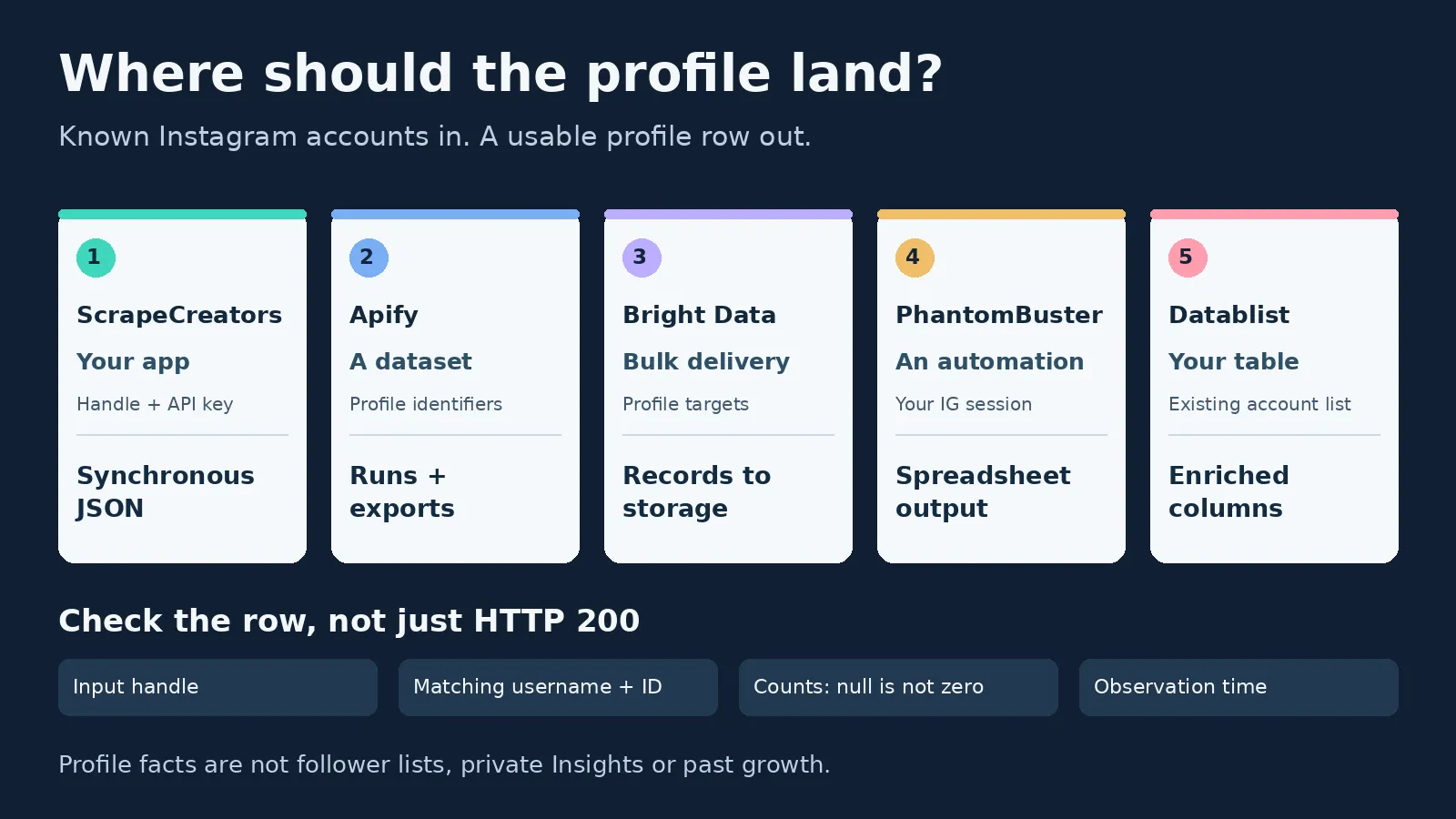
The best Instagram profile scraper depends on where the profile needs to go. ScrapeCreators is my pick for developers who already have handles and want synchronous public-profile JSON. Choose Apify for scheduled batch datasets, Bright Data for managed bulk delivery, PhantomBuster for automation through your Instagram session, or Datablist for enriching a spreadsheet.
A profile lookup answers “What public facts can I retrieve about this account?” It is not the same job as finding every creator in a city, exporting followers or measuring private account Insights.
I run ScrapeCreators, so my recommendation is not neutral. I checked the primary pages and ran our example on November 19, 2026. I did not run the other vendors or benchmark their accuracy, speed or reliability.
Choose the profile workflow
Start with the input and the handoff. A list of known handles going into an application is a different purchase from an analyst’s spreadsheet or a recurring dataset.
| Tool | Choose it when | Access and handoff | Current cost unit | Check before buying |
|---|---|---|---|---|
| ScrapeCreators | Your app needs public facts for a known handle | API key; synchronous JSON without your Instagram session | One credit per successful profile request; $47 buys 25,000 credits | Validate the returned username and account state |
| Apify Instagram Profile Scraper | You want batches, schedules and dataset exports | Actor inputs, runs and datasets; public-data collection | Profile events: $2.60 per 1,000 on Free, $2.30 on Starter; optional About-account event costs extra | The $1.60 headline is the Business-tier profile rate |
| Bright Data Instagram Profiles | Your workflow needs managed record delivery | Profile targets to structured data; API, webhook or storage delivery | Pay as you go: $1.50 per 1,000 records; 5,000 monthly free records advertised | Match completed records back to the submitted accounts |
| PhantomBuster Instagram Profile Scraper | You already use account-connected automations | Instagram cookie and profile list to downloadable data | Start: $69 monthly for 20 execution hours/month and five slots | This Phantom specifies 100 profiles/day across hourly launches |
| Datablist | You want profile columns beside your existing rows | Browser lookup, bulk collection or task-based API | Public username/URL lookup starts at one credit; richer modes cost more | Paid plan and API access are separate from per-profile credits |
These figures buy different things. A request, delivered record, execution hour and enrichment credit are not interchangeable. Each section links to the current primary pricing source.
For posts, Reels, comments and broader collection choices, use the separate Instagram scraper comparison. This selector focuses on turning an account identifier into a usable profile row.
1. ScrapeCreators for a profile inside your app
ScrapeCreators’ Instagram API fits a straightforward integration: send a handle, receive JSON, then join the result to a record in your own system. You do not supply an Instagram password or session cookie.
The profile reference documents handle and the optional trim flag. The example below uses trim=true and projects only account identity, follower/following counts, post count and verification. The response can contain more information; trimming is not the same as selecting exactly those CSV columns.
Three public fixtures returned the requested accounts in this run. All three had a null category_name. That is an unavailable value, not evidence that those accounts have no category. Keep nulls instead of silently turning them into an empty label or a confident classification.
Our prepaid pricing starts at $47 for 25,000 non-expiring credits, without a subscription. Each successful profile request in this article charged one credit. At that pack rate, 1,000 one-credit requests allocate $1.88 of the pack. You still buy the $47 pack; this is not a $1.88 checkout option.
Choose another tool if the deliverable is an immediately downloadable batch or a spreadsheet workspace you do not want to build. The API supplies the data. Your code owns storage, repeat runs and the final file.
2. Apify for scheduled profile datasets
The relevant product is Apify’s maintained Instagram Profile Scraper, not every Instagram Actor in its marketplace. It takes profile identifiers and supports dataset export, scheduling and integration with other tools.
Its current input schema uses the required usernames array. The optional includeAboutSection flag defaults to false and is available to paying users. That option adds a different job, such as account join-date and country information when available. It is not a guarantee of country data for every account.
Read the event-pricing tab, not just the headline. The Profile event is $2.60/$2.30/$2.00/$1.60 per 1,000 on Free/Starter/Scale/Business. The About-account add-on is another $7/$6/$5/$4 per 1,000 respectively. Platform costs are marked included for this listing, so I would not add an imaginary compute or proxy surcharge to every profile.
The same page lists Starter at $19/month with $19 of spending credit. The lowest profile-event rate belongs to the $999/month Business tier. Choose Apify when saved runs and exportable datasets are useful parts of the job; verify the selected events before estimating your batch cost.
3. Bright Data for managed bulk delivery
Bright Data’s Instagram Profiles scraper is worth considering when the handoff is a large structured delivery rather than a single profile inside a page request. Its product page lists account identifiers, biography, counts, verification and external-link fields, with JSON, NDJSON or CSV delivery.
The page advertises up to 5,000 target URLs in one API call and delivery through the API, a webhook or cloud storage. That can reduce the amount of batch-delivery infrastructure you build. It does not remove the need to reconcile inputs, failed targets and final records.
Current pay-as-you-go pricing is $1.50 per 1,000 records, alongside an advertised 5,000-record monthly free tier without a card. The page says proxies, unblocking, parsing and related delivery costs are included, and it charges for successfully delivered results. Those are the vendor’s terms, not a delivery or reliability benchmark I ran.
Choose Bright Data for a record-delivery workflow with those managed pieces. Choose a smaller synchronous API if your application needs to look up one account and use the result immediately. Before committing to volume, check how your chosen scraper reports completion, errors and account identity.
4. PhantomBuster for account-connected automation
PhantomBuster’s Instagram Profile Scraper has a materially different access model. It asks for your Instagram cookie and a list of profile URLs, commonly supplied through a spreadsheet. Its cloud runs can continue while your browser is closed.
The product lists names, bios, counts, profile flags and email addresses specified in bios. It says hidden contact information is not retrieved. Its page specifies a maximum of 100 profiles per day, spread across one launch per hour. That is this automation’s guidance, not a universal Instagram limit or a capacity increase you get merely by buying more execution hours.
On the pricing page, I selected Monthly and confirmed Start at $69/month, with five slots and 20 execution hours per month. The annual alternative shows $56/month but bills $672 annually. The 14-day trial limits exports to ten rows, so a working preview is not a full-file entitlement.
Choose it when the profile step belongs in an existing PhantomBuster workflow and you accept the account connection. Choose another model if sharing that session or maintaining account-dependent runs does not fit your application.
5. Datablist for spreadsheet-first enrichment
Datablist’s bulk Instagram enrichment fits an analyst who already has a CSV or Excel list. Keep the original identifier column, add the desired profile fields, then inspect each row’s run status. Its separate single-profile tool advertises CSV and JSON downloads without an Instagram session, within the daily allowance shown by the form.
Mode selection changes both fields and credits. The API reference says public starts at one credit for a username or URL and excludes email and phone. The richer default profile mode starts at two credits for an ID, or three for a username/URL. About-account data costs extra. Some screens call the richer mode “Private profile”; that label is not proof of access to private posts.
The settled Monthly pricing page shows Starter at $25 with 5,000 credits/month and Growth at $50 with 20,000. REST API and automation access sit on Growth. Plan credits reset; non-expiring top-ups require a paid plan. Do not borrow another enrichment’s credit price for Instagram or assume 500 free credits buy 500 richer lookups.
Choose Datablist for visible row-by-row enrichment and cleanup. For its API, budget the task workflow too: submission returns an accepted task, and results have their own status, error and creditsUsed fields.
A profile snapshot you can check
This standard-library Python example makes one request for each of three known public accounts. It checks identity, rejects a private/error result and preserves the source response before writing a small CSV. Set SCRAPE_CREATORS_API_KEY in your environment first.
import csv
import json
import os
import re
import time
from datetime import datetime, timezone
from pathlib import Path
from urllib.parse import urlencode
from urllib.request import Request, urlopen

API = "https://api.scrapecreators.com/v1/instagram/profile"
HANDLES = ["nasa", "patagonia", "mrbeast"]
headers = {"x-api-key": os.environ["SCRAPE_CREATORS_API_KEY"]}
rows, captures = [], []
seen = set()

for handle in HANDLES:
    if not re.fullmatch(r"[A-Za-z0-9._]{1,30}", handle):
        raise ValueError("Use a handle, not a post URL or a search phrase")
    key = handle.lower()
    if key in seen:
        continue
    seen.add(key)
    params = {"handle": handle, "trim": "true"}
    started = time.monotonic()
    request = Request(API + "?" + urlencode(params), headers=headers)
    with urlopen(request, timeout=45) as response:
        payload = json.load(response)
        status = response.status
    elapsed = round(time.monotonic() - started, 3)
    captures.append({"params": params, "status": status,
                     "elapsed_seconds": elapsed, "response": payload})
    Path("profile-source.json").write_text(
        json.dumps(captures, ensure_ascii=False, indent=2), encoding="utf-8")
    user = payload.get("data", {}).get("user")
    if payload.get("success") is not True or payload.get("error"):
        raise RuntimeError("Profile lookup did not return a usable public result")
    if not isinstance(user, dict) or user.get("is_private") is not False:
        raise RuntimeError("This example only accepts public profiles")
    if user.get("username", "").lower() != key:
        raise RuntimeError("Returned account does not match the input")
    if not isinstance(user.get("id"), str) or not user["id"]:
        raise RuntimeError("Missing stable account ID")

    def count(field):
        value = user.get(field)
        return value.get("count") if isinstance(value, dict) else None

    rows.append({
        "requested_handle": handle,
        "returned_username": user["username"],
        "instagram_user_id": user["id"],
        "follower_count": count("edge_followed_by"),
        "following_count": count("edge_follow"),
        "post_count": count("edge_owner_to_timeline_media"),
        "is_verified": user.get("is_verified"),
        "observed_at": datetime.now(timezone.utc).isoformat(),
    })

with Path("profile-snapshot.csv").open("w", encoding="utf-8-sig", newline="") as file:
    writer = csv.DictWriter(file, fieldnames=list(rows[0]))
    writer.writeheader()
    writer.writerows(rows)
print(json.dumps({"matched_profiles": len(rows), "credits_charged": sum(
    item["response"]["credits_charged"] for item in captures)}))
I ran this exact code on November 19, 2026. It wrote three matched rows for nasa, patagonia and mrbeast, for three credits. The three requests returned HTTP 200 in 7.494, 4.875 and 11.270 seconds respectively. This small observation is not a speed or reliability comparison.
The file preserves IDs as strings in Python and JSON. When importing CSV into a spreadsheet, explicitly set identifier columns to text. The code only exports validated handles, IDs, counts, flags and timestamps; it does not export untrusted biography text as spreadsheet formulas.
The raw JSON keeps fields the CSV omits, including null categories. observed_at is our collection time, not the account’s creation date or an independently verified timestamp for every count. Two requests can observe different follower totals without establishing a historical growth trend.
A separate malformed-handle control returned HTTP 400 with zero credits charged. Do not generalize that into “every unusable result is free.” The current profile handler can return a charged HTTP-200 account-state response, so inspect the body and validate the requested account rather than accepting the status code alone.
If you extend this into a list, keep a per-input outcome and budget. This deliberately small example stops on an error; it is not a resumable production queue, creator-discovery engine or complete post archive. The Instagram implementation guide covers the broader collection workflow.
What to check before buying a large run
I would evaluate a candidate with the same input list and an explicit definition of a useful row:
- Identity: retain your input alongside the returned username and stable account ID. Reject a successful response for a different account.
- Missing data: distinguish zero, false, null and an absent field. A missing business category or email should not become a fabricated value.
- Scope: decide whether you need profile facts, contact details, post history or followers. A count does not supply the underlying records.
- Completion: for a batch or task, track accepted, finished, failed and partially useful work separately. A job ID is not the dataset.
- Cost: record the required plan or pack, consumed credits/events, optional enrichment and actual useful rows. Retry and refresh policies can change the bill.
The separation between finding accounts and enriching them came up in Apify’s profile tutorial and its comments. Viewers asked about topic searches, location, follower lists and contact details. A fetched creator reply directed concept discovery to a different collection workflow. That is why this comparison starts with known identifiers rather than promising a searchable database of everyone.
Jan van Musscher’s walkthrough also shows the input problem: a discovery list can contain post and Explore URLs rather than profiles. Its older prices and browser steps are not evidence of today’s purchase terms. Validate inputs before spending enrichment credits.
Finally, repeated lookups create observations from the point you start storing them. They do not reconstruct last year’s follower history or reveal private reach, saves, audience demographics or conversions. If those are the real requirements, start with an authorized analytics product instead of buying a profile scraper.
Frequently asked questions
What is the best Instagram profile scraper?
ScrapeCreators fits a developer who already has handles and wants synchronous public-profile JSON. Apify fits scheduled batch datasets, Bright Data fits managed bulk delivery, PhantomBuster fits account-connected automation, and Datablist fits spreadsheet enrichment. Choose by the workflow and fields you need, not a universal ranking.
Can an Instagram profile scraper find creators by location or age?
A profile lookup enriches identifiers you already have. It does not establish a complete discovery database or verified age and location filters. Profile country, post location and audience location mean different things. Use a discovery product when finding accounts is the main job.
Can a profile scraper return every follower or private post?
A follower count is not a follower list, and a profile result is not access to private posts. Check the specific collection route and its access rules. This comparison covers profile enrichment, not a private-content viewer or a complete follower export.
How should I compare Instagram profile scraping prices?
Compare the required purchase, billable object, optional fields and delivery work. ScrapeCreators bills request credits, the reviewed Apify Actor bills profile and optional About-account events, Bright Data bills delivered records, PhantomBuster sells execution capacity, and Datablist uses mode-dependent enrichment credits plus plan access.
For a custom public-profile workflow, create an account, check the profile documentation and try a small list before committing to a larger collection.