
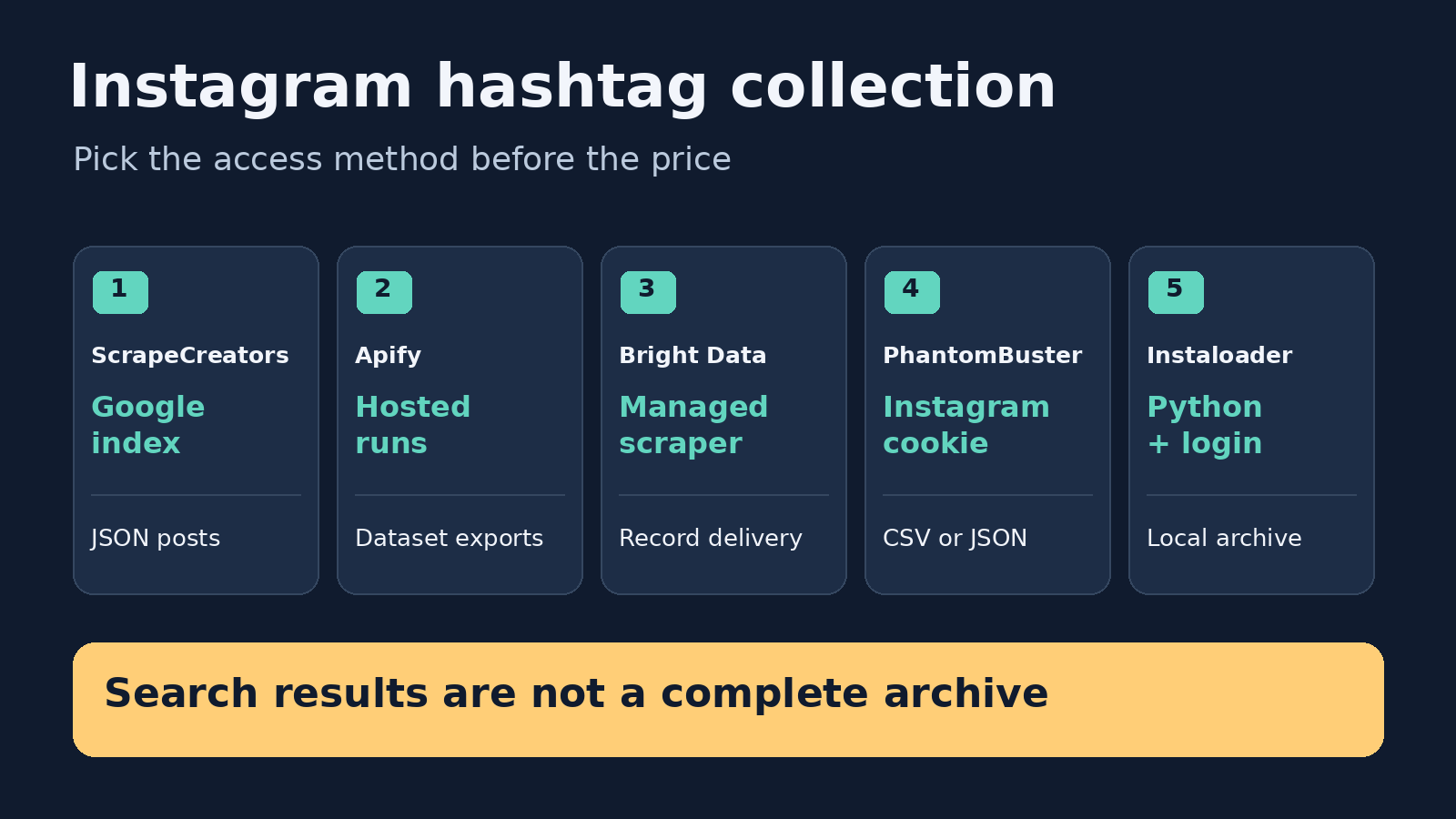
The best Instagram hashtag scraper depends on what you want back. Choose ScrapeCreators for Google-indexed public post discovery in JSON, Apify for hosted runs and downloadable datasets, Bright Data for managed record delivery, PhantomBuster for cookie-based spreadsheet workflows, or Instaloader if you want to maintain a Python archive. None should be treated as a complete history of every post under a hashtag. I build ScrapeCreators, so this is a founder-written comparison, not an independent ranking. If your job needs a native hashtag feed rather than indexed discovery, start by checking the other routes.
Pricing, documentation, and product claims below were checked on October 8, 2026. We made live requests to ScrapeCreators only. The other tools were reviewed from their current primary documentation and product pages, not benchmarked against each other.
Which hashtag scraper fits your job?
A hashtag scraper can mean several different things: finding public posts, exporting visible search results, discovering creators, or archiving media. A hashtag generator is a different product. It suggests tags to use; it does not collect posts that already use them.
| Tool | Choose it when | Access and output | Cost unit checked October 8 | Main trade-off |
|---|---|---|---|---|
| ScrapeCreators | You need indexed public post candidates inside an application | API key; JSON posts, owners, metrics when available, next-page cursor | 1 credit per successful live hashtag request; $47 buys 25,000 credits | Google-indexed discovery, not a complete Instagram-native feed; pages stop at 11 |
| Apify Instagram Hashtag Scraper | You want hosted runs, scheduling, and dataset exports | Actor input with one or more hashtags; JSON, CSV, Excel, or XML | Result event: $2.60/1,000 on Free, $2.30 on Starter, $2.10 on Scale, $1.90 on Business | The advertised lowest result price depends on your platform plan |
| Bright Data | You want a managed collection service with record-based billing | Instagram hashtag scraper; documented post and engagement fields | PAYG $1.50/1,000 records; 5,000 free records/month advertised | Confirm the chosen scraper’s actual input and delivery contract before integrating |
| PhantomBuster | You already use its spreadsheet automations and can connect Instagram | Instagram cookie; post/profile URLs and CSV or JSON export | Start $56/month equivalent, $672 billed annually; execution-time and slot allowances | Account/session dependency; visible results are not an exhaustive archive |
| Instaloader | You want Python control and can maintain the retrieval process | Hashtag target requires login; local media and metadata files | Open-source software; your own execution and maintenance costs | Not a managed scraping service or a ready-made hosted CSV API |
These units are deliberately separate. Ten requests are not ten records, and an execution-hour allowance is neither. Before comparing a bill, decide whether you need post rows, unique creators, media files, or an ongoing monitor.
For tools that also cover profiles, comments, and account feeds, our broader Instagram scraper comparison is the better starting point. This page is specifically about hashtag-led collection.
1. ScrapeCreators for indexed public post discovery
ScrapeCreators’ Instagram API includes GET /v1/instagram/search/hashtag. The important part is its collection method: it discovers Google-indexed public Instagram posts and Reels. It is not a mirror of Instagram’s hashtag feed.
The current endpoint documentation accepts hashtag, optional date_posted, media_type, and cursor. You can include or omit the leading #. media_type=reels narrows discovery to Reels; all is the default. Relative date options run from last-hour through last-year, but they remain search filters, not a guarantee of complete chronological coverage.
Returned post fields can include an ID, URL, caption, owner, post time, and engagement values. Treat unavailable fields as unknown. A comment count is not evidence that every comment body came back, and an owner username is not a fully enriched creator profile.
Choose ScrapeCreators if you already have an application or research pipeline and want a straightforward JSON request without supplying your Instagram cookie. Choose another route if your requirement is to reproduce what Instagram itself displays for a hashtag, collect an unlimited historical archive, or use a ready-made spreadsheet interface.
Successful live requests cost one credit for this endpoint. The pricing section lists $47 for 25,000 nonexpiring credits. That is a credit pack, not a per-row tariff. Qualifying cached responses can cost zero credits, but do not assume your planned collection will hit the cache. Create an account and check your own queries before buying a larger pack.
2. Apify for hosted runs and dataset exports
The Apify-maintained Instagram Hashtag Scraper is a strong starting point if you want to enter several hashtags, run a hosted job, and download a dataset. Its current documentation separates posts and Reels and lists captions, owner information, timestamps, engagement, and related hashtags among the returned fields. Field availability still needs checking on your actual output.
Apify lets you save configurations, schedule runs, and export results as JSON, CSV, Excel, or XML. That is useful when the dataset itself is the deliverable, rather than one synchronous response inside your application. The vendor’s hashtag walkthrough shows the input, saved-task, and export workflow.
Read the Actor’s pricing tab, not just the headline. The result-event rates checked today were $2.60 per 1,000 on Free, $2.30 on Starter, $2.10 on Scale, and $1.90 on Business. Platform costs for this Actor are shown as included. Starter itself is $19/month plus pay as you go, with $19 to spend, so the $1.90 headline is not the entry-plan rate.
Choose Apify if its hosted jobs and export interface save you work. If you are stitching hashtag results into creator research, keep the post dataset separate from any later profile lookup. Deduplicate usernames before enrichment so repeated posts from one creator do not trigger unnecessary lookups.
3. Bright Data for managed record delivery
Bright Data’s Instagram hashtag scraper lists post URLs, usernames, descriptions, hashtags, likes, comment counts, views, dates, and photos as target data. Its PAYG price checked today was $1.50 per 1,000 records, with 5,000 free records per month advertised.
This is a useful route to evaluate when your team wants a managed scraping service and a record-based bill. Bright Data’s page also describes delivery through its scraper APIs. Confirm the exact hashtag-discovery configuration in the product before copying a generic code sample: an example for collecting known post URLs is not automatically a hashtag search request.
Ask for a small sample with your exact tags and desired fields. Check what a billed record represents, which fields can be missing, and how the selected delivery mode signals completion or failure. Those details matter more than whether the front page lists a long set of possible fields.
Choose Bright Data when managed collection and record delivery fit your pipeline. If you only need a handful of requests from an application, compare the integration steps as well as the quoted unit price. We did not run its scraper for this article, so there is no measured coverage or speed comparison here.
4. PhantomBuster for cookie-based spreadsheet workflows
Instagram Hashtag Search Export asks for an Instagram cookie and hashtag input. Its page lists post URLs, profile URLs, usernames, counts, and post content, with CSV or JSON export. This makes sense for a team already moving data through PhantomBuster’s spreadsheet automations.
Its own warning is worth reading: Instagram shows different numbers of posts for different hashtags, and the automation extracts the results it can see. The current page states up to 5,000 total posts per launch across multiple hashtags. That is a stated launch limit, not proof that every hashtag will yield 5,000 posts.
The pricing page showed Start at $56/month equivalent with $672 billed annually, five automation slots, and 20 execution hours per month. The trial limits exports to ten rows. These are plan and execution allowances, not a fixed cost per thousand hashtag posts.
Choose PhantomBuster if the cookie connection and ready-made export suit your process. Account/session handling is a real part of that choice. Do not equate the vendor’s launch guidance with a guarantee that your Instagram account is risk-free.
5. Instaloader for a Python-managed archive
Instaloader’s usage documentation supports "#hashtag" as a target and explicitly says it requires login. It saves media and metadata locally and exposes a Python module for custom workflows.
Instaloader is the option to consider if you want control over local files and are comfortable maintaining Python execution, sessions, and error handling. It is open source, but running it is still work. A free software download does not make your collection, storage, or maintenance free.
The documented target is useful evidence of intended support, not proof that a live Instagram request will work today. We did not run Instaloader here. Before building an archive around it, verify your exact hashtag through the current version and inspect its exit status and errors, not just whether it created a folder.
Choose another tool if you want a managed service, a hosted export interface, or someone else to handle retrieval failures. Also make sure you have permission to use any downloaded media; collecting a public URL does not grant republishing rights.
A request and an export you can adapt
This ScrapeCreators request saves one page of indexed results. Keep the key in an environment variable rather than putting it in a script or a shared URL.
curl --fail-with-body --get \
  'https://api.scrapecreators.com/v1/instagram/search/hashtag' \
  --header "x-api-key: $SCRAPE_CREATORS_API_KEY" \
  --data-urlencode 'hashtag=coffee' \
  --output hashtag-page1.json
Check success and cursor before continuing. Pass the returned cursor on the next request; do not invent a pagination token. The documented maximum is page 11. In our October 8 check, cursor=12 returned HTTP 400 and zero charged credits.
Use a stable post ID as the deduplication key. This small exporter combines saved pages and keeps missing counts blank. It also protects text cells from being interpreted as spreadsheet formulas when someone opens the CSV.
import csv
import glob
import json

rows = {}
for path in sorted(glob.glob("hashtag-page*.json")):
    with open(path, encoding="utf-8") as source:
        page = json.load(source)
    if page.get("success") is not True:
        raise ValueError(f"Unsuccessful response in {path}")
    for post in page.get("posts", []):
        rows.setdefault(str(post["id"]), post)

def text_cell(value):
    value = "" if value is None else str(value)
    return "'" + value if value.lstrip().startswith(("=", "+", "-", "@")) else value

with open("hashtag-posts.csv", "w", newline="", encoding="utf-8") as target:
    writer = csv.writer(target)
    writer.writerow(["post_id", "url", "username", "taken_at", "likes", "comments"])
    for ident, post in rows.items():
        writer.writerow([
            "'" + ident,  # Preserve the long ID when opened in Excel.
            text_cell(post.get("url")),
            text_cell((post.get("owner") or {}).get("username")),
            text_cell(post.get("taken_at")),
            post.get("like_count", ""),
            post.get("comment_count", ""),
        ])
Keep the original JSON too. Alongside it, record the requested hashtag, filters, collection time, and page cursor. That gives future readers enough context to distinguish the post’s publication date from the date you observed it.
For account feeds and other collection methods, see the Instagram data collection guide. A hashtag sample and an account’s post history answer different questions.
What the live checks showed
On October 8, we called the hashtag endpoint for coffee, basketball, and travel. Those first pages returned ten, nine, and ten posts respectively, with a next-page cursor and one charged credit each. Coffee’s second page returned nine rows; two IDs also appeared on page one. The nineteen returned rows represented seventeen unique posts.
A separate coffee request with media_type=reels&date_posted=last-month returned nine rows. Their returned publication dates fell within the requested month window, but the results were not ordered chronologically. That is a reason to check dates yourself, not to describe the output as a newest-first feed.
These are small dated functionality checks. They do not establish uptime, complete coverage, or a comparative winner. The API and your integration can succeed while still returning only a sample of the posts you care about.
How to budget a hashtag collection job
Start with the schedule and the output you need. For ScrapeCreators, a modeled job with 20 hashtags, two pages each, and 30 daily runs makes 1,200 successful live requests. At one credit per request, that consumes 1,200 credits, or $2.26 of a $47/25,000-credit pack’s value. You still buy the pack; $2.26 is not a checkout option, and it says nothing about how many unique posts you will get.
For Apify or Bright Data, use actual billed results or records rather than substituting that request count. For PhantomBuster, measure how much of the execution-time allowance the job uses. For Instaloader, include machine time, storage, and whoever repairs the workflow.
Creator research adds another step. A public n8n hashtag-to-profile walkthrough demonstrates that handoff and points out repeated usernames. Budget enrichment after deduplication, and do not assume a hashtag search includes follower counts, contact details, or every creator who ever used the tag.
Questions to ask before you buy
Can this find every post using a hashtag?
Do not buy on that assumption. Indexed discovery, Instagram-visible results, and local archives have different boundaries. Ask the provider what its collection method can miss and verify a tag whose content you already know.
Can I filter to the most viewed posts from the last week?
Date filtering and view sorting are separate requirements. ScrapeCreators documents a relative date filter, not a server-side highest-views sort for this endpoint. You can rank the returned sample yourself when view values exist, but that is not a ranking of every Instagram post from the week.
Can I export creators rather than posts?
Yes, as a derived candidate list. Deduplicate owner usernames from collected posts, then retrieve profiles separately if you need richer fields. Keep the source post URL and hashtag so each creator row has an explainable origin. A discussion about Instagram data extraction illustrates how easily hashtag discovery gets mixed with follower lists and email collection; those are separate tasks, not interchangeable outputs.
Is a cookie-free request the same as permission to use the data?
No. Authentication convenience, platform rules, privacy obligations, and media rights are separate issues. Review the applicable terms and your intended use. Avoid collecting sensitive data or assuming that public visibility allows unrestricted reuse.
Start with a small sample of your actual hashtags. Check the access method, duplicate rate, missing fields, and complete-job cost. If the sample cannot answer your research question, a bigger run will not fix the mismatch.


