
Choose by the question you need to answer
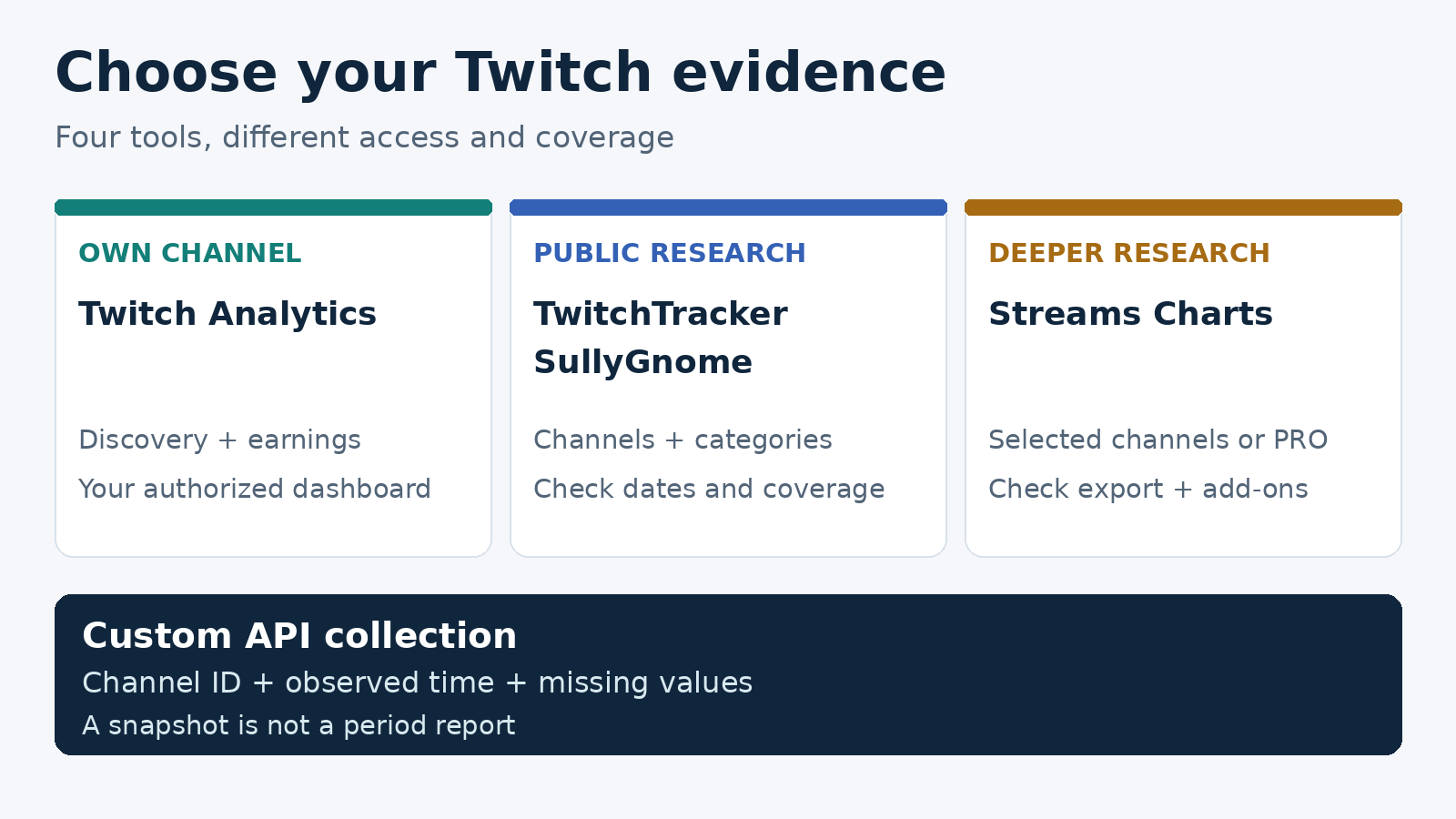
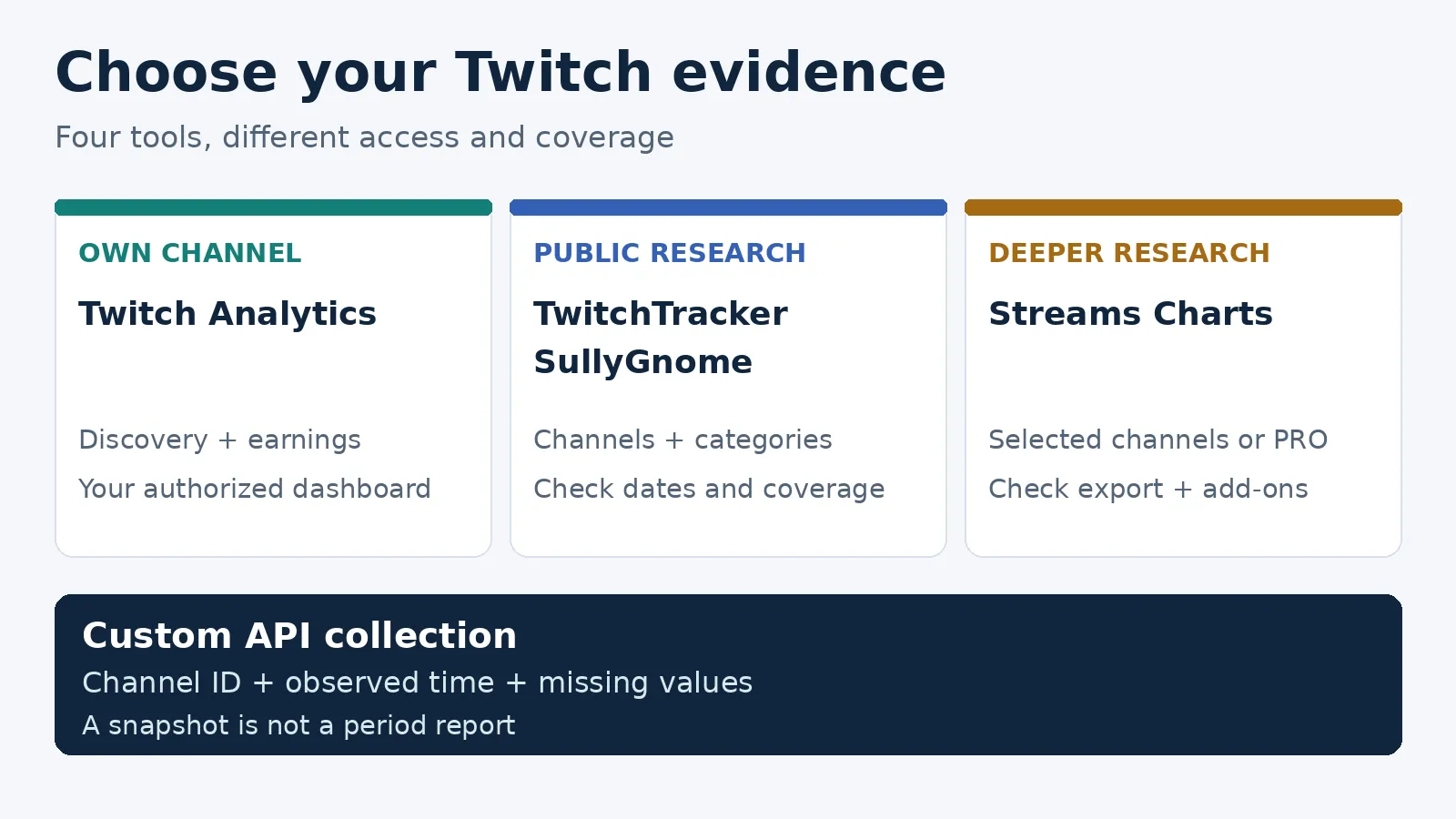
Use Twitch’s own analytics to understand your channel’s viewers, discovery and earnings. Start with TwitchTracker for a public channel overview, SullyGnome for category research, and Streams Charts when you need deeper peer comparisons or a paid research workspace. Buying a tracker does not give you another creator’s private dashboard.
I built ScrapeCreators. It can supply public Twitch observations for a custom workflow, but it is not a finished historical analytics service. I keep that option separate from the four tools below.
Features, access rules and prices were checked on November 16, 2026. These are fit recommendations, not a paid-account accuracy benchmark.
| Tool | Choose it for | Access and buying check | Main limitation |
|---|---|---|---|
| Twitch Analytics | Your own stream performance and acquisition | Creator Dashboard with your Twitch account | Not another streamer’s private analytics |
| TwitchTracker | A quick public channel and stream overview | Public pages; no paid checkout assessed | Check that the particular channel and dates are covered |
| SullyGnome | Category, game and ecosystem research | Public site; read its collection methodology | Small-channel coverage and sampled peaks need care |
| Streams Charts | Selected-channel research or a broader analyst workspace | Free own-channel authorization differs from Streamer’s advertised $9/channel entry price and $300/month Twitch PRO | Streamer excludes CSV; other features can need add-ons |
1. Twitch Analytics for your own channel
Start with the native Analytics Overview before buying something else. It includes discovery, engagement and earnings views alongside the general overview. The date picker supports custom periods, and its export button downloads the data for the selected graph.
Twitch defines average viewers as concurrent viewing averaged over time. Live views exclude VOD and clip views. That distinction matters when an agency puts several numbers next to each other in a report. A clip view is not another person watching the live broadcast.
The Stream Summary is the better starting point for reviewing one show. Twitch says it updates within 15 minutes of the stream ending and keeps the last 30 summaries. Do not mistake that summary count for a universal limit on all Analytics history.
My suggested routine is to review one stream, write down what changed, then compare a matching set of streams rather than yesterday against an unrelated month. Keep the category and usual broadcast slot in your notes. A guest appearance, raid or special event deserves a note too.
Choose another tool for public peer research. For private discovery or earnings questions, keep the creator’s authorized dashboard as the reference instead of reverse-engineering those figures from a public follower count.
2. TwitchTracker for a quick public overview
TwitchTracker organizes public research around channels, games, clips and platform statistics. Its KaiCenat page exposes channel identity, period choices, average and peak viewers, hours streamed, and follower changes. That makes it a useful first stop when you want context rather than a data pipeline.
I would start here for a creator shortlist: find the exact channel, inspect its recent broadcasts, and decide which dates need a closer look. Do not rank creators by follower totals alone. Write the question first, such as whether the channel regularly broadcasts in the category you are buying.
There is an important limit to this review. Direct HTTP and normal-browser checks hit a security challenge; a separate search retrieval returned the public pages. I did not verify an export entitlement, update guarantee or paid checkout. Check those before choosing it as a reporting dependency.
A visible profile is not proof that every broadcast was observed. For your own channel, reconcile a known stream against Twitch’s dashboard before treating an empty date range as inactivity. For another creator, ask for the relevant authorized report when the commercial decision depends on private performance.
3. SullyGnome for category and game research
SullyGnome is useful for exploring categories, channels and teams across different periods. Its methodology says it polls Twitch every five minutes, while displayed aggregates update on other schedules. It warns that channels outside its stated coverage rules should not be treated as accurately tracked: all Partners, Affiliates with at least three viewers, and non-Affiliates/non-Partners above ten viewers.
Those boundaries are more useful than calling it universally accurate. A tiny channel can be a poor fit for public tracking even when the category-level view is helpful.
For category selection, I would use it to build a shortlist, not a growth prediction. Compare the language and time slot you can actually stream in. Then inspect how much of the audience belongs to a few large broadcasters. A high category-wide viewer-to-channel ratio does not promise that those viewers will reach a new channel.
The category walkthrough by Kali Chronicles illustrates why people use this workflow. It also contains old game recommendations and strong growth claims. I used the questions it raises, not its historical numbers or promised outcomes.
Choose native analytics when you need to diagnose your own audience. Choose a contracted reporting product when you need assured delivery, exports and support rather than a public research site.
4. Streams Charts for deeper channel research
Streams Charts has several buying paths that should not be flattened into one price.
Its creator offer gives Twitch creators access to their own channel analytics after authorization, excluding chat analytics. That is not free advanced access to every competitor. The page says spreadsheet export is available, but the separate plan page is narrower. If export matters, confirm your exact entitlement before connecting.
The homepage advertises Streamer from $9 per channel. The Streamer plan is a selected-channel purchase, not a whole-market subscription, and its indexed export notice excludes CSV. It lists chat analytics as an optional add-on. The current page content confirms monthly and annual access, but I could not settle the rendered price selector or final checkout through the security challenge. Confirm the billing period and final amount rather than treating the entry price as a quote.
The retrieved PRO pricing content lists Twitch at $300 per month before optional features or discounts. CSV is a PRO feature. A generic sitewide starting price is not the Twitch-specific quote. Audience geography and chat analytics appear as separate $500/month add-ons there; verify the final configuration rather than assuming they come with the platform selection.
Its methodology page puts Twitch history at June 2019 and updates at roughly one-minute intervals. It qualifies accurate coverage at three or more average viewers and says one-to-two-viewer channels should not be considered accurate. Its subscriber and subscription-income figures use its own methodology, not a creator-verified payout ledger.
Choose it when its specific comparison, history and delivery features justify the cost. Ask for a sample on your actual channel and dates before committing. I did not buy a plan, validate its overlap calculations or test a paid export.
Check the evidence before comparing numbers
The recurring buyer problem is not a lack of charts. It is deciding what each chart represents.
In a public discussion about analytics outside Twitch, creators question missing game history and whether paid comparisons are worth it. Replies include conflicting recommendations and promotional concerns. Those comments are useful questions for a trial, not evidence that one vendor is more accurate.
Twitch’s own analytics walkthrough connects different dashboard sections to different decisions. That is the approach I would copy: select the decision, then its evidence.
Use this acceptance checklist on one known broadcast:
- Identity: confirm the channel ID, not just the display name. Keep renamed handles attached to the same underlying account where the provider supports that.
- Period: record start, end and timezone. A last-30-days chart and a calendar-month export are different reports.
- Metric: separate current viewers, average concurrent viewers, unique viewers, live views, VOD views and hours watched. Ask for the provider’s definition when a label is unclear.
- Coverage: look for omitted streams, minimum channel size, sampling cadence and update delay. Do not silently replace a missing day with zero.
- Delivery: obtain the actual file or response you need. Seeing a chart does not establish CSV, API or scheduled-report access.
For a small-channel trial, include a short broadcast and an ordinary broadcast, then inspect whether both appear. For sponsorship research, include the exact campaign dates and compare the same metric across the shortlist. Neither exercise is a general accuracy benchmark, but it can disqualify a tool that misses your required evidence.
I would also keep a short decision log: the question, source, date, limitation and next experiment. Otherwise a beautiful weekly report can become a recurring argument over which number is the real one.
When a public API snapshot is enough
A public snapshot is a different deliverable from a historical report. Use one when a CRM or internal tool needs a channel’s identity, available follower count, current live state and last-broadcast metadata. Do not use one to claim monthly watch time, viewer geography, subscriber conversion or private revenue.
The ScrapeCreators Twitch API provides that public-data building block. For developer setup and other retrieval approaches, use the separate Twitch profile collection guide. For editing recorded speech, use the VOD transcription comparison; transcription is not an analytics metric.
The following standard-library Python example uses the profile endpoint. Set SCRAPE_CREATORS_API_KEY in your environment first. The file’s wrapper and snake-case field names are our output format, not a claim that the API returns those names.
import json
import os
from datetime import datetime, timezone
from pathlib import Path
from urllib.parse import urlencode
from urllib.request import Request, urlopen

rows = []
for handle in ("emongg", "kaicenat"):
    url = "https://api.scrapecreators.com/v1/twitch/profile?" + urlencode({"handle": handle})
    request = Request(url, headers={"x-api-key": os.environ["SCRAPE_CREATORS_API_KEY"]})
    with urlopen(request, timeout=40) as response:
        data = json.load(response)
    if data.get("success") is not True or not data.get("id"):
        raise RuntimeError("The response has no usable channel identity")
    if str(data.get("handle", "")).lower() != handle:
        raise RuntimeError("The returned channel does not match the request")
    rows.append({
        "observed_at": datetime.now(timezone.utc).isoformat(),
        "source_url": url,
        "channel_id": data["id"],
        "handle": data["handle"],
        "followers": data.get("followers"),
        "is_live": data.get("isLive"),
        "current_viewers": data.get("currentViewersCount"),
        "last_broadcast": data.get("lastBroadcast"),
        "credits_charged": data.get("credits_charged"),
    })
packet = {"reporting_period": None, "kind": "public_snapshot", "channels": rows}
Path("twitch-public-snapshot.json").write_text(json.dumps(packet, indent=2), encoding="utf-8")
print("Saved", len(rows), "channel observations; this is not a period report.")
I ran this exact example on November 16, 2026. Both requests returned HTTP 200, identified the requested channels and charged one credit each. Both channels were offline and their current-viewer values were null. This was a two-channel usability check, not a live-stream or reliability benchmark.
Separate earlier checks included an unavailable follower value for KaiCenat; the exact example later returned a value. That is why the code preserves missing data instead of converting it to zero. A later count appearing does not establish a historical gain.
The saved record deliberately has reporting_period: null. Its observation timestamp means when the request completed, not when every upstream field was last measured. last_broadcast is source metadata, not evidence that every intervening stream was captured. Even if you schedule repeated calls, you still need a collection and gap-handling design before selling the result as historical analytics.
ScrapeCreators currently sells 25,000 credits for $47 in the pricing section. The two observed one-credit calls are consumption, not the minimum purchase price. You can create an account for this custom-data route, but choose a finished dashboard above if you do not want to build storage and reporting.
Apify’s Automation Lab Twitch Actor is another collection path: its published input supports channel, stream, game and clip modes, with an exported dataset. It is not the same purchase as a ready-made historical analytics workspace. I reviewed its current input and did not execute it or benchmark its cost. Whichever collector you use, require a collection timestamp, stable identity and explicit missing values in the handoff.
FAQ
What is the best Twitch analytics tool for a small streamer?
Start with Twitch’s own Creator Dashboard for your channel. Add a public tracker for category or peer context, but check its minimum coverage rules before trusting missing streams or very small counts. Pay for extra reporting only when it answers a specific question the native dashboard does not.
Can I see another Twitch streamer’s private analytics?
A public statistics page is not access to another creator’s private dashboard. Request an authorized report when you need private discovery, earnings or other account-only evidence. Label third-party estimates and observed public metrics separately.
Why do Twitch analytics sites show different numbers?
First check identity, dates, timezone, metric definitions and coverage. Public collection can use sampling and different update schedules. Do not assume the largest number is correct, or that a missing observation means zero viewers. Reconcile one known broadcast before comparing a whole month.
Can I build historical Twitch analytics from profile API calls?
You can collect dated public observations, but a profile response is not historical analytics. You need repeated collection, identity checks, missing-data handling and suitable metric definitions. Use an established historical provider when you need backfilled viewership rather than data you begin collecting now.