
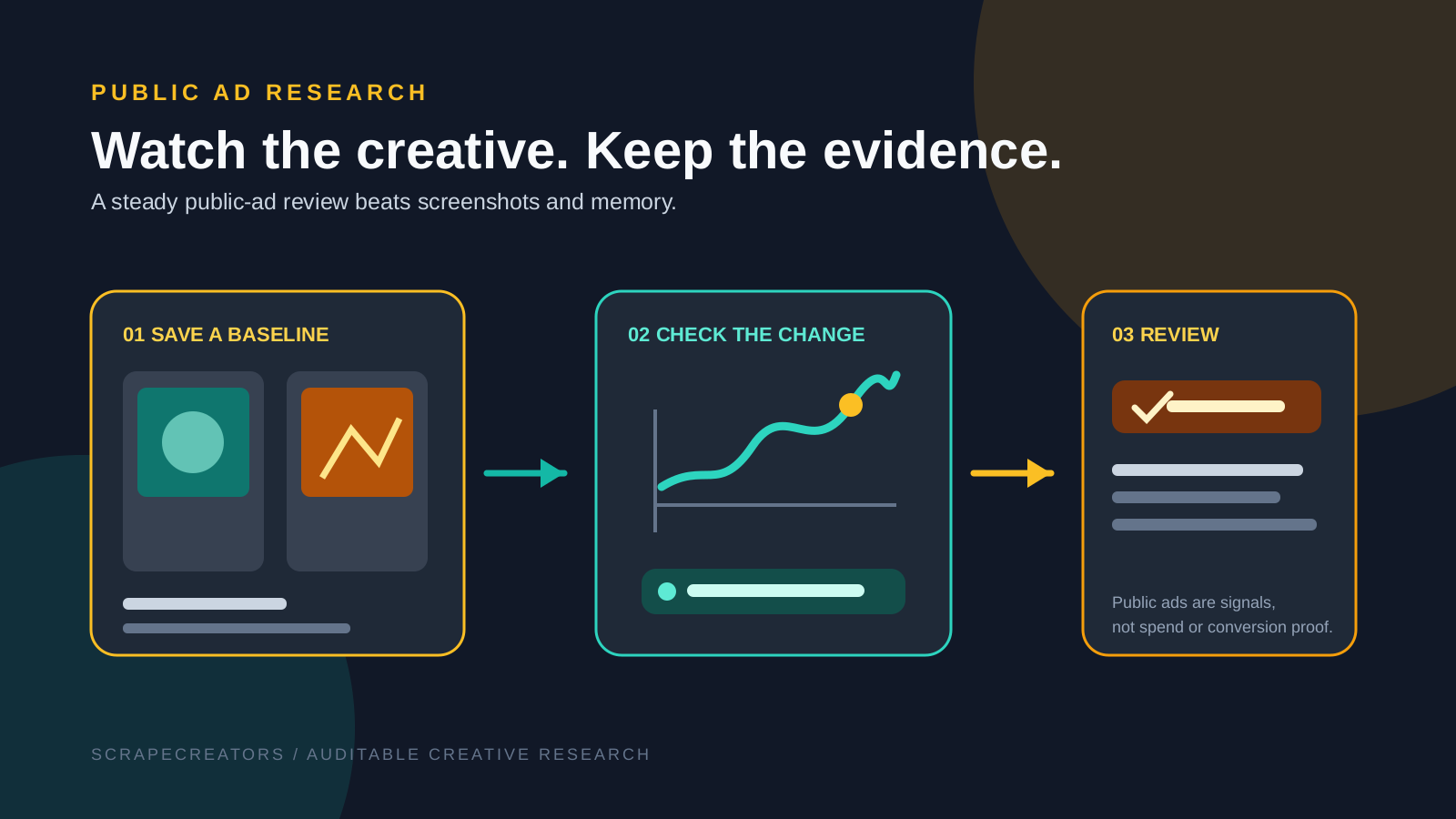
Most competitor-ad research fails because the screenshots lose their context. This skill creates a small public-data baseline, checks the same search or company again, and tells a human what visibly changed: new creative, a changed offer, different copy, or an ad no longer marked active.
Why save a baseline
The Meta Ad Library search endpoint returns public matching ads with ad_archive_id, page_name, is_active, publishing platforms, and snapshot content including body text, images, videos, and CTA text. That is enough for a clean creative-review workflow when you preserve collection time and source URLs.
A keyword search starts here:
GET /v1/facebook/adLibrary/search/ads?query={query}&country={country}&status=ACTIVE&trim=true
For a known company, resolve its public Ad Library page_id first with Search For Companies, then use Company Ads. Public ads are signals, not a readout of spend, conversion rate, targeting, or profit.
Copy the skill
name: meta-ad-library-monitoring
description: Monitor a defined set of public Meta Ad Library results. Create a baseline, compare visible creative changes over time, preserve ad URLs, and never overstate what public ads prove.
---

# Meta Ad Library monitoring

## Use this when

Use this skill for public competitor-ad research, creative inspiration review, or a weekly category scan. It does not estimate spend, targeting, conversion performance, or revenue.

## Inputs

```json
{
  "mode": "keyword",
  "query": "running shoes",
  "companyPageId": null,
  "country": "US",
  "status": "ACTIVE",
  "media_type": "ALL",
  "comparison_window": "weekly",
  "baseline_file": "Optional saved collection from the prior run"
}
```

Use either `mode: keyword` with a query or `mode: company` with a public company page ID. Default to one country and a narrow query. State any assumption in the report.

## API contract

All requests use `https://api.scrapecreators.com` and an `x-api-key` from a secret or environment variable.

```text
GET /v1/facebook/adLibrary/search/companies?query={company_name}
GET /v1/facebook/adLibrary/search/ads?query={query}&country={country}&status={status}&media_type={media_type}&trim=true
GET /v1/facebook/adLibrary/company/ads?pageId={company_page_id}&country={country}&status={status}&media_type={media_type}&trim=true
```

For company mode, call `search/companies` first and use a returned `page_id` as `pageId`. For keyword search, `query` is required. `country` accepts one two-letter code and defaults to ALL. Use the returned `cursor` only when the intended sample needs another page. GET search results can cap around 1,500 results because the cursor can exceed GET URL limits; do not assume an undocumented POST fallback contract.

## Workflow

1. For company mode, resolve the company once with `search/companies` and retain the selected `page_id`. Then run the stated company or keyword query and store the collection timestamp, parameters, and raw source URL for every kept result.
2. Dedupe on `ad_archive_id`. Keep `page_name`, `is_active`, `publisher_platform`, `start_date`, the public ad URL, and snapshot fields such as body, CTA, image/video references, and display format.
3. Make a baseline record. Do not call it a campaign baseline if the collection is only a keyword sample.
4. On the next run, compare the same parameters against the previous baseline. Categorize only visible changes:
   - new public ad archive ID,
   - previously seen ad now inactive or absent from this result set,
   - changed body, CTA, destination, format, image, or video reference,
   - no material visible change.
5. Summarize repeated creative themes: offer framing, proof style, format, CTA, and landing-page angle. Keep examples linked to public ad URLs.
6. Mark ambiguous matches, duplicate variants, and unavailable assets for human review.

## Output

Return four sections:

1. **Collection settings**: mode, query or page ID, country, status, media type, date and time.
2. **What changed**: a table with ad archive ID, page, change type, source URL, and a factual description.
3. **Creative patterns**: observed themes with two or more linked examples; call a one-off only a single-source observation.
4. **Limits and review flags**: missing results, source limitations, and claims that public data cannot support.

Example row:

```json
{
  "ad_archive_id": "123456789",
  "page_name": "Example Brand",
  "change_type": "new_public_ad",
  "visible_change": "New video creative uses a before-and-after demonstration and a Shop Now CTA.",
  "source_url": "https://www.facebook.com/ads/library?id=123456789",
  "confidence": "high",
  "review_flags": []
}
```

## Rules

- Public ads only. Never log into an account or access non-public campaign data.
- Never claim an ad is profitable, high-converting, highly targeted, or high-spend from public creative alone.
- Never fabricate a prior baseline, source URL, asset, or change.
- Preserve collection parameters, dates, and source URLs so the review can be reproduced.
- Do not copy creative verbatim as a deliverable. Describe patterns and let a human create original work.
- A result disappearing from a search is not proof that an ad was deleted; label it as absent from the current collection.
What not to claim
A live public ad can mean a marketer chose to test or keep a message. It cannot prove the audience, the budget, or the outcome. Keep the report specific to what a reviewer can see, and attach the public ad URL whenever you describe a creative pattern.
If the goal is fresh ideas rather than surveillance, use the report as a reference pack. Writers should make original work, not minor rewrites of someone else’s ads.


