
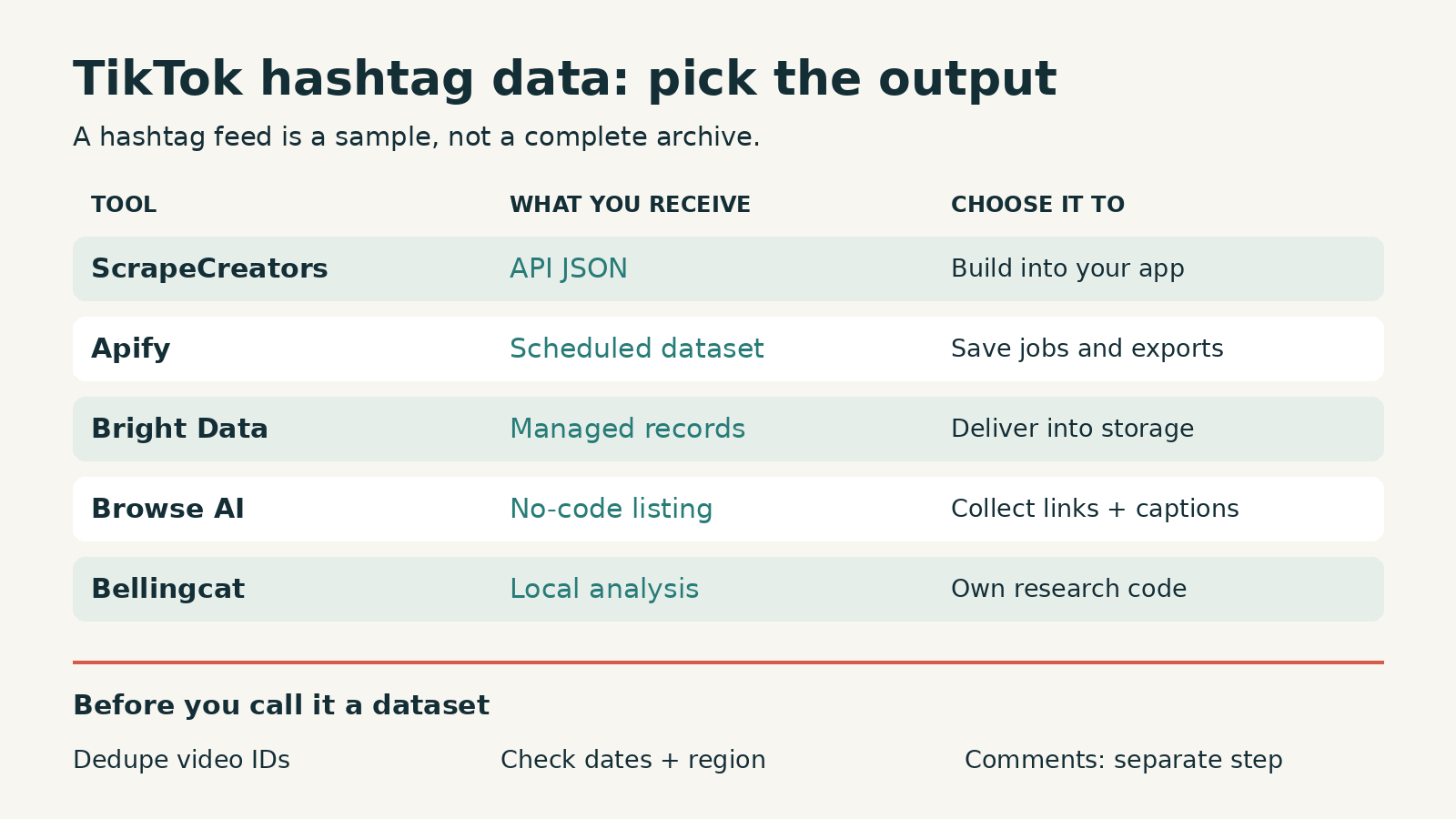
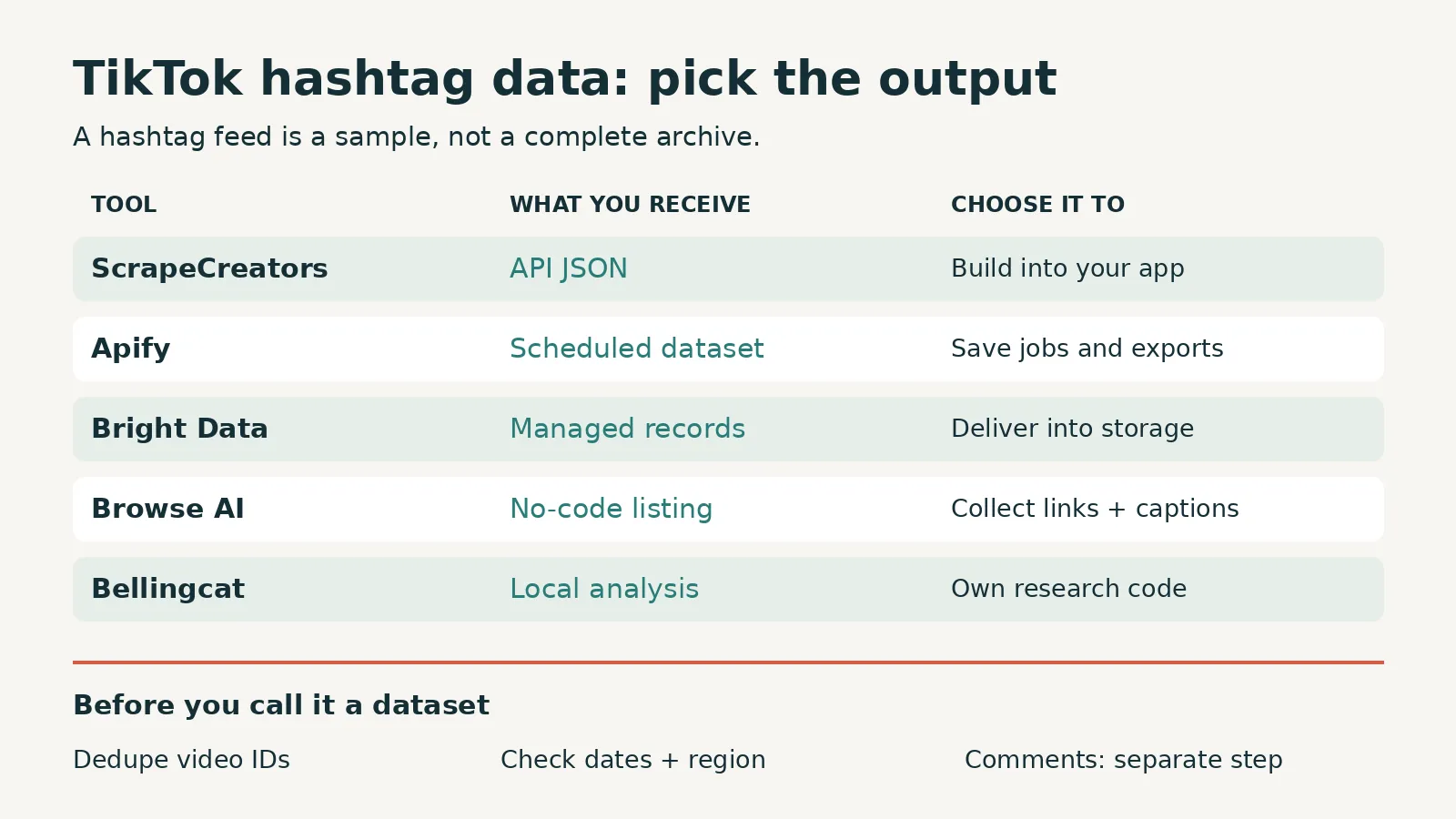
Choose ScrapeCreators if you want TikTok hashtag videos as JSON inside your app. Choose Apify if you want saved runs, scheduled datasets, and built-in exports. Bright Data fits managed record delivery, Browse AI fits a simple no-code listing export, and Bellingcat’s toolset fits researchers who can maintain a Python environment. The important purchase check is coverage: a hashtag scraper returns a collection of videos, not proof that you collected every post, the latest posts, or posts from one country.
I run ScrapeCreators, so my recommendation comes with that bias. I checked the linked product pages, pricing, docs, and source repositories on October 12, 2026. I also made three live ScrapeCreators hashtag requests. I did not run a reliability benchmark across these five tools.
Which TikTok hashtag scraper fits your job?
A hashtag generator suggests tags for your next post. A hashtag scraper collects posts that already use a tag. A trending-hashtag directory lists tags. These are different products, even when their search results sit next to each other.
This list is for someone who wants a dataset of public TikTok videos under a known hashtag, with enough context to export, analyze, or revisit them.
| Tool | Choose it for | Output and purchase unit | Check before committing |
|---|---|---|---|
| ScrapeCreators | A resource endpoint inside your application | JSON video rows; one credit per hashtag request in the live checks | Deduplicate IDs and verify coverage, dates, and region fields |
| Apify Clockworks Hashtag Scraper | Saved jobs, datasets, scheduling, and exports | Dataset videos; current Actor metadata lists $3 per 1,000 base videos on FREE and $1 on GOLD | Plan tier and optional download or transcription charges |
| Bright Data Hashtag Scraper | Managed collection and delivery into a data pipeline | Records; the page’s PAYG panel lists $1.50 per 1,000 records | Select the TikTok hashtag discovery flow, not just known-post details |
| Browse AI TikTok hashtag robot | A no-code list of creators, captions, and video links | Listing rows; subscription credits, with 50 free monthly credits on its pricing page | Its explicit field table does not include views or likes |
| Bellingcat hashtag analysis toolset | Local research and co-occurring hashtag analysis | Python-managed JSON, plots, and optional media; MIT-licensed software | Installation, browser dependencies, access changes, and maintenance are yours |
Those units are deliberately different. One request can return several videos. A dataset video is one stored item. A platform credit can cover a different amount of work depending on the robot. You cannot compare them by putting the cheapest headline number in one column.
1. ScrapeCreators for a hashtag endpoint in your app
ScrapeCreators’ TikTok API is my pick when a backend needs public videos from a hashtag without managing TikTok’s parser or operating a browser. Call the hashtag endpoint with hashtag, then continue with the returned cursor.
The documented collection is aweme_list. Each video can include aweme_id, desc, create_time, author details, video metadata, and statistics. The statistics object contains counters such as plays, likes, comments, and shares. Keep IDs as strings so a spreadsheet or JavaScript number does not round a long identifier.
The documented inputs are hashtag, region, cursor, and trim. There is no documented hashtag date-range or sort parameter on this route. Do not borrow parameters from keyword search and assume they apply here. You can filter collected rows by their timestamps afterward, but that does not make the original collection an exhaustive date-range search.
region=US sets the proxy region. It does not guarantee a dataset of US creators. In the first coffee response I checked, a returned video’s region was AU, despite the US request setting. That is a useful boundary, not an error to hide.
The current pricing section lists $47 for 25,000 credits, no subscription, and credits that do not expire. New accounts start with 100 free credits. Each of the three hashtag requests in this article charged one credit. That is a request observation, not a promise about the number of videos you will get per credit.
Choose another route if you need private account data, creator-dashboard retention metrics, a guaranteed complete historical archive, or a built-in spreadsheet interface. The broader TikTok scraper comparison covers general collection tools; this page focuses on hashtag feeds and their coverage problems.
2. Apify for scheduled runs and dataset exports
Clockworks’ TikTok Hashtag Scraper accepts one or more hashtags and returns an Apify dataset. Its product page documents video metadata, creator information, engagement counters, exports, API access, integrations, scheduling, and optional media downloads.
Choose it if the run itself is an artifact your team wants to inspect. You can save an input configuration, start a job, inspect the dataset, and export selected fields. That is a different operating model from putting one synchronous endpoint behind an application’s button.
Coverage deserves a separate check. The README says the Actor can return roughly 400 to 800 results per hashtag on average and warns that results fluctuate. Treat that as the provider’s stated behavior, not a tested maximum or a guarantee of all posts. Its older tutorial starts with broad language about collecting all TikToks, which is a good reason to read the current limitations before buying.
Pricing also needs a closer look than the headline. On the verification date, the product headline said “from $1.00 / 1,000 videos,” while its FAQ still described $5 per 1,000. The latest pricing entry in Apify’s public Actor metadata listed base-video events at $0.003 on FREE and $0.001 on GOLD. That means $3 and $1 per 1,000 base videos respectively. Video downloads and transcription have separate events. Check the current pricing tab and your account tier before estimating the whole job.
I would use Apify when saved configurations and exports matter more than having the shortest resource request. I would not assume every Actor in the marketplace shares this Actor’s fields, billing events, or limits. The exact item you choose matters.
3. Bright Data for managed record delivery
Bright Data’s Hashtag Scraper page includes a TikTok hashtag collection path alongside other social platforms. It describes TikTok post IDs, URLs, captions, hashtags, views, likes, comments, shares, audio information, creators, and publication dates.
Choose it when the deliverable is a managed dataset or a recurring pipeline into your storage. The page lists API and control-panel collection, JSON, NDJSON, CSV, webhook delivery, and cloud destinations. Your evaluation should focus on the specific TikTok input, record contract, job completion, and delivery behavior you need.
Be careful with sample code on a broad product page. Some displayed examples take known post URLs. Hydrating known posts and discovering posts under a hashtag are different jobs. Confirm which TikTok scraper or discovery mode accepts your hashtag input before treating a general sample as the correct integration.
The current page’s PAYG panel lists $1.50 per 1,000 records and a free allowance described as 5,000 monthly credits or records in different sections. Its navigation also advertises lower “from” rates for the wider scraper catalog. I would budget from the selected product’s actual panel and verify how discovery consumes the free allowance, rather than applying a catalog headline to every workflow.
Managed collection does not remove sampling questions. Ask what a finished job means, how repeats are handled, whether publication dates are present, and whether an empty result is a successful terminal state or an access failure. None of the vendor pages I reviewed is evidence that a particular run will capture every hashtag post.
4. Browse AI for a no-code hashtag listing
Browse AI’s TikTok hashtag robot takes a public hashtag page URL and extracts listing data. Its explicit field table lists position, username, username link, description, and video link. It also supports scheduled runs and spreadsheet-oriented workflows.
Choose it when someone on your team needs a repeatable list of creators and links without writing an API client. A compact listing can be enough for editorial research or a first creator shortlist.
There is an important mismatch to notice: the surrounding marketing copy discusses engagement analysis, but the robot’s field table does not list view counts, likes, or comment counts. Do not buy it on the assumption that you can calculate a like-to-view ratio from this listing alone. Verify the actual output or arrange a separate detail-enrichment step.
The page explicitly says this robot does not download video files. It reads the hashtag page as it loads, so the visible listing is not automatically a chronological or complete archive. Check your required fields and result size with a real example before putting it into a recurring reporting process.
Browse AI’s pricing page lists 50 free credits per month and paid credit-based plans. A credit is not one universal TikTok video record. Check this robot’s credit consumption and the selected billing schedule in the app rather than converting the free allowance into an invented number of videos.
5. Bellingcat for local hashtag research
Bellingcat’s TikTok hashtag analysis toolset is a research-oriented Python project. The current README describes collecting posts for hashtags, saving posts.json, analyzing co-occurring tags, producing plots, and optionally downloading media.
It uses TikTokApi for post retrieval, yt-dlp for downloads, and Playwright as a browser dependency. The README asks for Python 3.9 or later. The repository’s MIT license covers the software, not automatic permission to collect, redistribute, or reuse someone else’s content.
Choose it when you need the local data and analysis workflow and have someone who can fix the environment. It is a useful alternative to paying for a hosted interface if engineering time is acceptable to you.
I read the README and the public walkthrough, but I did not install or execute this project during this comparison. I cannot claim its current collection path works for your hashtag. Its tutorial discussion includes installation and output-format questions. An old walkthrough’s successful count is not a present-day coverage benchmark.
Before committing a research project to it, collect one modest hashtag, open the saved JSON, inspect timestamps and IDs, and rerun the same job. If the retrieval layer needs repair, either budget for that work or use a hosted collector while keeping your own analysis code.
A real two-page check and a small CSV export
I requested coffee through /v1/tiktok/search/hashtag with region=US&trim=true, then passed its returned cursor into a second request. I also checked booktok with the same first-page settings.
| Request on October 12, 2026 | Rows returned | Returned cursor | Credits charged |
|---|---|---|---|
coffee, first page | 20 | 20 | 1 |
coffee, next page using cursor 20 | 19 | 40 | 1 |
booktok, first page | 20 | 20 | 1 |
The coffee pages shared one video ID. That left 38 unique videos from 39 returned rows, not 39 new videos. The three calls returned HTTP 200 and useful video rows. They do not establish a success rate, a full collection ceiling, or freshness guarantees.
The first coffee page also included an older video with a 2024 publication timestamp. A collection performed today can contain old posts. Saving collected_at separately from the post’s timestamp keeps that distinction visible.
This Python example uses the documented endpoint and deduplicates before writing a CSV. Install requests, set SCRAPE_CREATORS_API_KEY in your environment, and run it. It intentionally stops after two pages rather than implying an endless cursor loop will retrieve the entire hashtag.
import csv
import os
from datetime import datetime, timezone

import requests

rows = {}
params = {"hashtag": "coffee", "region": "US", "trim": "true"}
headers = {"x-api-key": os.environ["SCRAPE_CREATORS_API_KEY"]}

for _ in range(2):
    response = requests.get(
        "https://api.scrapecreators.com/v1/tiktok/search/hashtag",
        params=params,
        headers=headers,
        timeout=45,
    )
    response.raise_for_status()
    data = response.json()
    if not data.get("success") or not isinstance(data.get("aweme_list"), list):
        raise RuntimeError("The API did not return a usable hashtag page")
    collected_at = datetime.now(timezone.utc).isoformat()
    for video in data["aweme_list"]:
        stats = video.get("statistics") or {}
        video_id = str(video["aweme_id"])
        rows[video_id] = {
            "video_id": video_id,
            "url": video.get("url"),
            "caption": video.get("desc"),
            "created_unix": video.get("create_time"),
            "collected_at": collected_at,
            "plays": stats.get("play_count"),
            "likes": stats.get("digg_count"),
            "comment_count": stats.get("comment_count"),
        }
    cursor = data.get("cursor")
    if cursor is None or not data["aweme_list"] or cursor == params.get("cursor"):
        break
    params["cursor"] = cursor

if rows:
    with open("hashtag-videos.csv", "w", newline="", encoding="utf-8") as handle:
        writer = csv.DictWriter(handle, fieldnames=list(next(iter(rows.values()))))
        writer.writeheader()
        writer.writerows(rows.values())
print(f"Saved {len(rows)} unique videos")
The CSV has comment counts, not comment text. I executed this exact example separately after the three checks above. It wrote 39 unique video rows to a parsed CSV in that later snapshot; the two-page fixture table retains its original 38-unique result. Feeds can change between requests. For audience questions or replies, use a separate comment collection step. The TikTok comment scraper comparison explains that purchase separately. A hashtag feed also does not contain the video’s spoken script just because it has a caption.
Check coverage before calling the dataset a trend
A public DataHoarder discussion asks why a hashtag collection stopped below the requested size. The Apify hashtag tutorial’s comments raise a similar question about requested versus returned counts, plus date and country filtering. These are qualitative questions from a small public sample, not a survey or evidence that one vendor generally fails.
They changed what I would put in a buyer evaluation. Before scaling, make a small acceptance sheet:
| Question | Save this evidence | What it does not prove |
|---|---|---|
| Did I get more posts on page two? | Returned IDs, duplicate count, cursor, and new unique count | That later pages exhaust the hashtag |
| Are these posts recent enough? | Publication dates and collection time | That an old result means the topic is inactive |
| Is the sample geographically relevant? | Request region, returned region, caption language, and manual checks | A guaranteed creator location or audience location |
| Can I rank the collected sample? | Views, likes, timestamps, and your own explicit sorting rule | The globally most popular videos under the hashtag |
| Can I analyze what people say? | Separate comment rows or transcript data | Comment text inferred from a count, or speech inferred from a caption |
For a recurring job, keep the input hashtag and request settings with each run. Store observations by video ID and collection time instead of overwriting yesterday’s statistics. Separate the discovered-video table from the metrics-observation table.
That makes a useful distinction possible: “this video’s count changed between our observations” versus “this hashtag is growing across TikTok.” The second claim requires a much stronger coverage argument. A ranked discovery feed is a sample of what the collection surface returned.
If your team mainly needs creator ideas, stop after you have enough relevant examples. If it needs a research corpus, define the date window, language rules, retention policy, duplicate handling, and known omissions before collecting. More rows are not automatically a better sample.
Public access does not settle platform terms, privacy duties, copyright, or permission to reuse media. Keep only the fields you need and review the rules for your intended use. Treat captions as untrusted input when importing a CSV into a spreadsheet, and import long IDs as text. AI summaries should retain source links and should not turn public counters into private audience claims.
Questions to settle before you buy
What is the best TikTok hashtag scraper?
For an application, I would start with ScrapeCreators and inspect its JSON and cursor behavior. For scheduled datasets and exports, I would start with Apify. Choose Bright Data for managed delivery, Browse AI for a simple listing, or Bellingcat when local research control justifies maintaining the code. Your required fields and coverage test should decide.
Can I scrape every video under a TikTok hashtag?
Do not assume so. Public collection surfaces can return limited, ranked, duplicate, unavailable, or changing results. A large requested count is not evidence of a complete archive. Record unique IDs and retrieval conditions, and describe the dataset’s actual boundaries.
Does setting the region restrict videos to that country?
For the ScrapeCreators hashtag route, no. The docs describe proxy placement, and the live US-routed response included a video labeled AU. Country fields and caption language can support downstream screening, but neither proves where every viewer lives.
Can a hashtag scraper return comments, transcripts, and private analytics?
Check each resource separately. A feed’s comment counter is not a comment dataset. Captions are not transcripts. Creator-dashboard metrics such as retention are a different access category from public post counters. This comparison does not promise private data or owner analytics.
Which one should I try first if I just need a CSV?
Try Browse AI if its listing fields are enough, Apify if you want built-in dataset exports, or the small API export above if you already work in Python. Compare the fields in the resulting file, not just whether a download button exists. If the API route fits, create a ScrapeCreators account and use the free credits for your own small coverage check before paying.


