
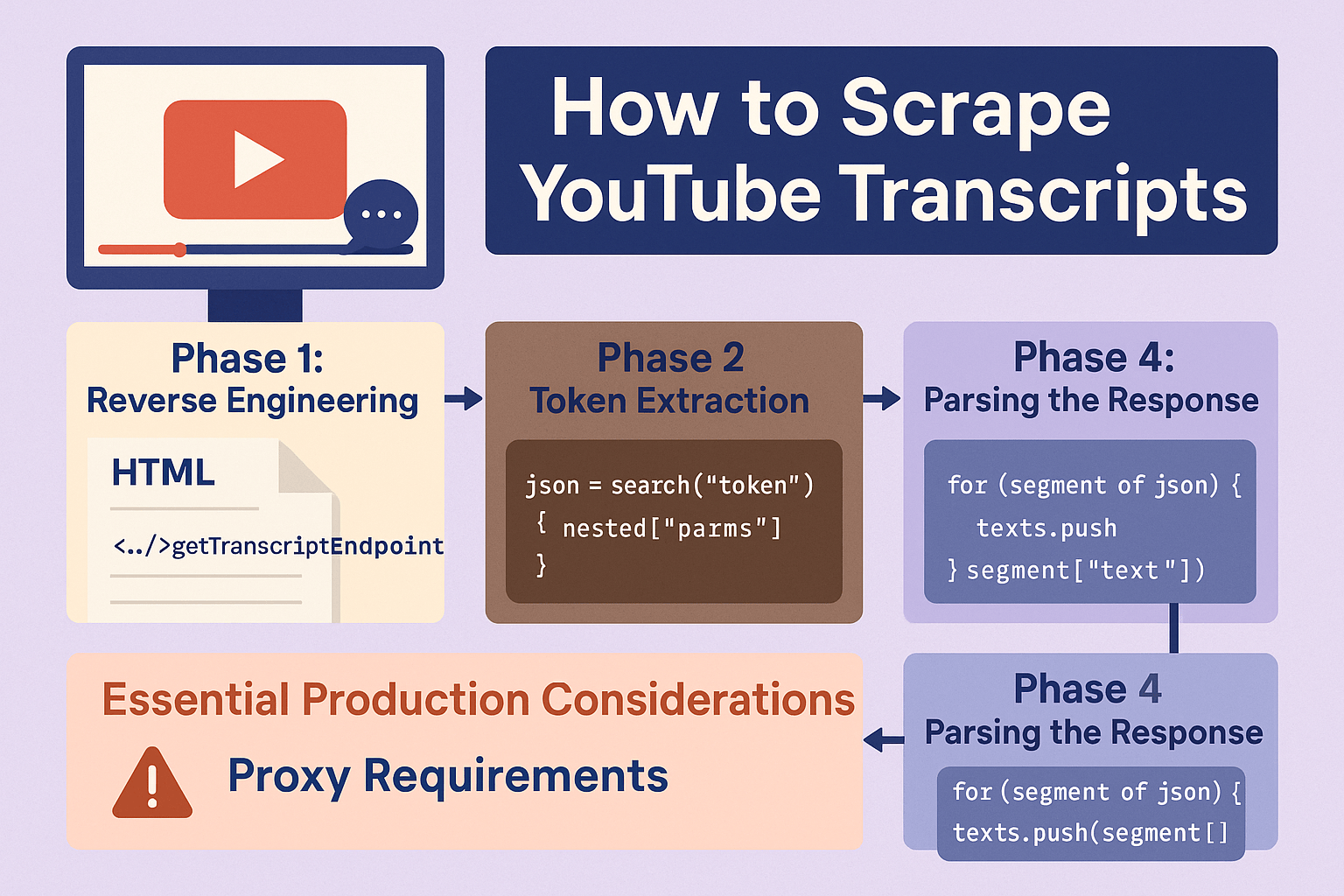
YouTube transcript scraping reverse-engineers Innertube: tokens, get_transcript calls, and parsed caption JSON—not the download button.
Captions power search, summarization, and compliance workflows. Doing it right means four phases, not a single fetch.
In this guide, you’ll learn:
- How YouTube stores transcripts
- Phase 1: reverse engineer the browser
- Phase 2: token extraction
- Phase 3: fetch transcript data
Read on for the step-by-step workflow.
Understanding YouTube’s Transcript Architecture
YouTube uses a two-phase approach for transcript access: first obtaining a continuation token that authenticates your request, then using that token to fetch the actual transcript data.
This system ensures transcripts are only accessible when legitimately requested, just like when you click the transcript button on YouTube’s interface.
The key insight is that YouTube embeds the transcript access credentials directly in the video page’s HTML, then uses these credentials for subsequent API calls to retrieve the actual transcript content.
Phase 1: Reverse Engineering the Browser Process
Before diving into code, let’s understand exactly what happens when you request a transcript through YouTube’s interface.
Open an incognito browser window and navigate to any YouTube video that has transcripts available. Open Developer Tools (F12), go to the Network tab, and refresh the page.
Click on the first request (the HTML page load) and examine the Response tab. Search for “getTranscriptEndpoint” - this contains the critical continuation token needed for transcript access. Copy the “params” value for later verification.
Clear the network console, then click the “Show transcript” button in the video description. You’ll see a new request to get_transcript that includes both the video ID and the continuation token you found earlier. This is the exact pattern we need to replicate programmatically.
Phase 2: Implementing Token Extraction
To get the transcript continuation token in code, make a POST request to YouTube’s player endpoint:
const body = {
  context: {
    client: {
      clientName: "WEB",
      clientVersion: "2.20241028.01.00",
    },
  },
  videoId,
};
The response contains deeply nested JSON where the transcript token is buried. Rather than manually navigating this complex structure, use a recursive search function:
const getTranscriptToken = findKey(json, "getTranscriptEndpoint")?.params;
Phase 3: Fetching Transcript Data
With the continuation token secured, request the actual transcript:
const body = {
  context: {
    client: {
      clientName: "WEB",
      clientVersion: "2.20241028.01.00",
    },
  },
  params: getTranscriptToken,
};
Phase 4: Parsing the Response
YouTube returns transcript data in a complex nested structure that requires careful parsing:
const languageMenu = findKey(transcriptRes, "languageMenu");
const language = languageMenu?.sortFilterSubMenuRenderer?.subMenuItems?.[0]?.title
  ?.split(" ")
  ?.[0];

const transcriptRenderer = findKey(transcriptRes, "transcriptRenderer")
  ?.content?.transcriptSearchPanelRenderer?.body?.transcriptSegmentListRenderer?.initialSegments
  ?.map((segment) => segment?.transcriptSegmentRenderer)
  ?.filter(Boolean)
  ?.map((segment) => ({
    text: segment?.snippet?.runs?.[0]?.text,
    startMs: segment?.startMs,
    endMs: segment?.endMs,
    startTimeText: segment?.startTimeText?.simpleText,
  }));
Essential Production Considerations
Proxy Requirements
YouTube actively blocks automated requests. Using proxies is mandatory for any serious transcript scraping operation:
Recommended Providers:
- Evomi: Reliable residential proxies with good YouTube success rates
- Webshare: Cost-effective option for moderate volume operations
- Decodo: Premium service with highest reliability for large-scale operations
Configure your HTTP client to route all requests through proxy servers to avoid IP-based blocking.
Skip the Complexity: Use Scrape Creators Instead
If you want to skip all this technical overhead and get straight to using transcript data in your application, the YouTube Video Transcript API on Scrape Creators handles all these complexities for you.
Check out the YouTube video transcript API at ScrapeCreators: https://docs.scrapecreators.com/v1/youtube/video/transcript.
Use code TWITTER for 25% off your first usage.
Whether you’re building content analysis tools, accessibility features, or educational applications, this API provides the reliability and simplicity that production applications require.